This article presents the list of options available on the tablet in Start&Stop mode. They fall into three categories:
- the PerfTrak options — the behaviour of the application;
- the display options — what the operator sees on screen;
- the module options — the configuration of the inputs and of the signals associated with a running or stopped state.
Reaching the options
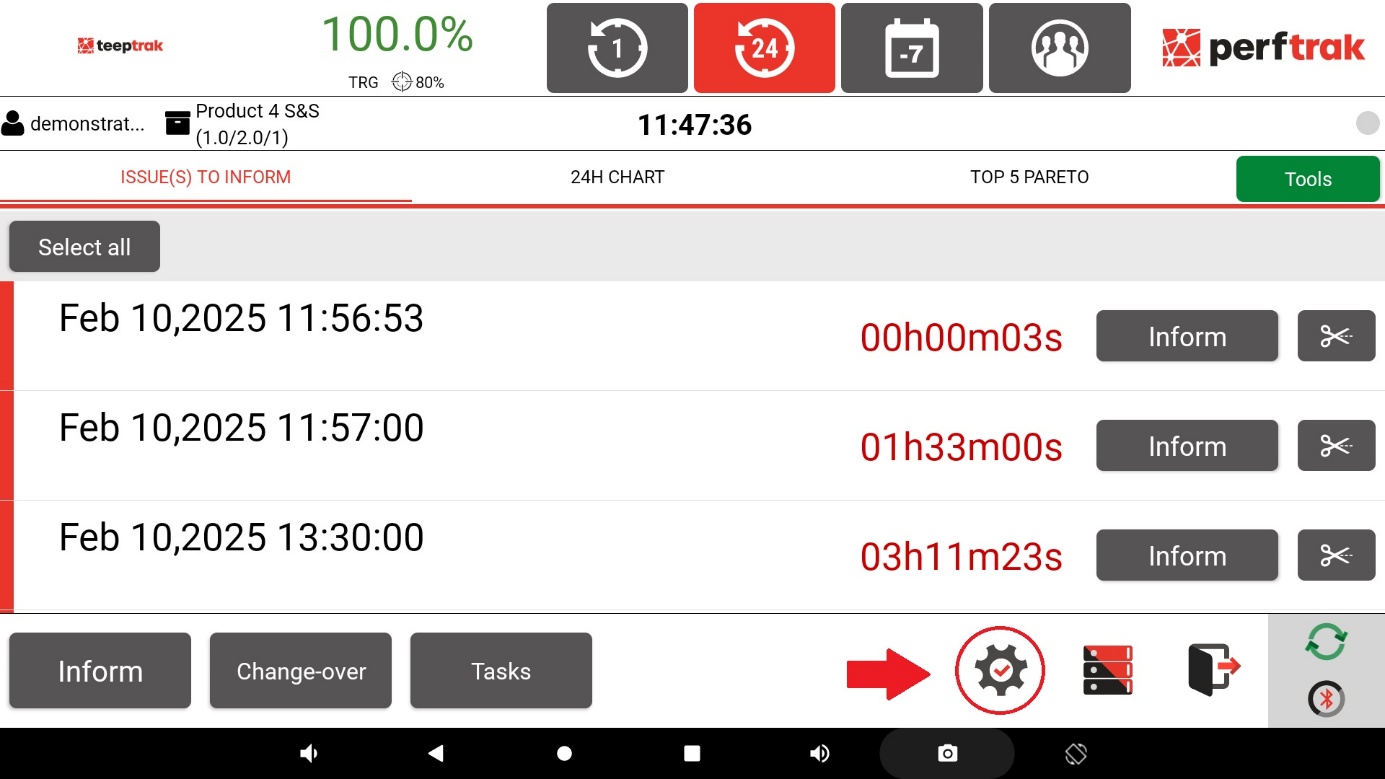
Use an account that has access to the settings, then select the cogwheel at the bottom right of the main screen.
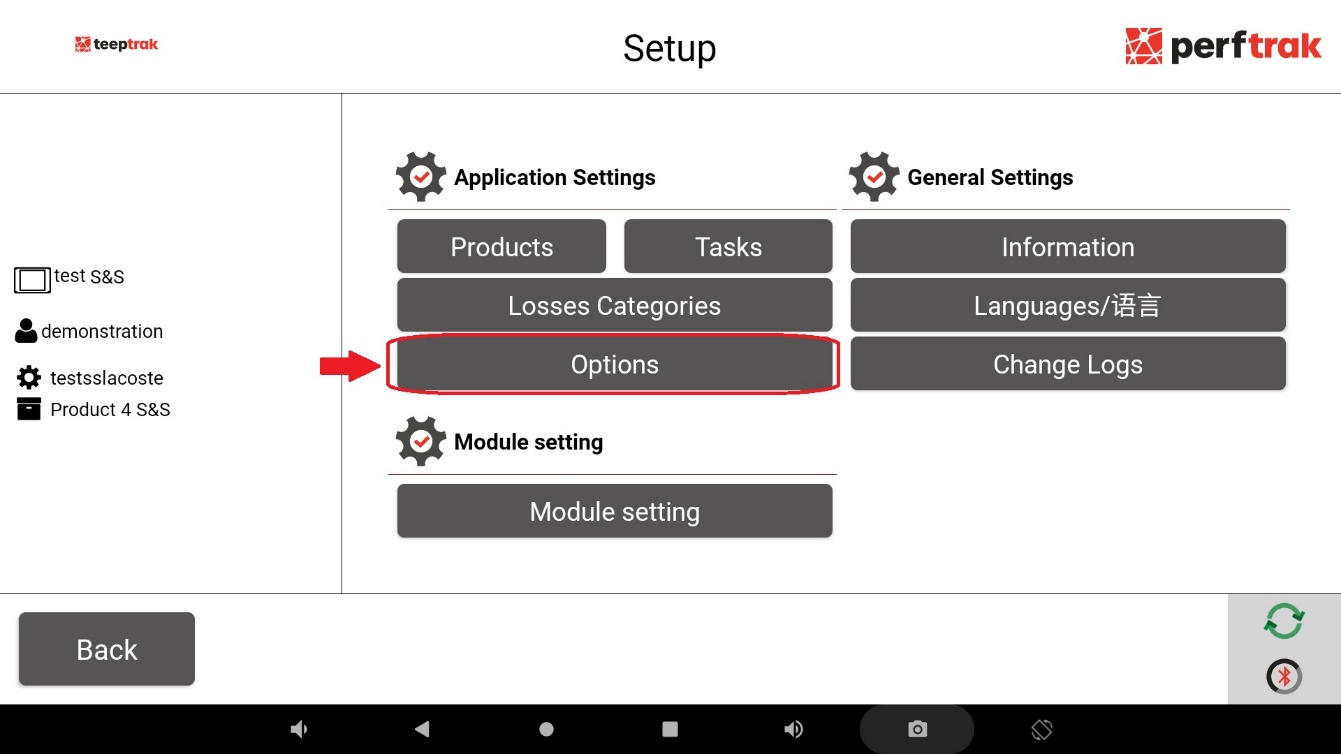
Then select Options, in the Application Settings section.
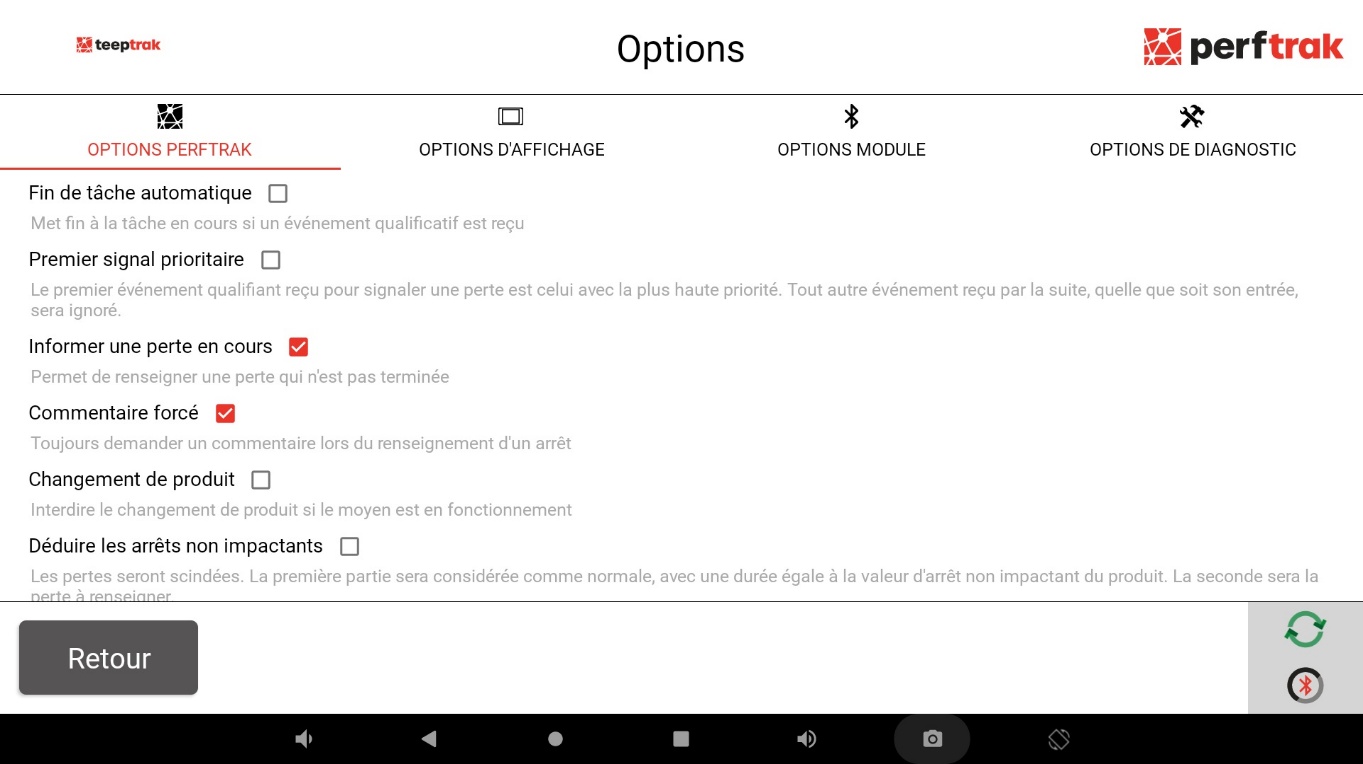
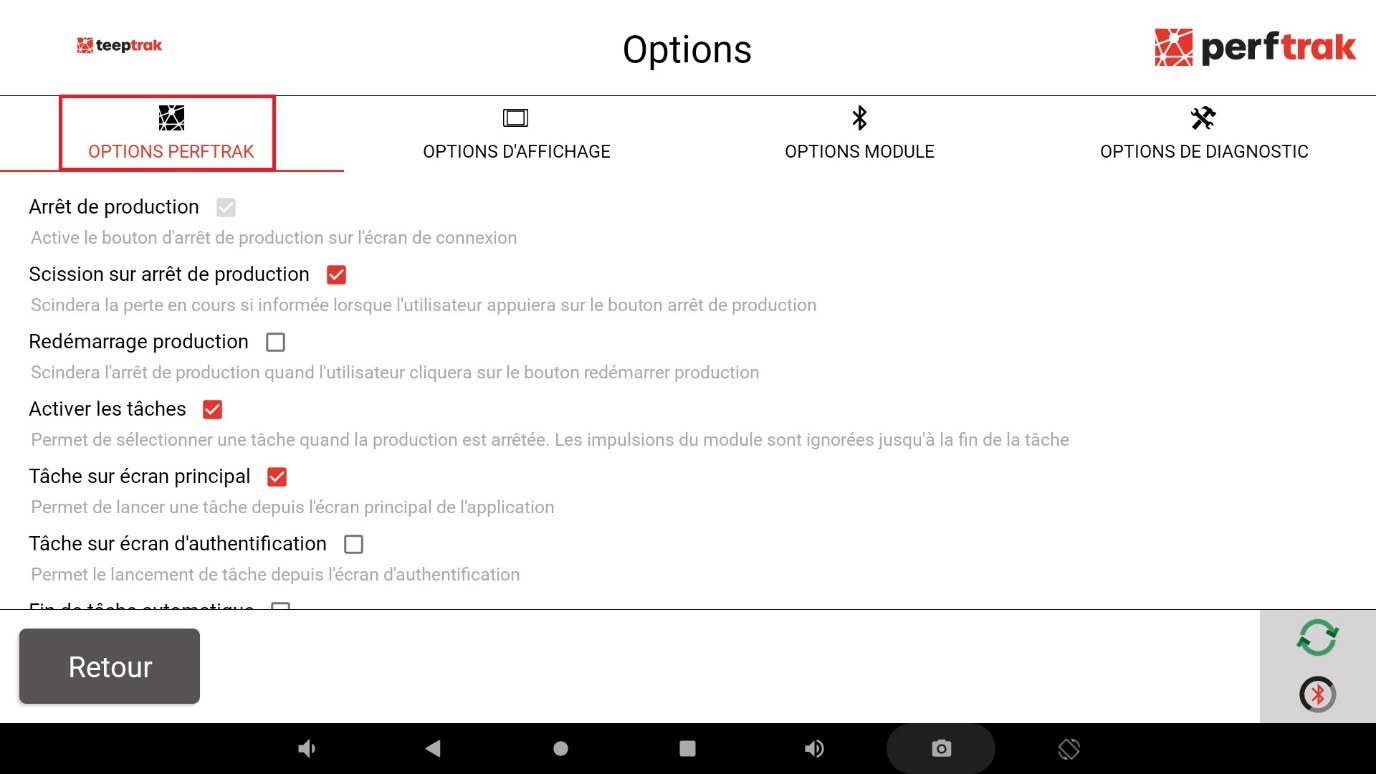
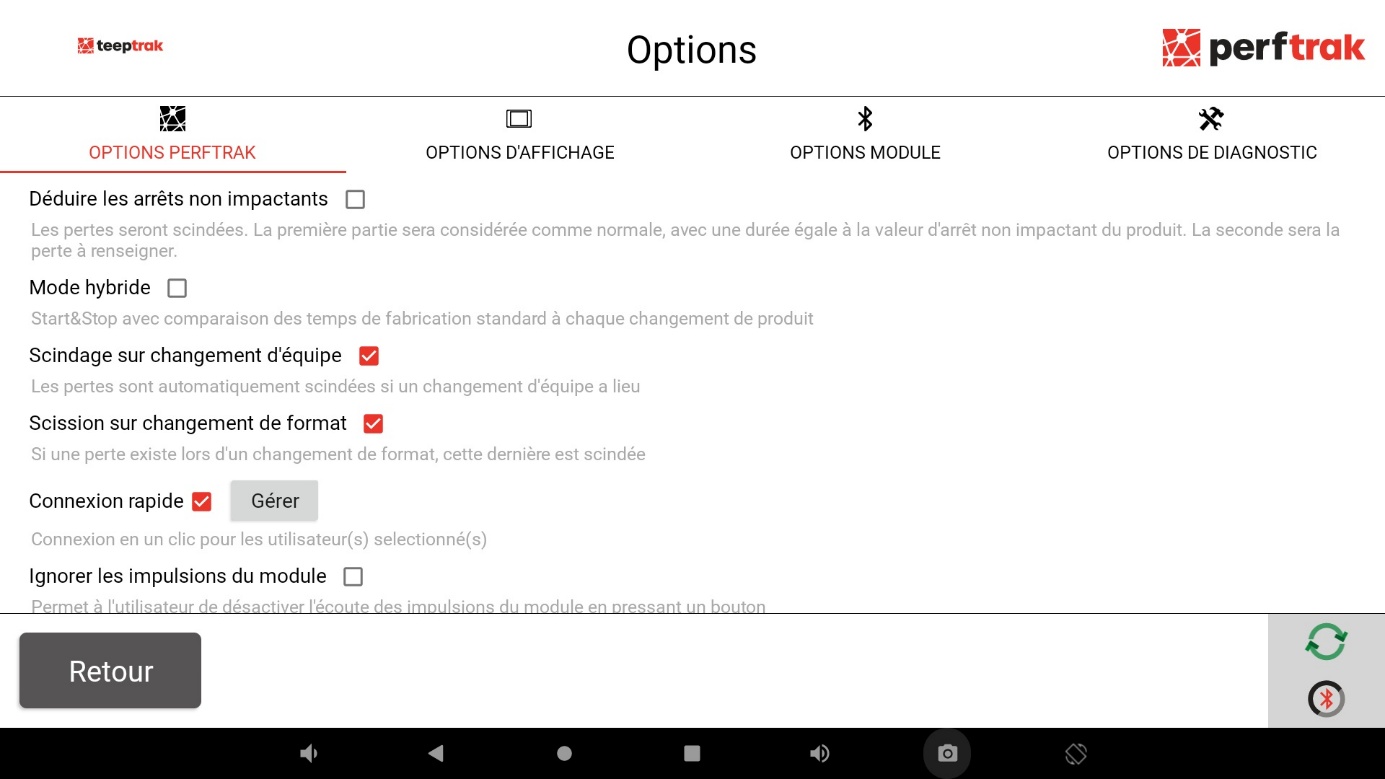
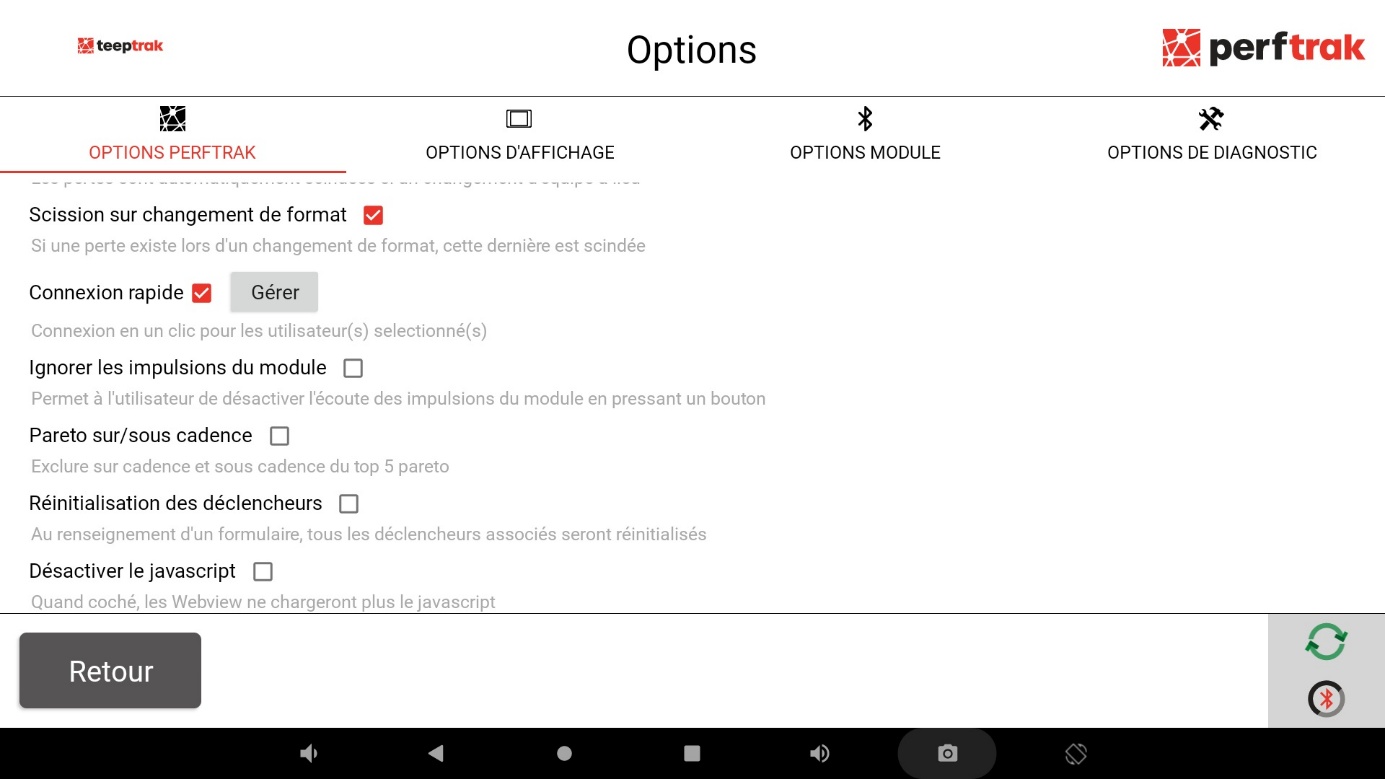
PerfTrak options
Scroll down the list to go through all the options offered by PerfTrak Start&Stop.
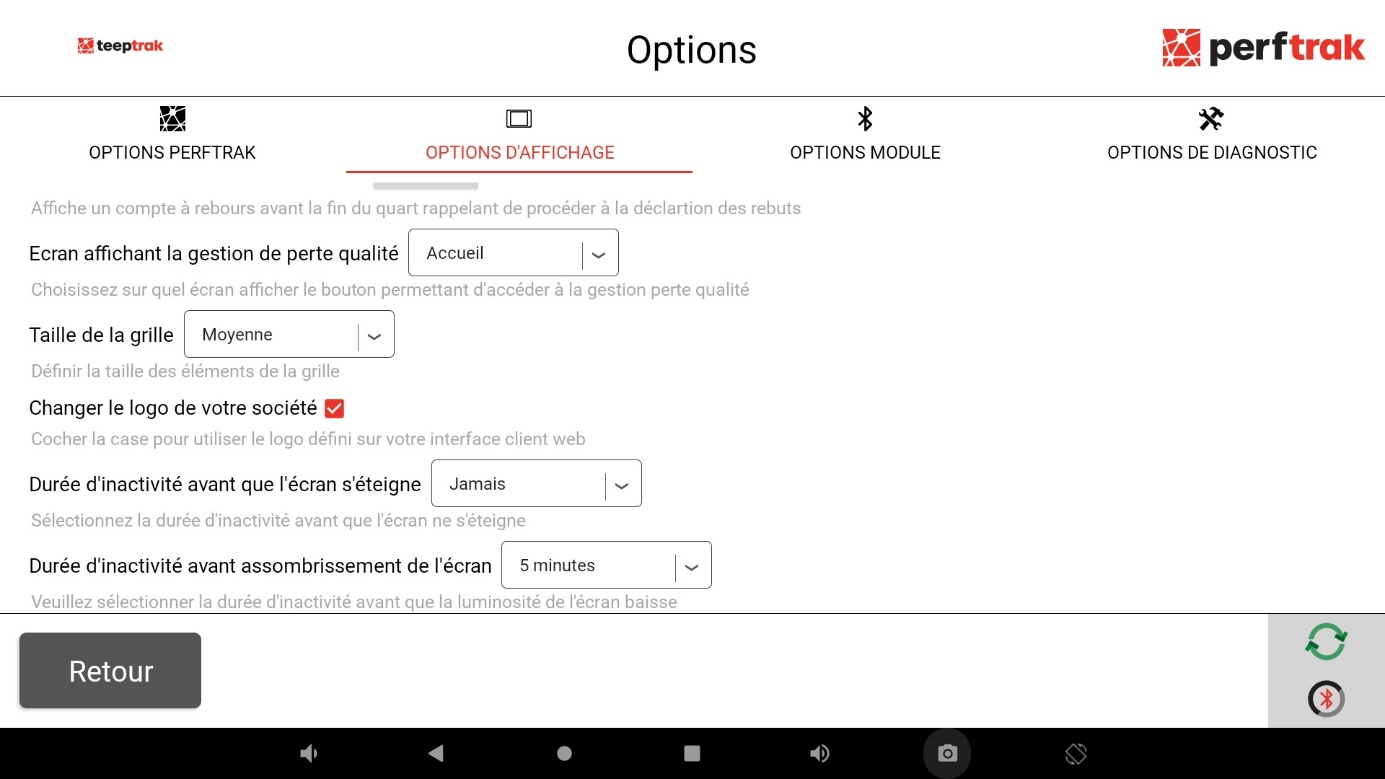
Display options
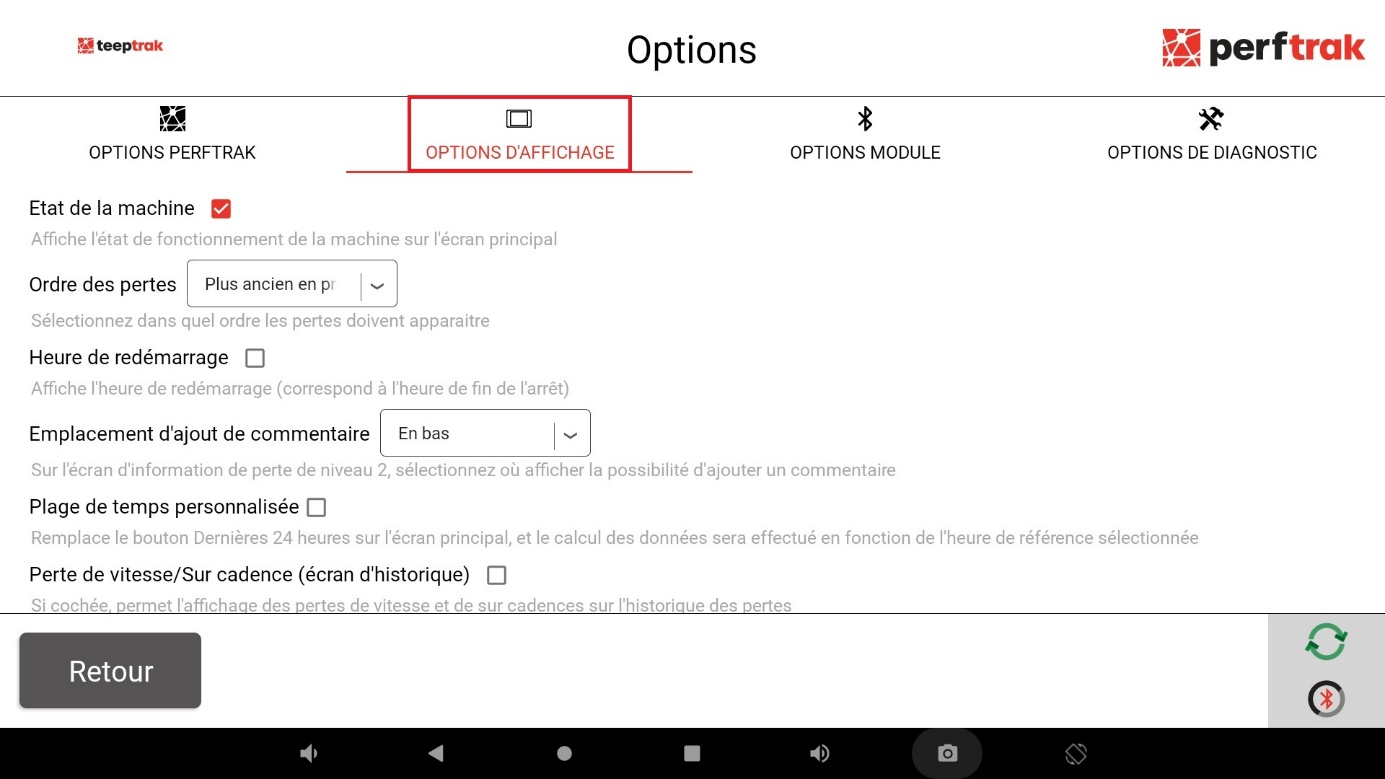
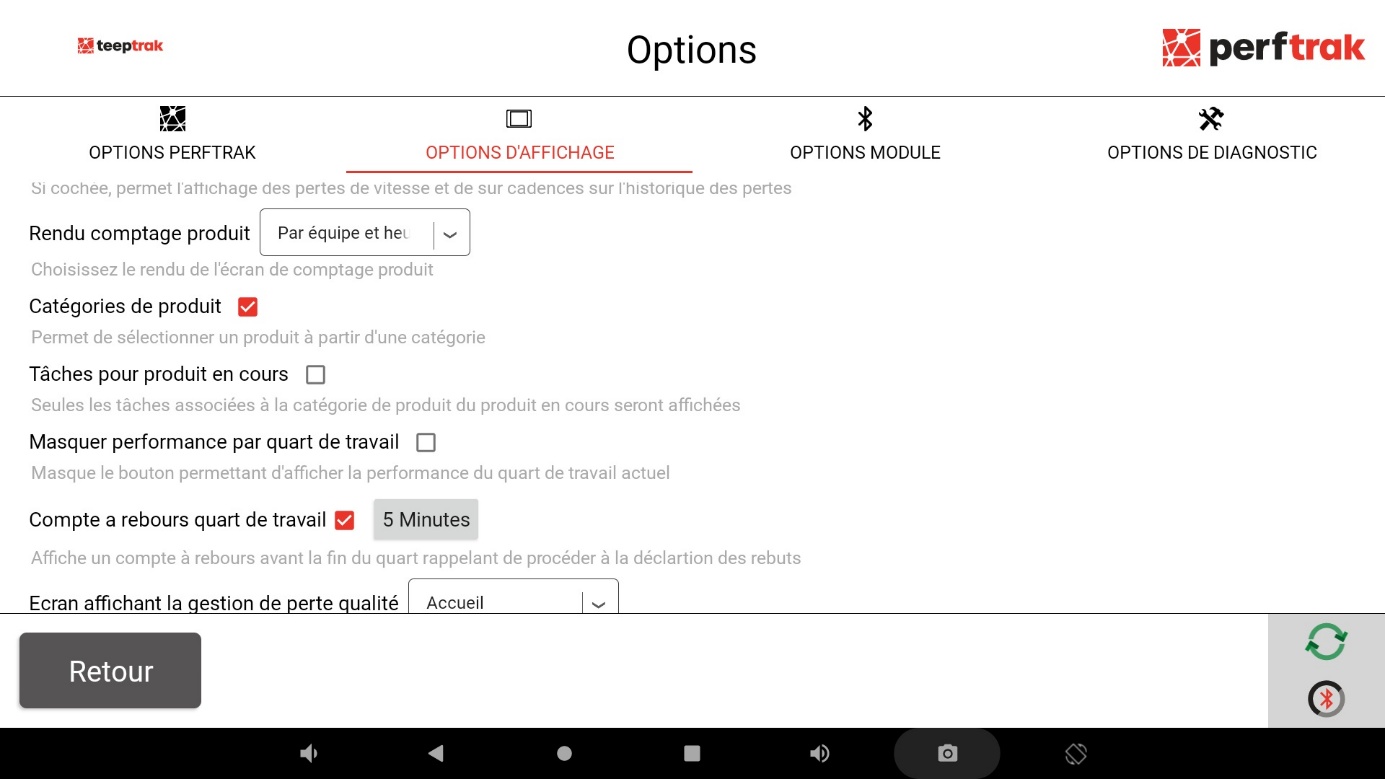
Switch to the Display options tab and scroll down the list.
Module options
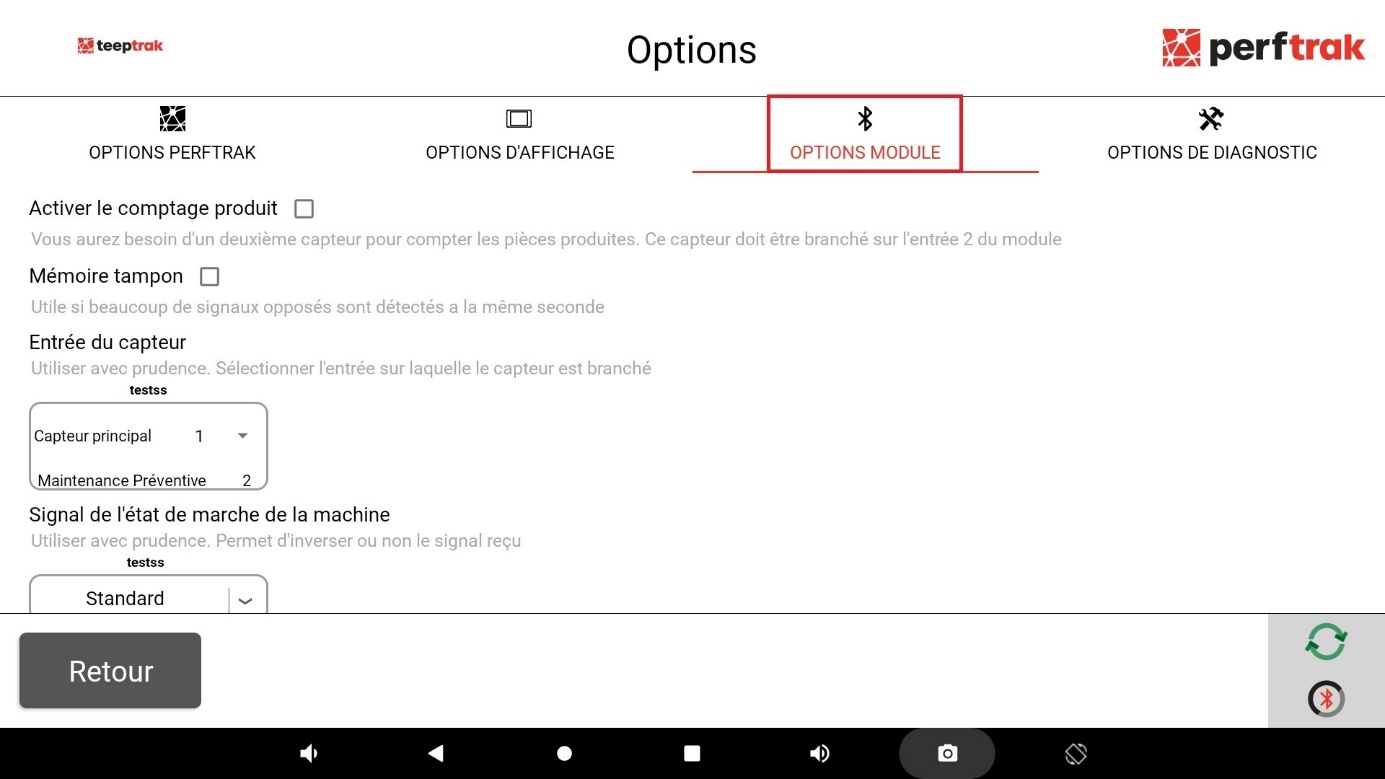
Finally, switch to the Module options tab and scroll down the list. These options let you:
- add a sensor to count the produced parts, on the second input of the module;
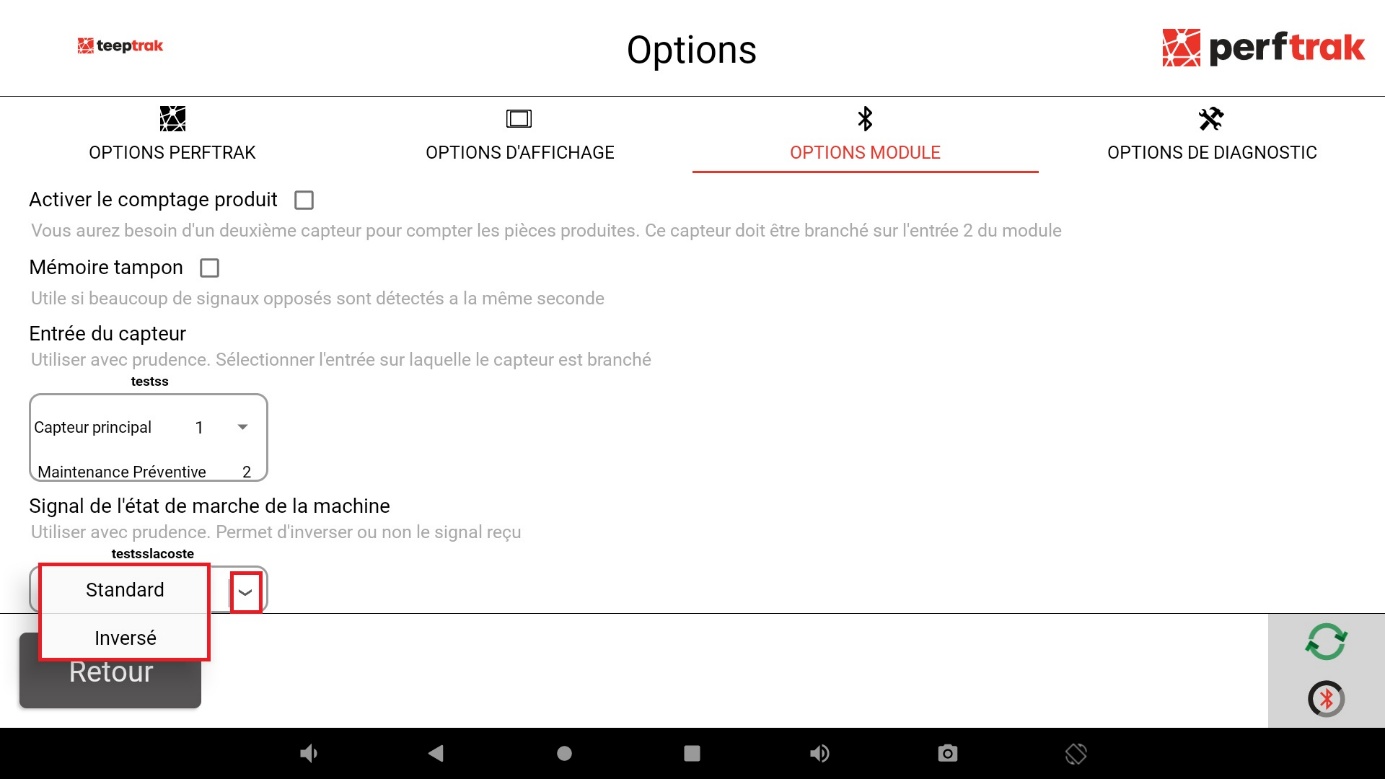
- define the input of the main signal, the one tracking the running or stopped state of the machine;
- define the tracking mode matching that signal:
- Standard — a high signal, on a rising edge;
- Revert — a low signal, on a falling edge.
In both cases, the mode chosen is what determines which state the module reads as "running".
Adding the counting sensor is detailed in Installing the product count, and setting the signal in Machine state signal.