It is now possible to run the production of several products simultaneously on the same machine, provided that they share the same cycle time.
To activate this option, please contact your TEEPTRAK representative or the support team.
Activation on the platform
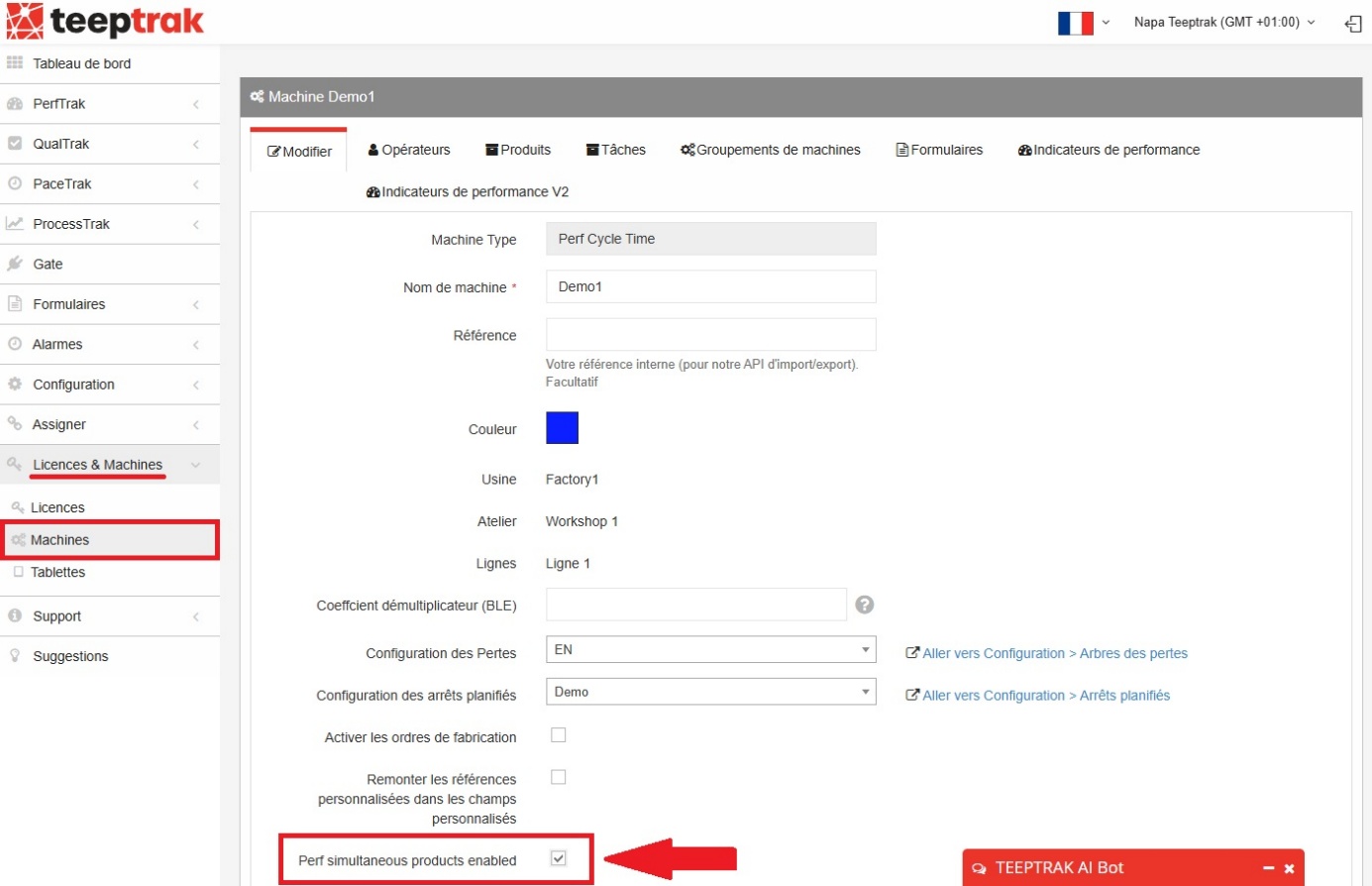
Once the option has been activated by your TEEPTRAK representative or by the Support team, go to the Licenses & Machines > Machines tab. Find the machine concerned and click Edit. At the very bottom of the configuration page, check the Perf simultaneous products enabled box.
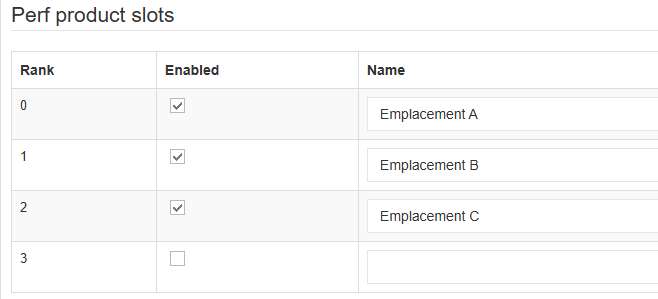
You can enable up to four slots and name them as you wish. In the example below, three slots are enabled and named Emplacement A, Emplacement B and Emplacement C.
Activation on the tablet
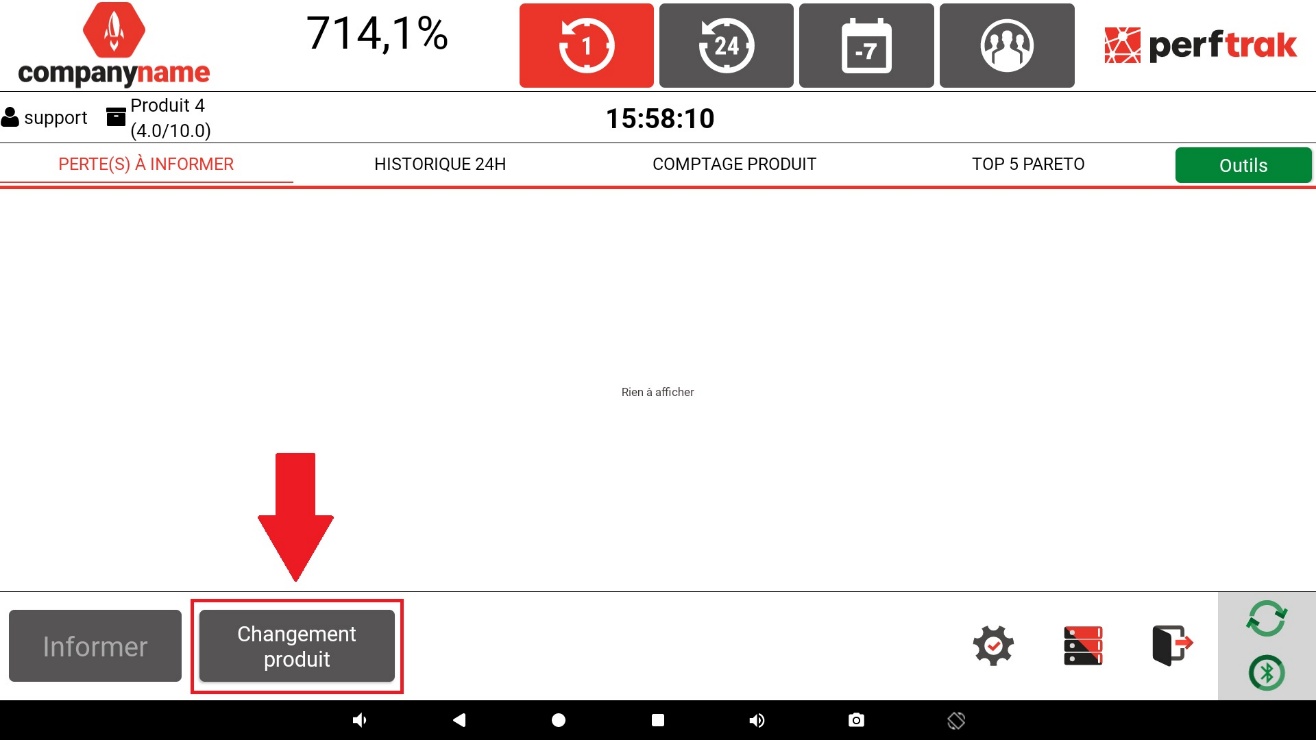
To start the production of several products simultaneously on the tablet, click the Changement produit button at the bottom of your screen.
The slots you configured on the platform are displayed.
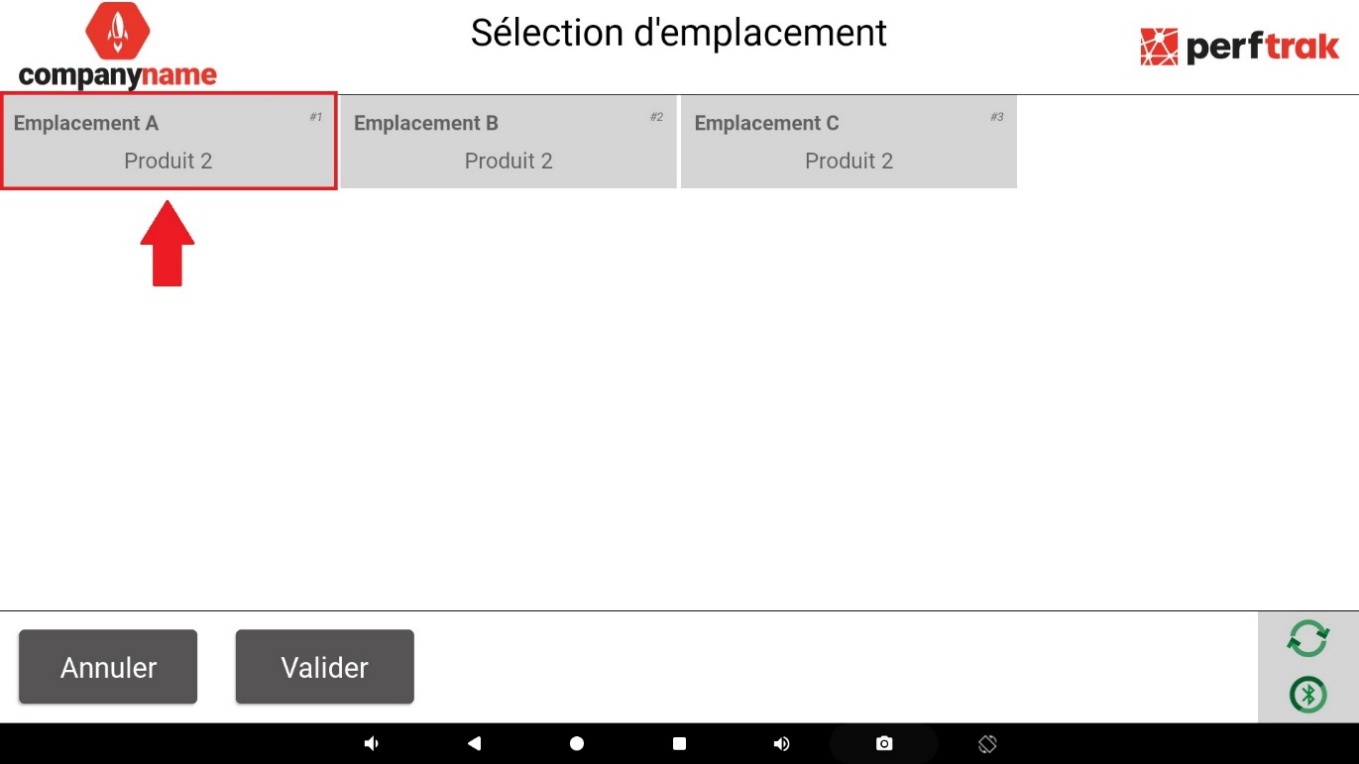
Click each box to choose the corresponding product, then click Sélectionner at the bottom of the page to confirm the association.
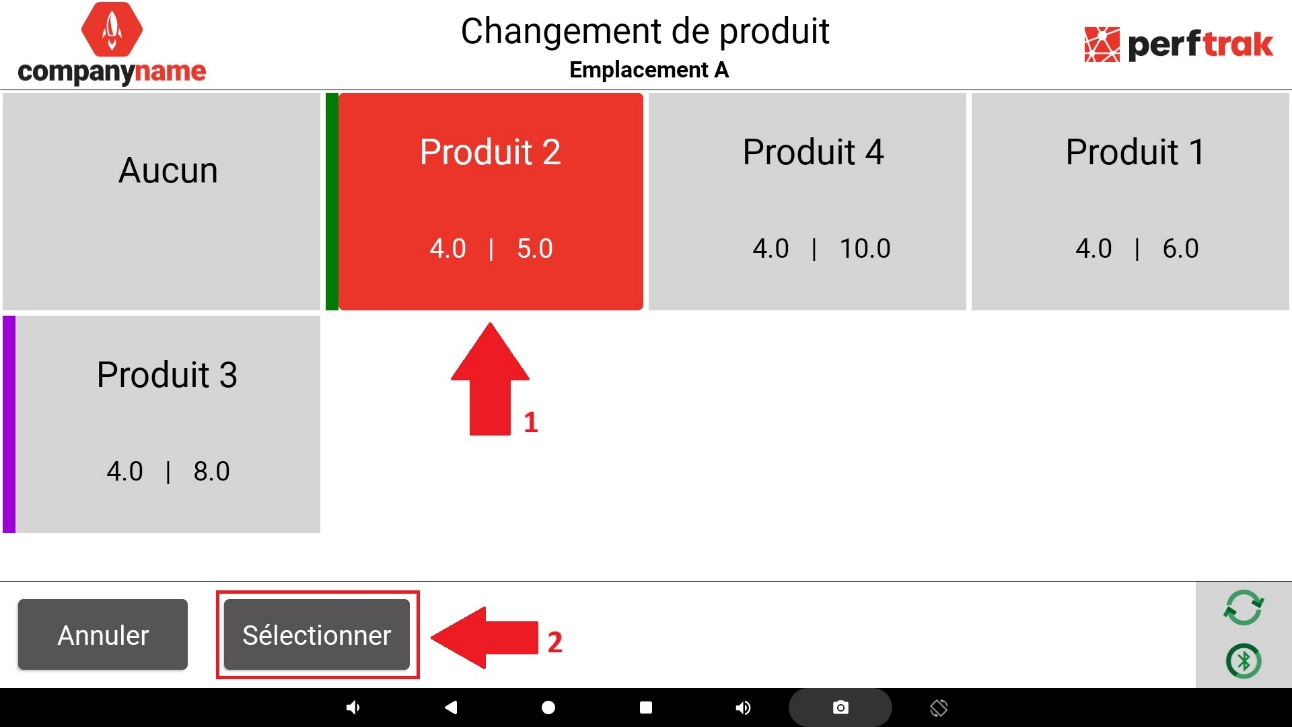
Once every slot is filled in, click Valider to save and start the multi-product production.
Important: you must associate at least one product. No slot may be left empty — use the Aucun entry if you do not want to associate a product with it.
In the example above, all the products share the same cycle time, but their maximum time before a stop has to be reported is different. The product with the shortest time is therefore the one considered as the priority.
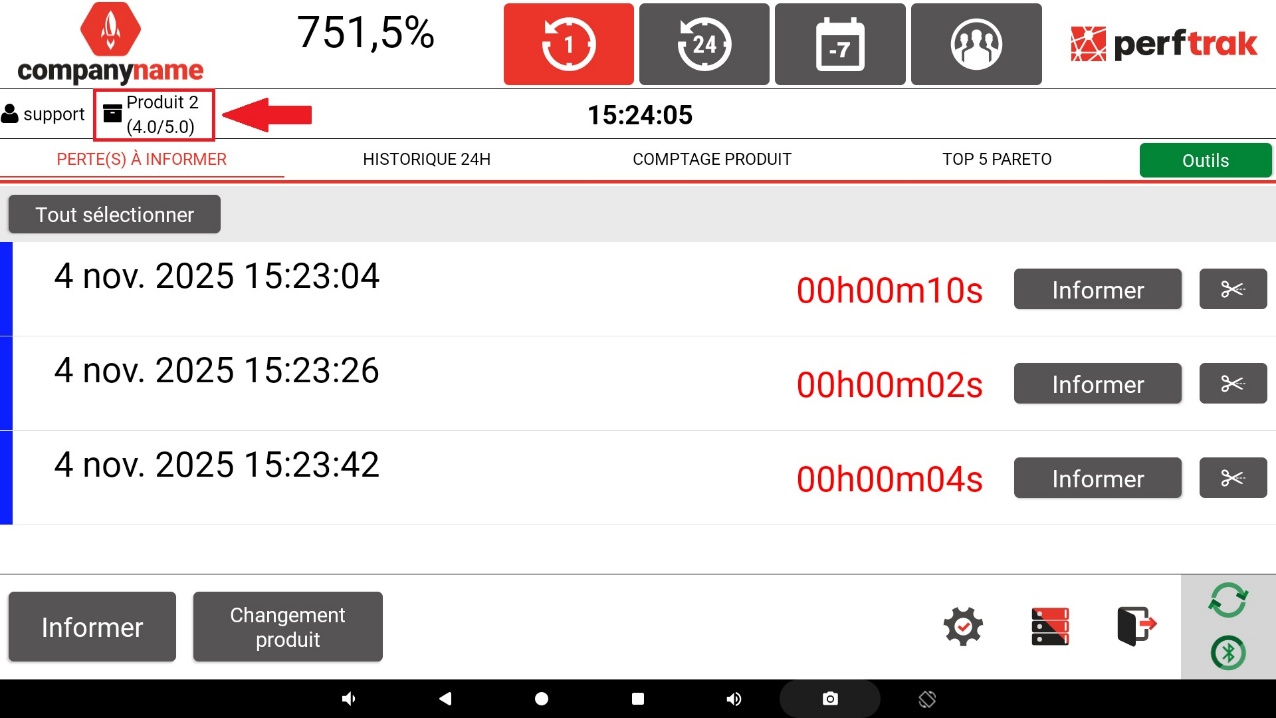
That same product is the one displayed on the home page as the product currently being produced. If all the products share the same maximum time before a stop has to be reported, the product in rank #1 is displayed instead.
The losses displayed on the home page therefore concern all the products associated with the slots: reporting a loss takes effect for every product, and so do the associated durations.
How the time sharing works
Every pulse detected is taken into account for all the active slots. This duplication makes it possible to measure the performance of several products simultaneously, while keeping independent monitoring for each of them.
Once the pulses have been recorded, PerfTrak automatically distributes the total duration between the products concerned. The distribution depends on the configuration of the slots. The examples below all use a cycle time of 2 seconds.
Case 1: one product per slot
- Emplacement A: Product A
- Emplacement B: Product B
- Emplacement C: Product C
If the cycle time is respected and a pulse is recorded at the 2nd second, that pulse is virtually duplicated for each active slot (3 in this example). It is then distributed equally between the products:
- Product A: 2 sec of fully productive duration
- Product B: 2 sec of fully productive duration
- Product C: 2 sec of fully productive duration
Loss times are distributed in exactly the same way.
Case 2: two products for three slots
- Emplacement A: Product A
- Emplacement B: Product B
- Emplacement C: Product B
If a 3-second loss is recorded, it is virtually duplicated for each active slot (3 in this example), then distributed equally between the products. As Product B occupies two slots out of three, the distribution follows a ⅔ – ⅓ ratio:
- Product A: 2 sec
- Product B: 4 sec
Loss times are distributed in exactly the same way.
Case 3: a slot left with the "Aucun" entry
- Emplacement A: Product A
- Emplacement B: Product B
- Emplacement C: Aucun
If the cycle time is respected and a pulse is recorded at the 2nd second, it is virtually duplicated for each active slot (3 in this example), then distributed equally between the products.
As slot C is not associated with any product, the time allocated to it is automatically recorded as a loss, and appears on the platform under the label Empty slot:
- Product A: 2 sec of fully productive duration
- Product B: 2 sec of fully productive duration
- Slot C: 2 sec of losses reported under the label chosen for the TEEPTRAK "no product" loss
Loss times are distributed in exactly the same way.