Introduction
You can now display your dashboards in external tools, outside the teeptrak.net platform, using iFrame integration.
Initial setup
Go to the Setup > General Configuration tab. In the "Security" section, check the box "Allow public dashboards sharing." Once this is done, the iFrame Integrations panel will appear. Then:
- If you are using software such as Fabriq, enter your Fabriq subdomain:
yourcompany.fabriq.tech. - If you are using Kpitaine, enter
player.kpitaine.com.
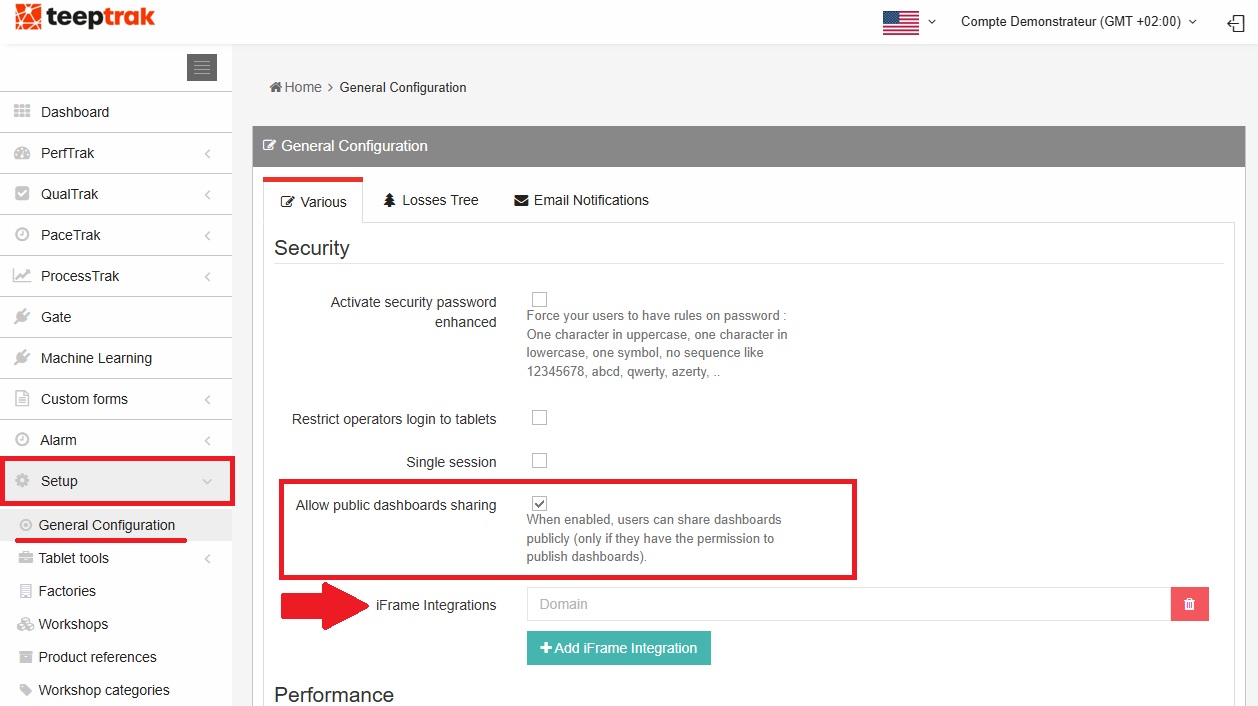
Save your selection by scrolling down the page and clicking "Save."
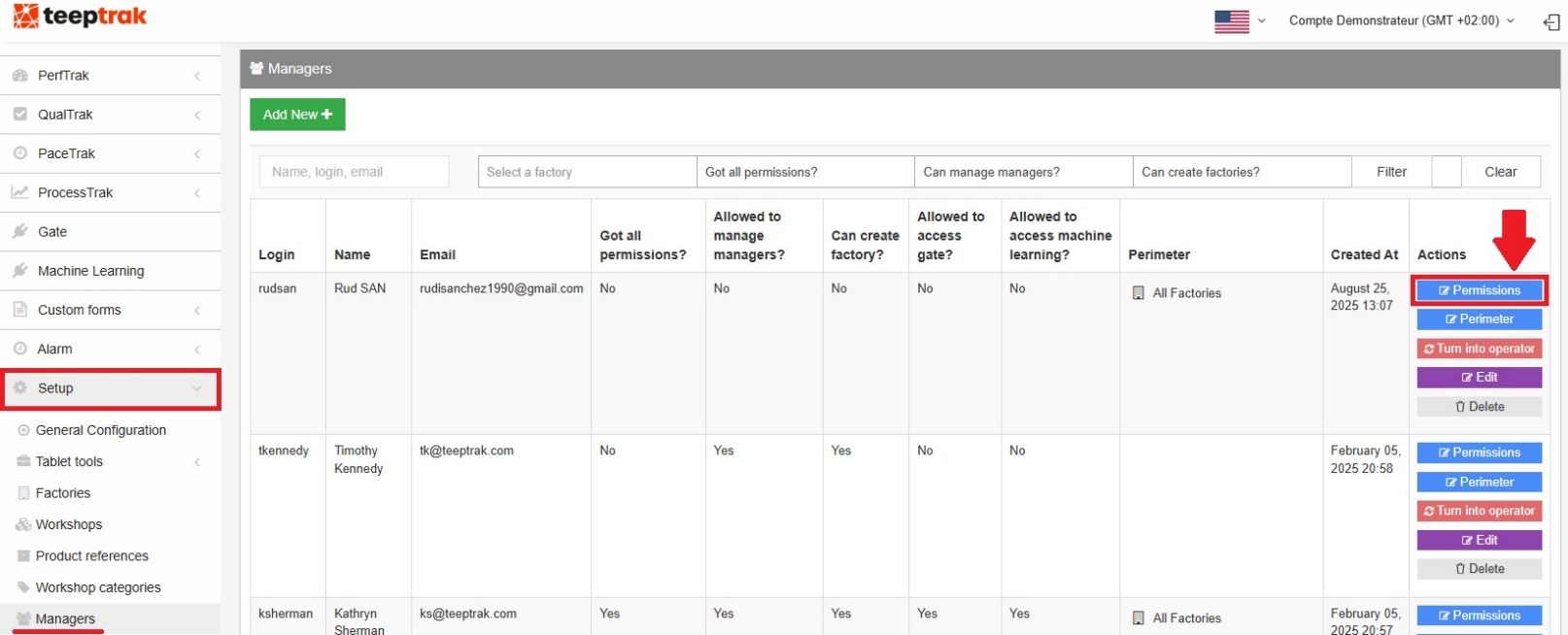
Then, select the managers who will have access to this feature by going to Setup > Managers. A list of your managers will appear; click "Permissions" on the right side of the table.
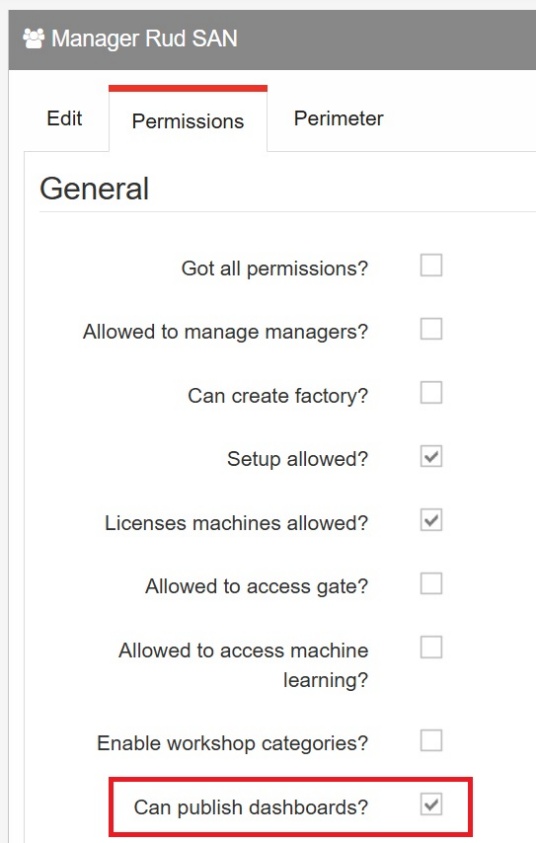
In the "General" section, check the box labelled "Can publish dashboards?"
Dashboards
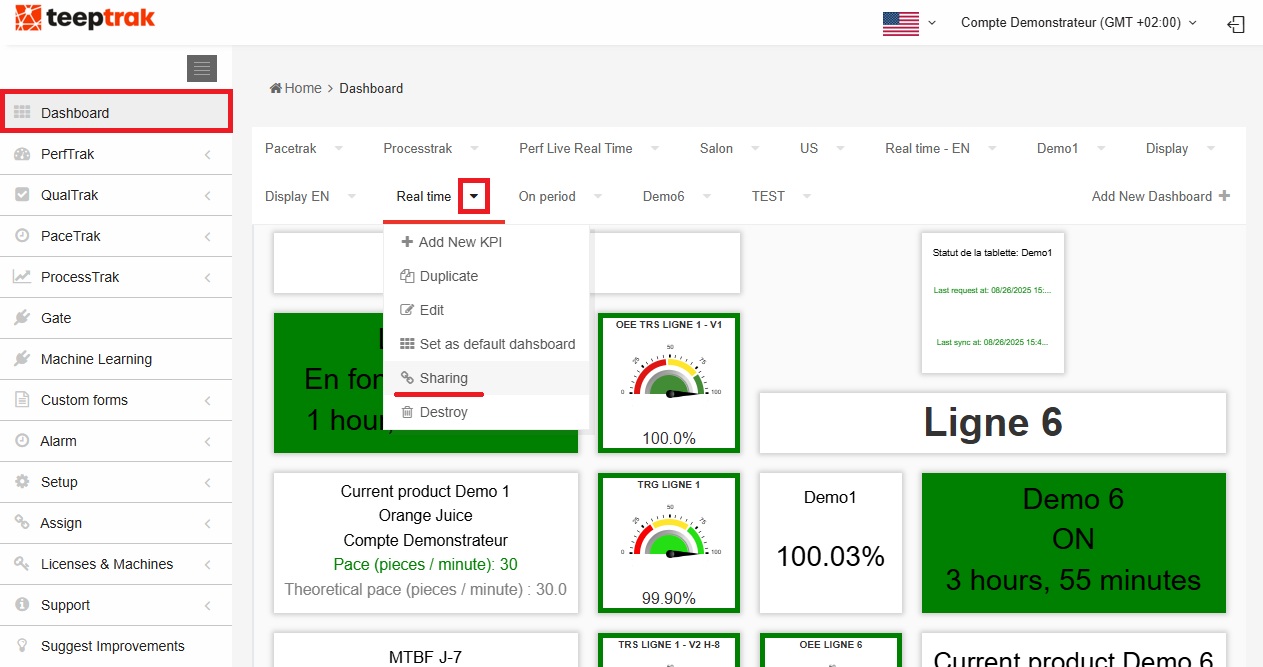
With a manager account, go to the Dashboard tab. Select the one you wish to share and click on the arrow to the right. A list of actions will appear; choose "Sharing."
The "Dashboard Sharing" page gives you access to the URL that enables the iFrame integration of your dashboard into your external tool. Click "Copy URL."
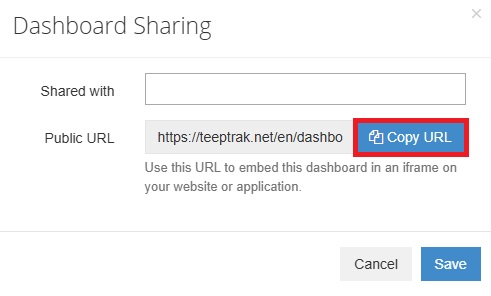
You can then paste this URL into your browser and/or into your external tool, and your dashboard will be displayed.