The Human tracking times feature lets each operator declare their presence on the machine directly from the PerfTrak tablet.
When an operator signs in, their work period starts being counted; when they sign out, the period ends. This data then feeds the tracking table available on the platform — see the Human tracking times article in the PerfTrak tab.
1. Open the operator list
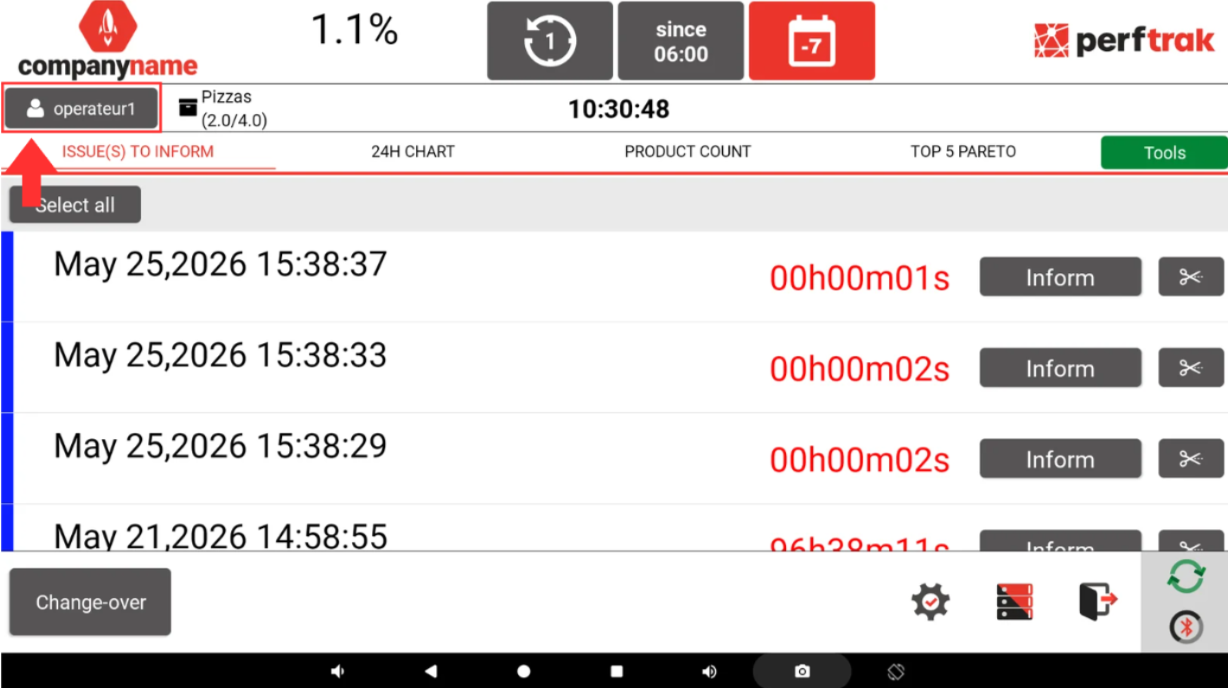
At the top left of the screen, the operator badge shows the operators declared as present on the machine. It displays the main operator followed by the number of additional operators, for example operateur1 + 1.
Tap this badge to open the operator selection window.
2. Select the operators present
The Select the operators working on this machine window lists the accounts assigned to the tablet.
- Use the Find operator by name field to quickly locate an account.
- Tap your account to declare yourself present: your tile is highlighted and a number is assigned to it.
- Tap your account again to sign out and declare that you are leaving the machine.
The main operator — the account the production session was opened with — appears with a padlock: they remain registered as long as the production session is active. To remove them from the current production session, they must log out of the application.
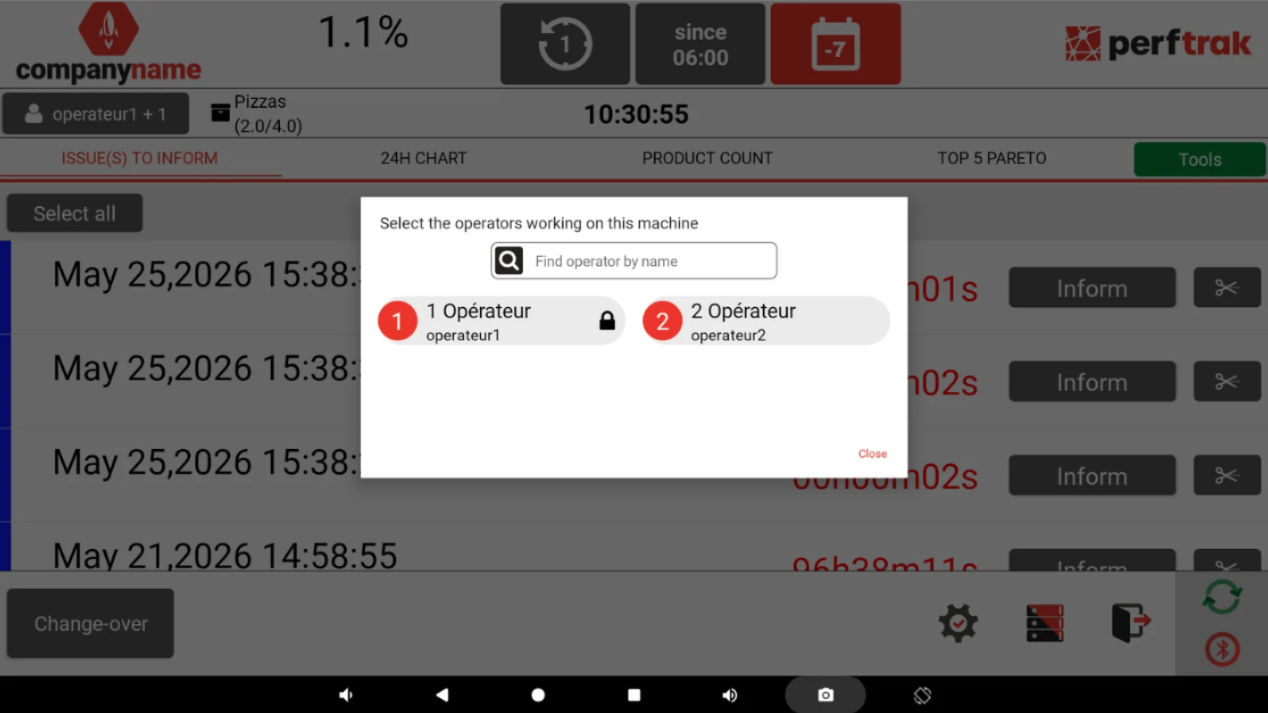
Once your selection is made, tap Close. The badge at the top left is updated with the new number of operators present.
3. Named and generic accounts
Two types of account can be assigned to the tablet:
- Named accounts: each operator has their own account.
- Generic accounts: a shared account — for example Operator 1, Operator 2 — can be used when named tracking is not required. The same generic account can be declared present on several machines at the same time.
Good to know
- The number of declared operators is taken into account in real time in the machine's indicators.
- Remember to sign out at the end of your shift, so that the duration of your work period is recorded correctly.