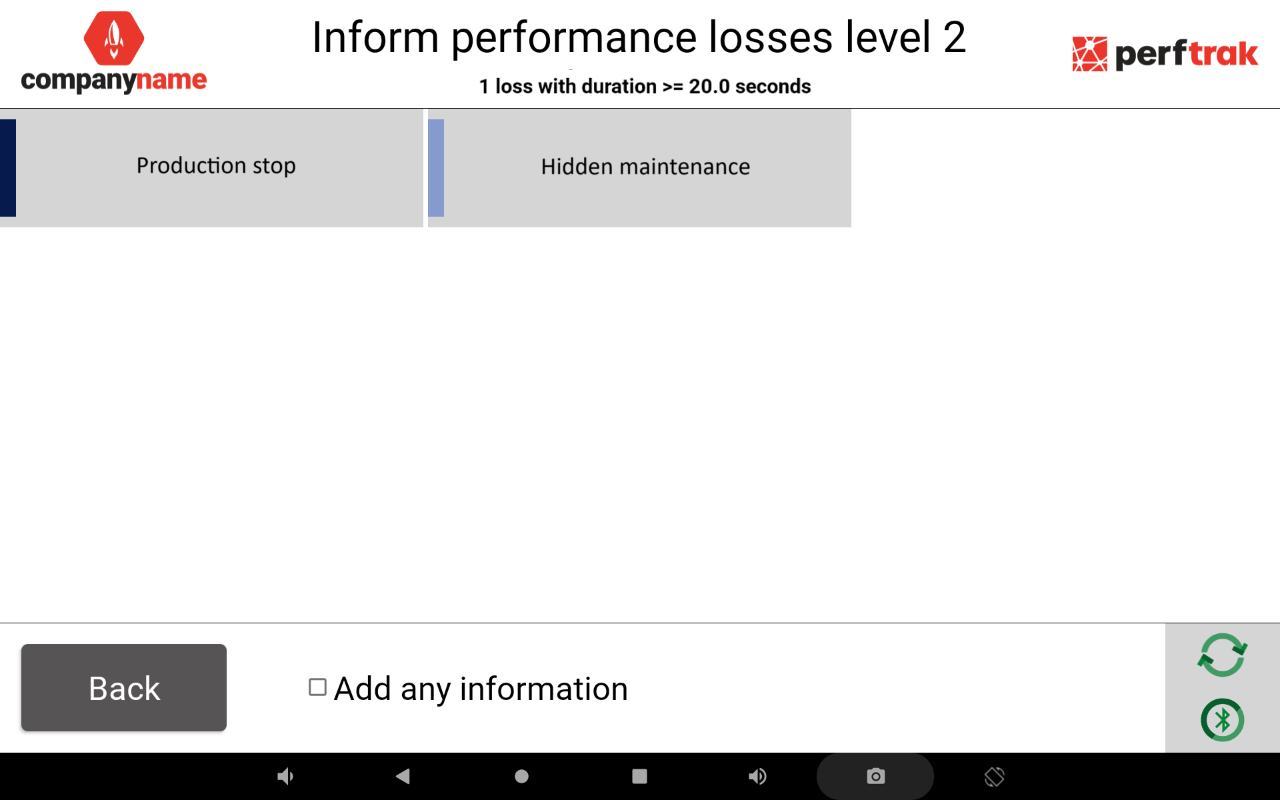
This feature automatically determines which types of losses are offered to the operator, based on the duration of the stop. Only the losses selected for the relevant duration category are visible on the tablet, which limits errors and prevents the reporting of losses that are inconsistent with the context.
It also makes it possible to inform several losses belonging to different categories in a single pass.
1. Configuring the duration thresholds
- On the platform, open Setup > General Configuration.
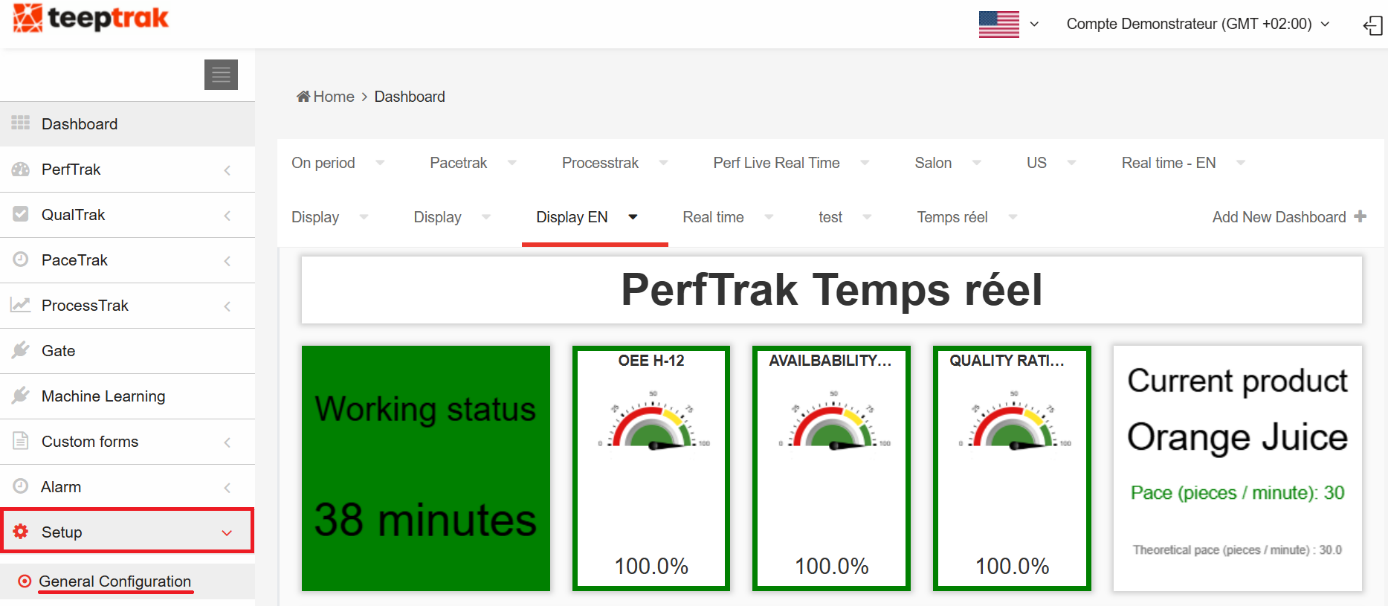
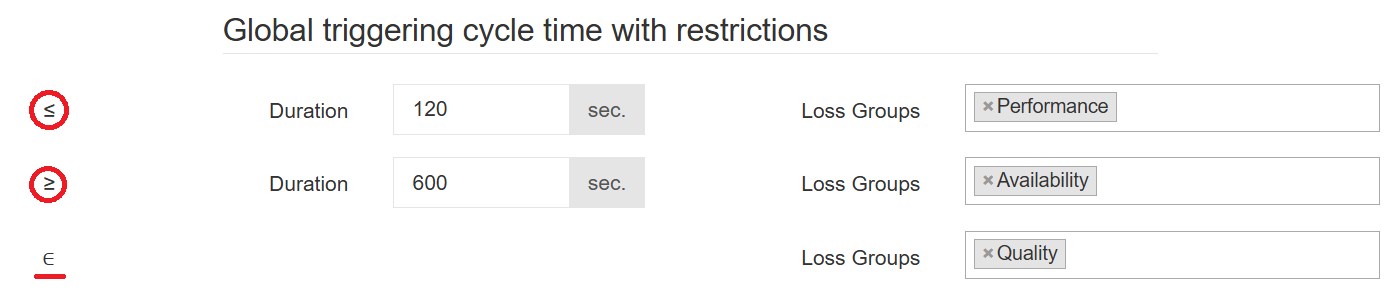
- Scroll down to the PerfTrak section and define your global triggering cycle times with restrictions. These durations are the inclusion thresholds determining which types of losses are displayed, according to the duration of the recorded loss.
- Save your selection with Save, at the bottom of the page.
The General Configuration tab is only visible from an administrator account.
Reading the three thresholds
| Threshold | Duration concerned | Loss groups displayed |
|---|---|---|
| Inferior (≤) | from 0 to the low value | groups associated with the inferior threshold |
| Intermediate (∈) | between the low value and the high value | groups associated with the intermediate threshold |
| Superior (≥) | beyond the high value | groups associated with the superior threshold |
In the example above:
- ≤ 120 s — displays only the losses of the "Performance" group;
- between 120 s and 600 s — displays only the losses of the "Quality" group;
- ≥ 600 s — displays only the losses of the "Availability" group.
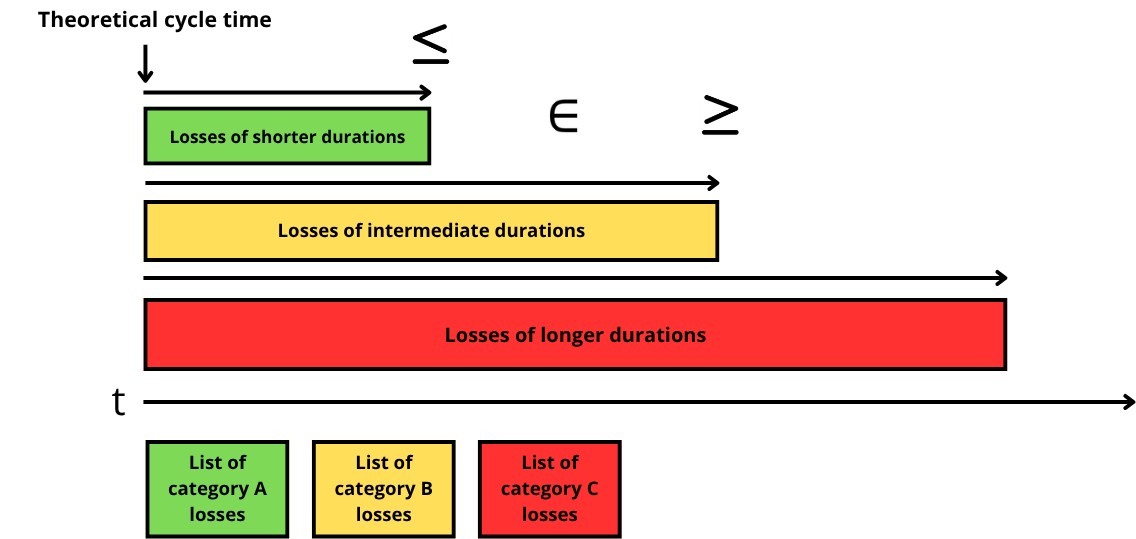
Diagram of the three loss categories that can be selected according to the duration of the stop:
2. Behaviour with a multiple selection
The categorisation of the loss groups acts as a filter when informing losses on the tablet: each duration can only be assigned to a predefined list of losses.
This works well when losses are informed as the machine stops occur. However, after the tablet disconnects from the module — or if the displayed losses are left uninformed for a long period — a substantial list of losses from different categories would have to be selected one by one to be categorised correctly. That is why multiple selection is now available.
Losses from different categories
The system automatically groups losses of the same category together and offers a single entry — the choice of one loss — per category.
By default, the categories are displayed starting with the shorter durations:
- shorter durations;
- intermediate durations;
- longer durations.
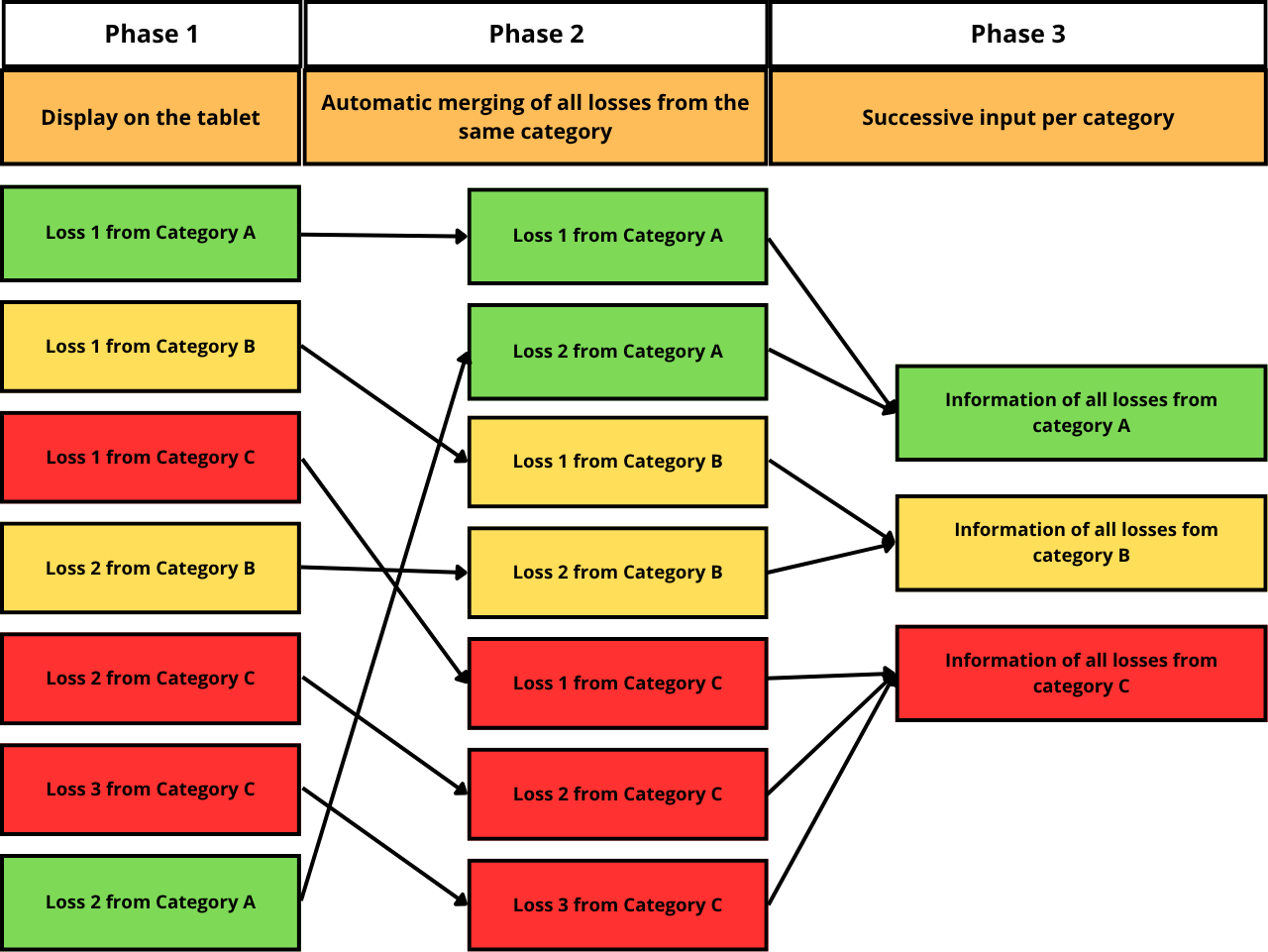
In the diagram above, the losses belong to three groups:
- A — "inferior", in green;
- B — "intermediate", in yellow;
- C — "superior", in red.
During phase 3, the operator therefore informs losses up to three times, once per loss group.
Multiple selection mode is also compatible with multi-machine mode and follows the same logic (entry at level 0 and per machine). Entry is then performed machine by machine, which means at most 3 groups × 4 machines = 12 manual entries to inform the losses.
3. Case study
Threshold configuration used for this example:
- ≤ 10 s — group "Performance";
- between 11 and 19 s — groups "Availability" and "Custom 1";
- ≥ 20 s — group "Quality".

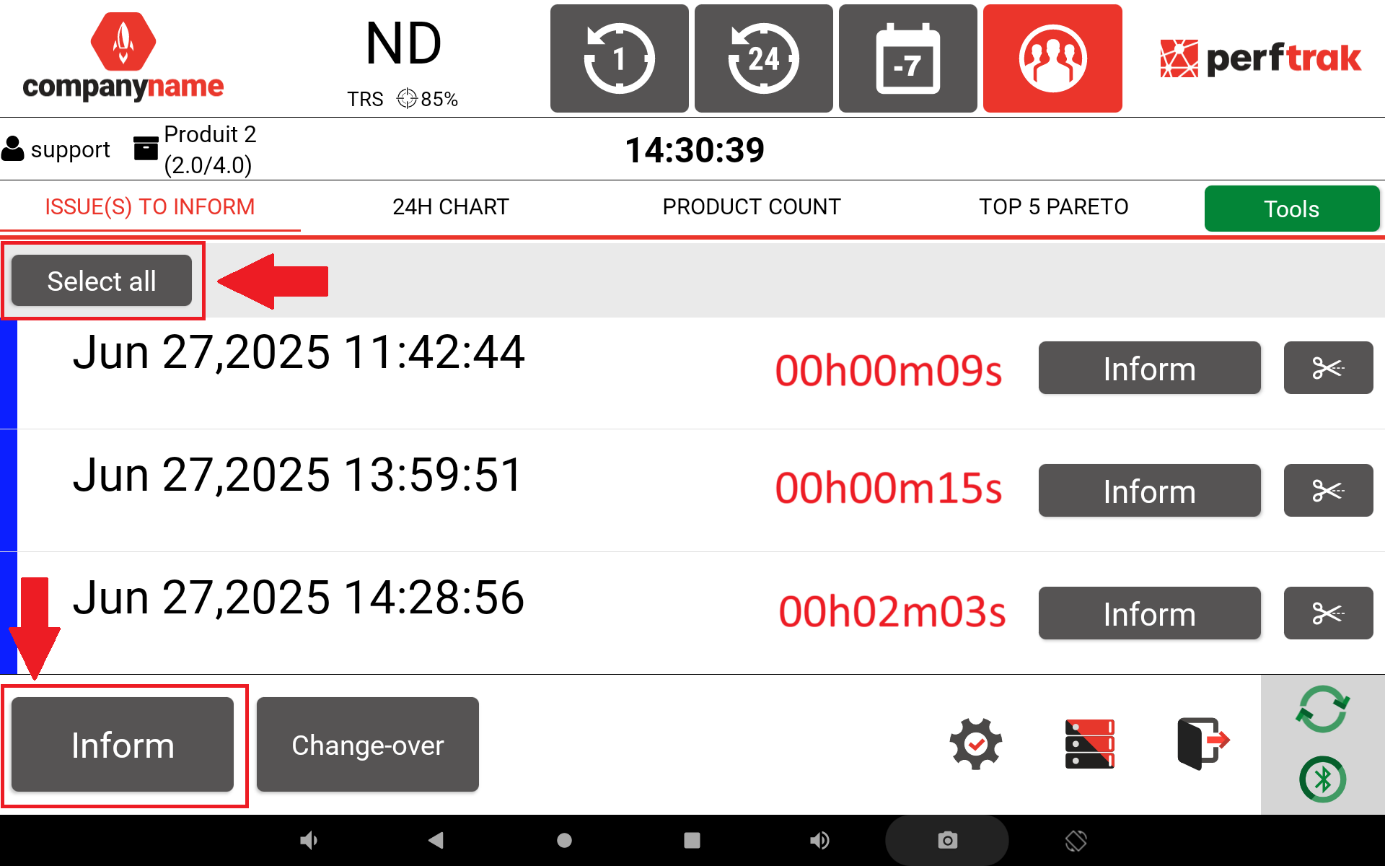
Step 1 — three losses belonging to different groups are displayed on the tablet: 9 seconds (inferior category), 15 seconds (intermediate category) and 2 minutes (superior category).
Step 2 — the operator selects the three losses. The selected losses are greyed out; the operator then presses Inform for a grouped entry.
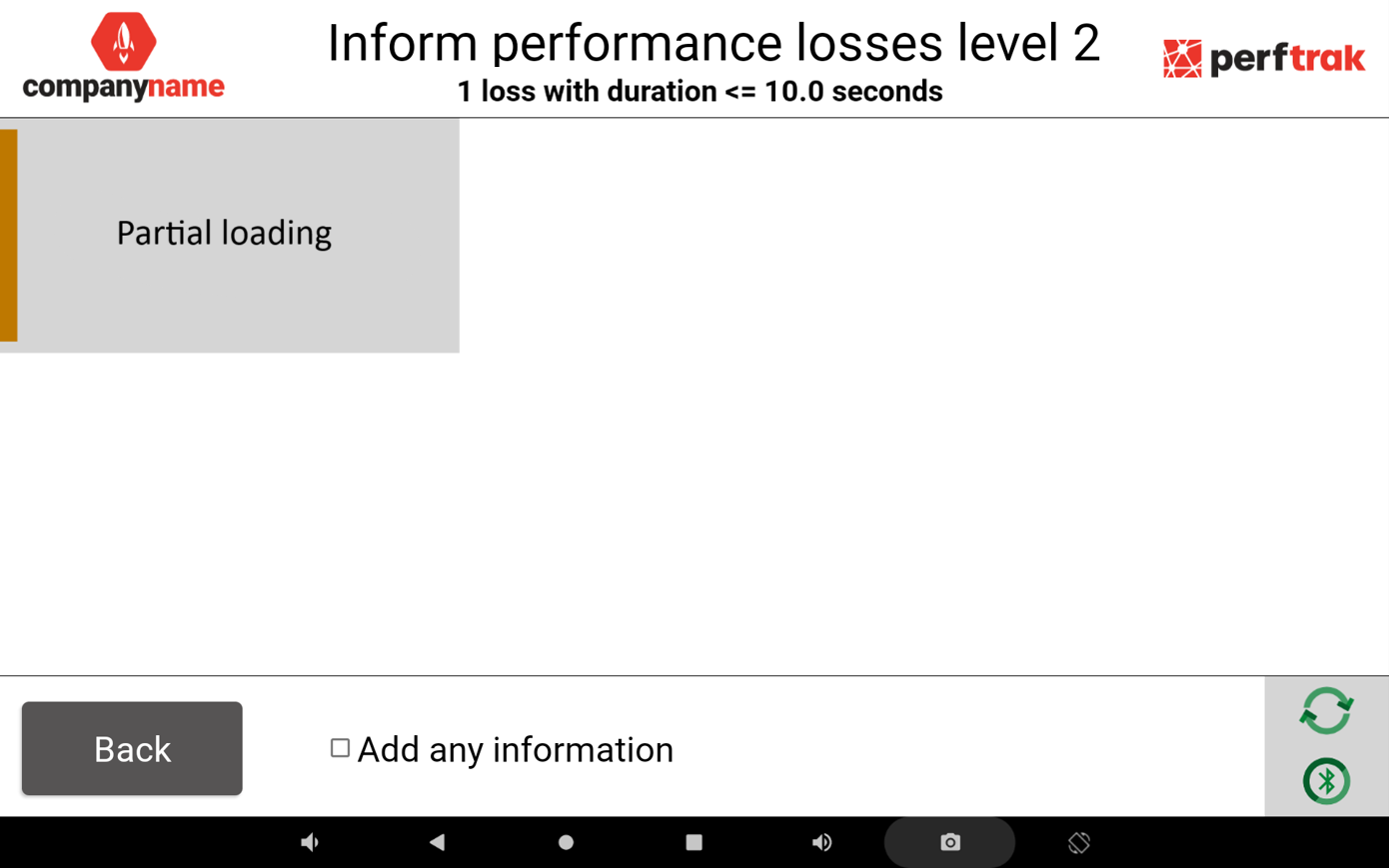
Step 3 — the loss categories associated with the inferior category are displayed first (durations of less than 10 seconds). The operator selects the level 2 loss associated with the level 0 group "Performance" — here, "Partial loading".
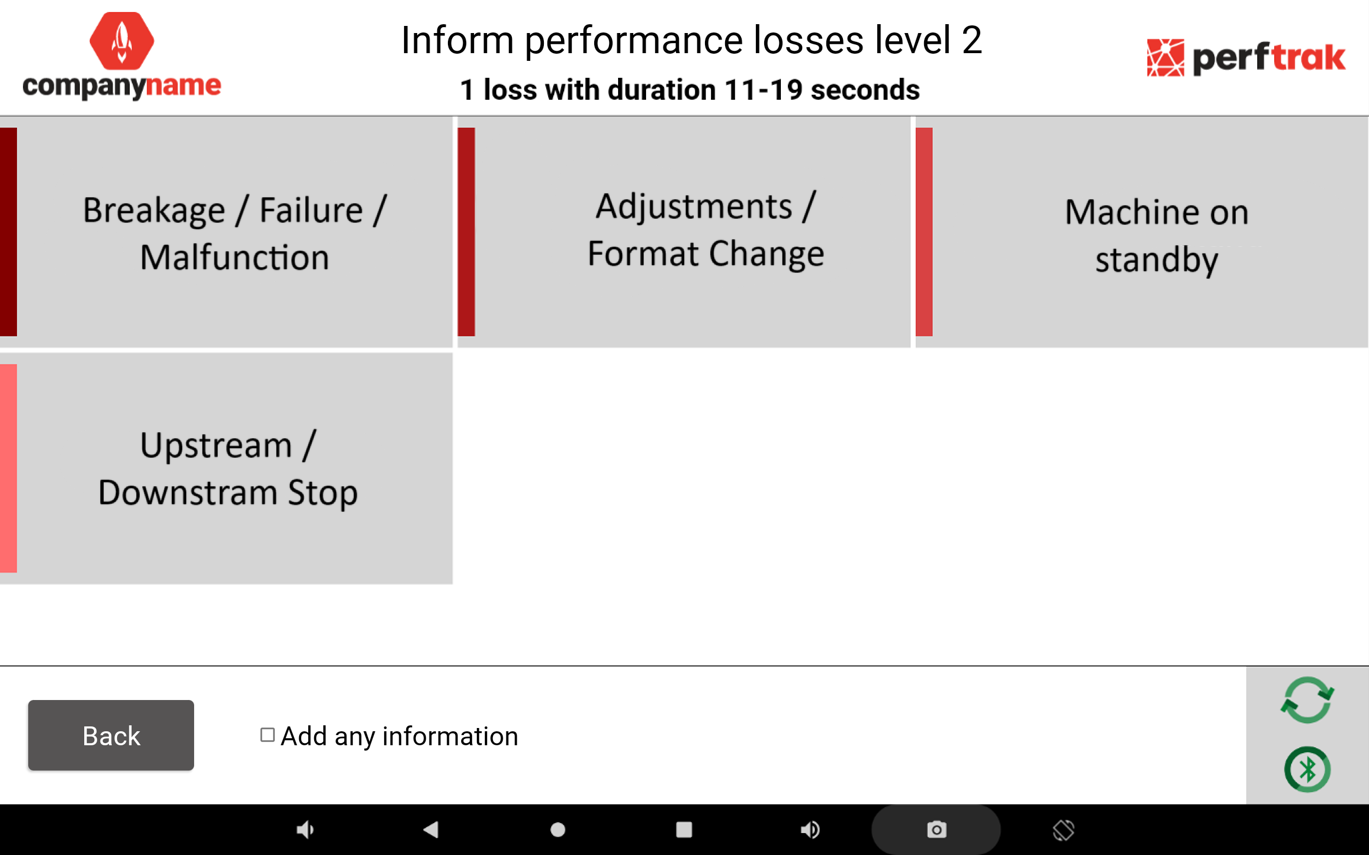
Step 4 — the categories associated with the intermediate category are then displayed (durations between 11 and 19 seconds). The operator chooses a level 2 loss — after choosing the corresponding level 1 category — associated with the level 0 groups "Availability" or "Custom 1": here, "Breakage / Failure / Malfunction", "Adjustments / Format Change", "Machine on standby" or "Upstream / Downstream Stop".
Step 5 — the categories associated with the superior category are displayed last (durations of more than 19 seconds). The operator chooses a level 2 loss — after choosing the corresponding level 1 category — associated with the level 0 group "Quality": here, "Production stop" or "Hidden maintenance".