Path: Administration > Licenses & Machines > Machines > Edit > Demultiplier Coefficient (BLE)
I. Theoretical approach
Operational benefits
1. It increases the processing speed, optimising the use of the module-tablet system.
The demultiplier coefficient boosts the processing speed of the module by using a specific impulse counting mode — tracking the parts as they pass the sensor — instead of storing each impulse in RAM.
Switching from a pulse-by-pulse recording mode to a simple counting mode significantly speeds up real-time data transmission, preventing long synchronisation times and occasional latency in the performance reports.
Please note: setting cycle times below one second may cause slowdowns and the automatic disconnection of the application, if the number of unprocessed impulses exceeds the tablet's threshold, set at 15,000 impulses.
2. It creates product batches corresponding to separate production cycles.
In some cases, defining a unit — or average — cycle time is not optimal, because it assumes a cyclic passage of products.
For a production run involving a group of several products one after the other, followed by a more or less extended pause before the next batch appears, defining a fixed cycle time would not make sense. Relying on an "average" passage time would mathematically create performance discrepancies: the fast processing of one batch would lead to significant overclocks, while the pauses between batches would cause underclocks.
With a demultiplier coefficient, the number of products in a batch is represented as a specific number of impulses counted by the module, from the first to the last product of the batch.
Example
For ease of use, we configure a demultiplier coefficient of 10. The module counts each pulse in a batch of 10, but records only the tenth pulse of that batch. This tenth and final impulse is the observed impulse, as opposed to the previous nine, which are the registered impulses.
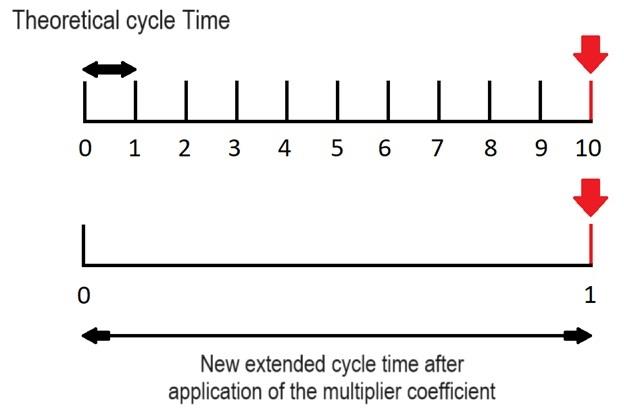
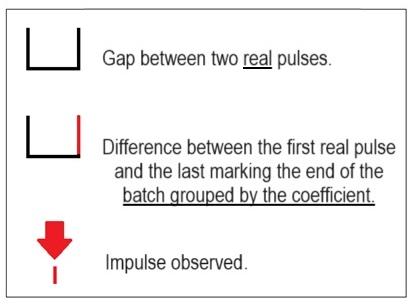
The demultiplier coefficient therefore ensures that only the xth impulse of the coefficient is processed. With a coefficient of 10, out of 10 registered impulses only the tenth is recorded. This counting configuration is ideal when batches of 10 products have to be counted.
Adding a grouping coefficient
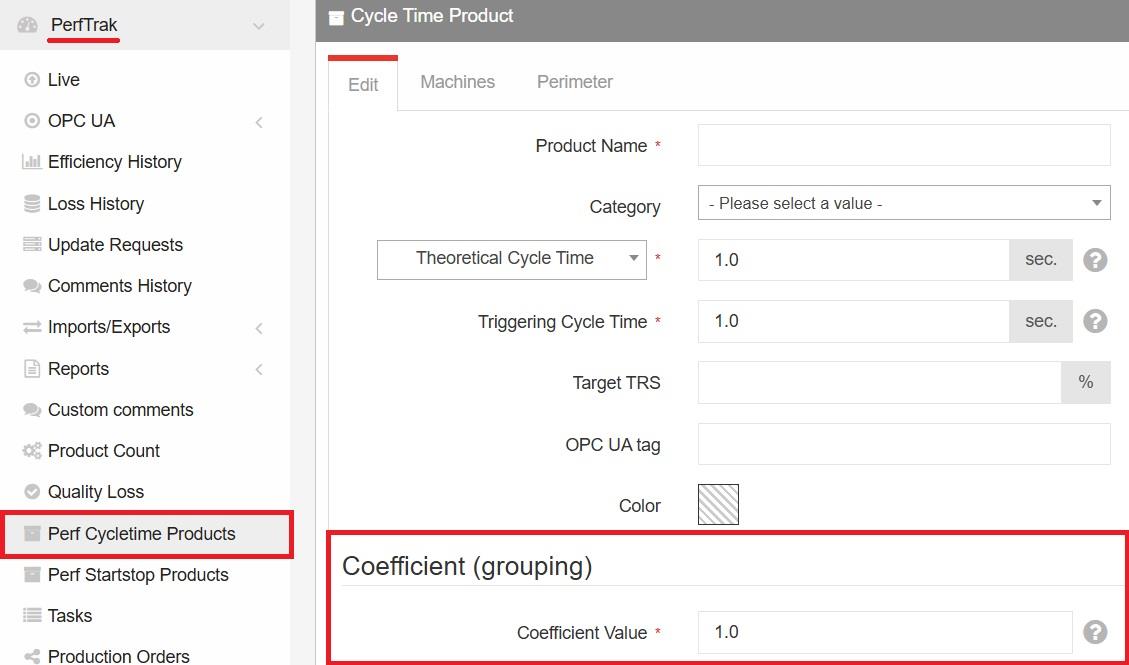
If you want to count each product individually — a ratio of 1 impulse = 1 product — you must multiply the observed impulse by a grouping coefficient. In our example, if the demultiplier coefficient is 10, the grouping coefficient must also be 10.
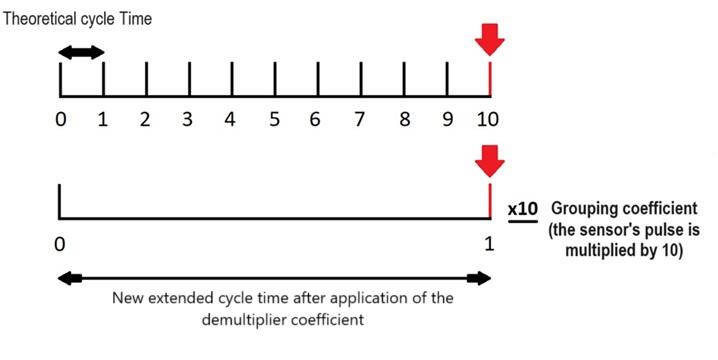
The counting becomes unitary again as soon as the grouping coefficient compensates for the demultiplier — value ÷ x, then × x.
The final step is to extend the cycle time of the product in the same proportion as the demultiplier coefficient: initial actual cycle time × 10.
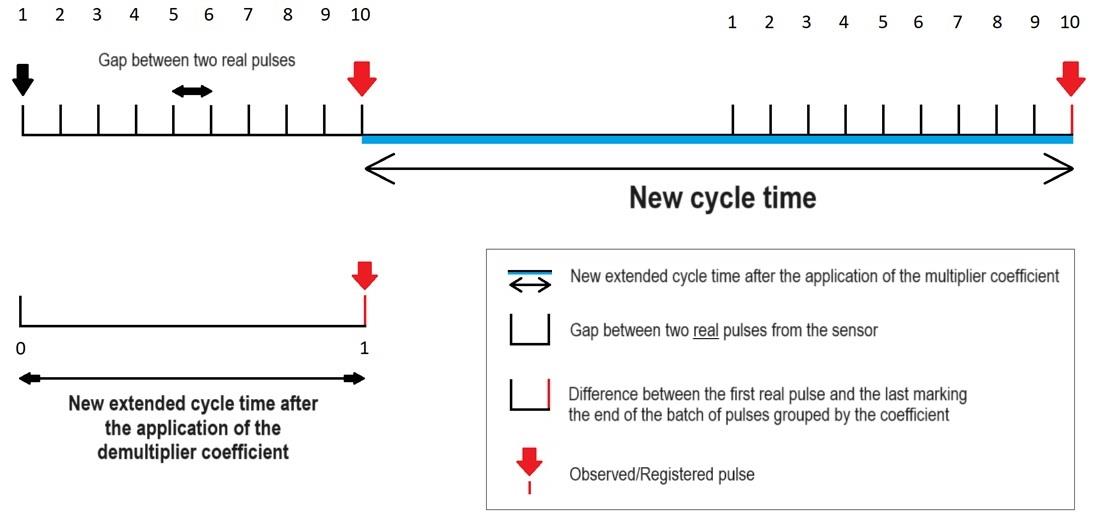
Important: the new cycle time includes the time elapsed between each batch.
The grouping coefficient applies to the product, individually, whereas the demultiplier coefficient applies to the machine, affecting all its products.
To set the grouping coefficient, go to PerfTrak > Product Configuration > Perf Cycletime Products. Create a new product or edit an existing one, and enter the coefficient value in the corresponding section.
II. Setup
1. Platform configuration
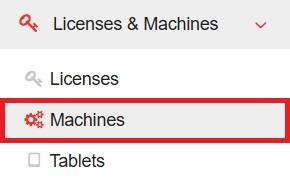
Go to www.teeptrak.net, then to Administration > Licenses & Machines > Machines.
Choose the machine to which you want to apply your coefficient by clicking Edit on its row.
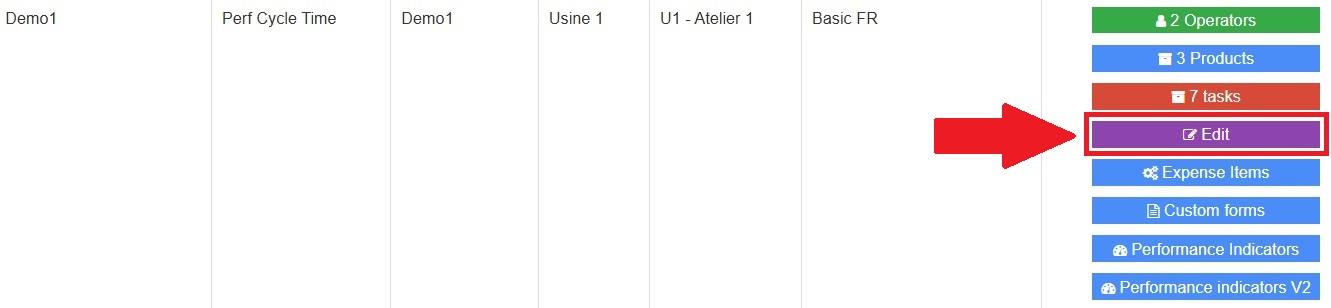
In the Demultiplier Coefficient (BLE) field, enter the coefficient best suited to your production situation and save your selection.
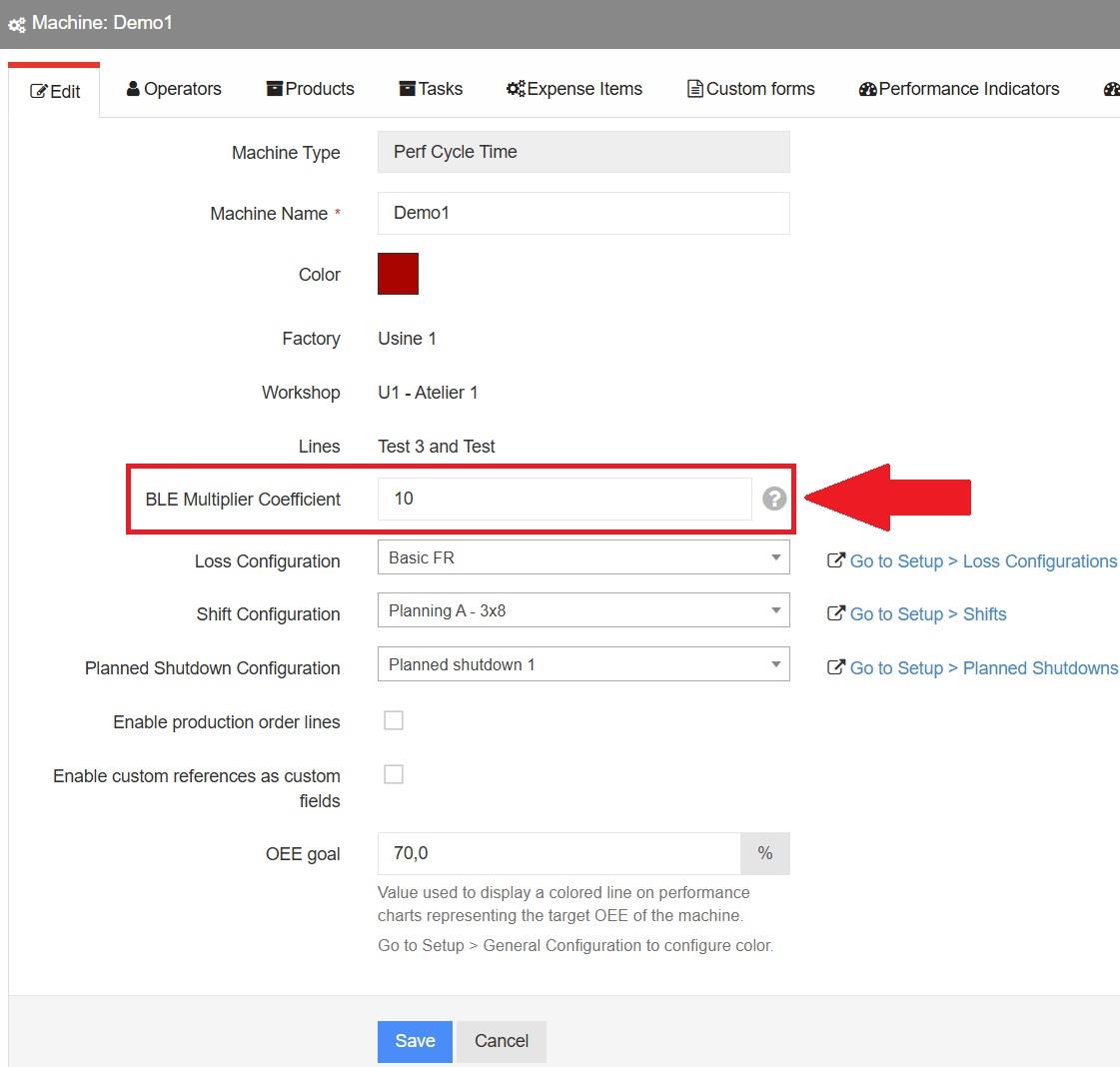
2. Tablet configuration
On the main page of the tablet, push the updates by pressing the Update PerfTrak button.
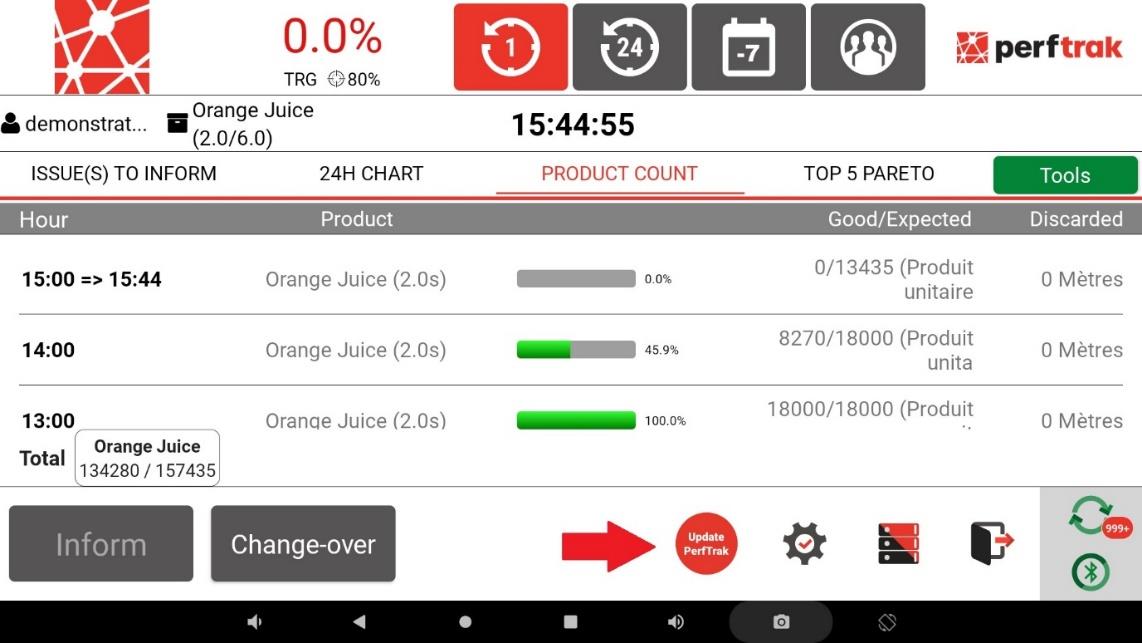
If the Update PerfTrak button does not appear on the screen, open the settings with the cogwheel icon, click Module setting and select Apply configuration to force the update of the module.
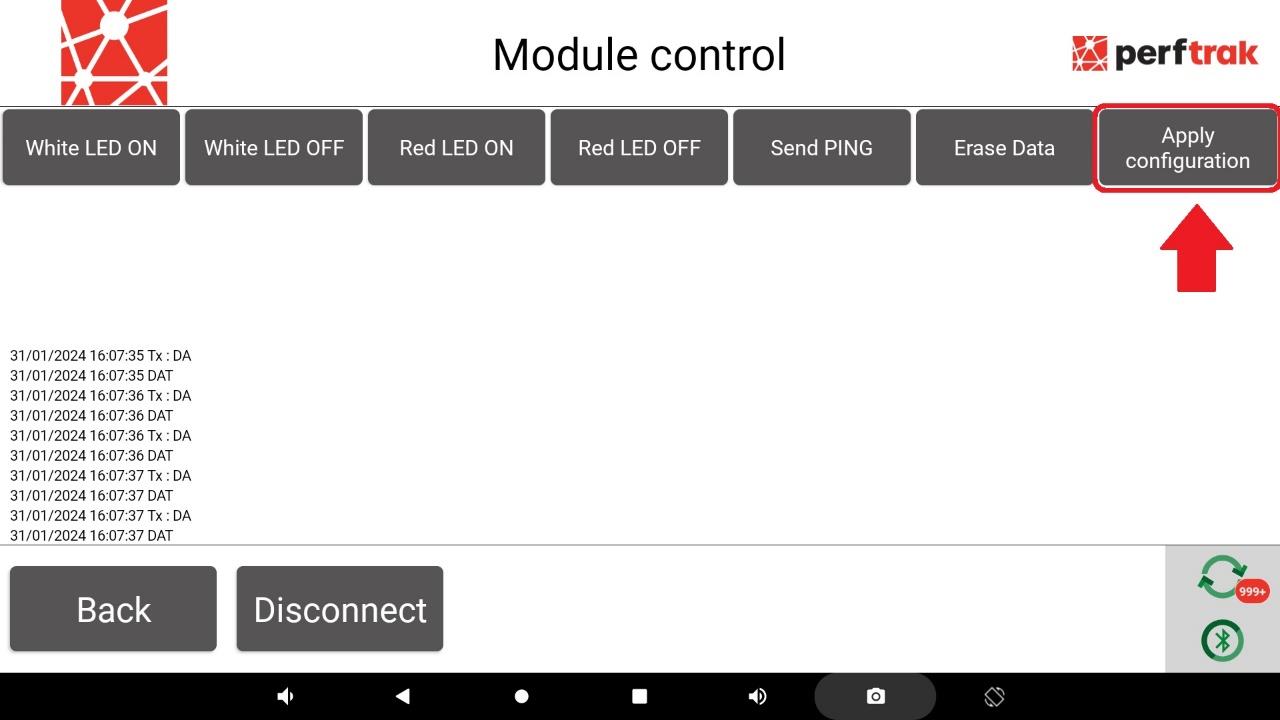
Once this process has completed successfully, the demultiplier coefficient configured is applied to the module of the monitored machine.
3. Running a diagnosis for TEEPTRAK (optional)
Important: this step is not normally required. However, if you have any doubt about the actual application of your demultiplier coefficient, you can run a module diagnosis. Inform the TeepTrak support team, who will confirm whether the coefficient has been successfully applied.
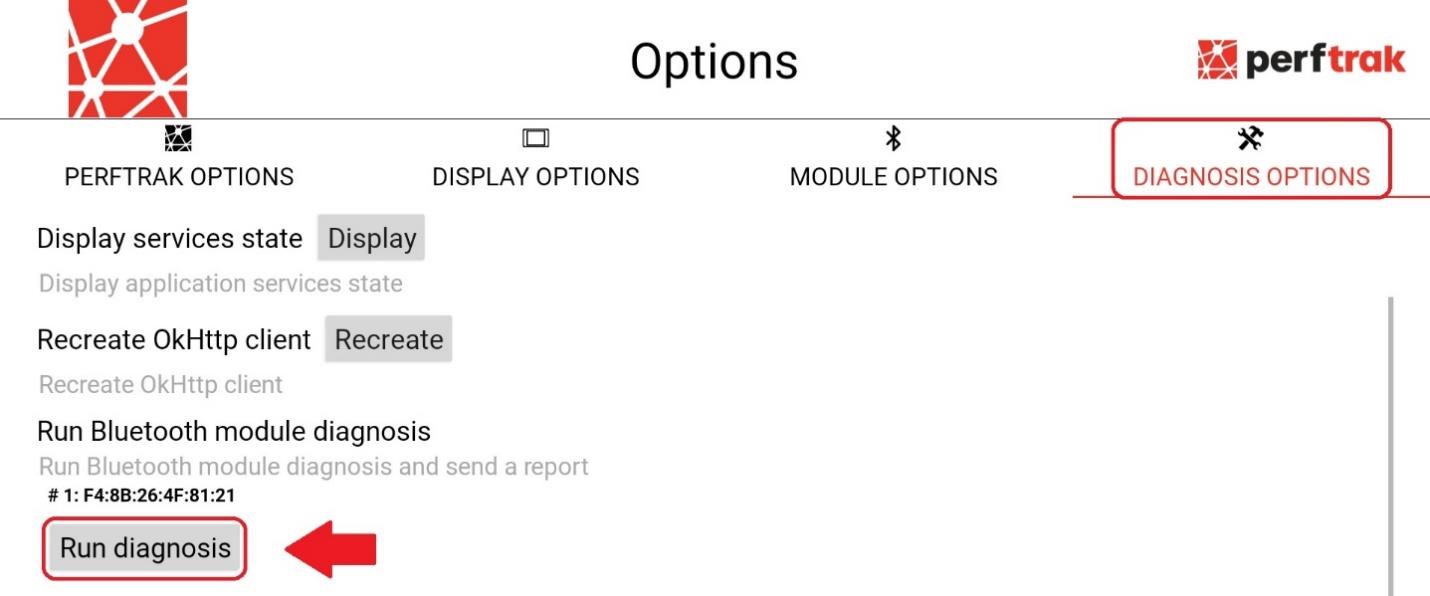
Go to the tablet settings with the cogwheel icon, select the Options tab, then click Diagnosis options.
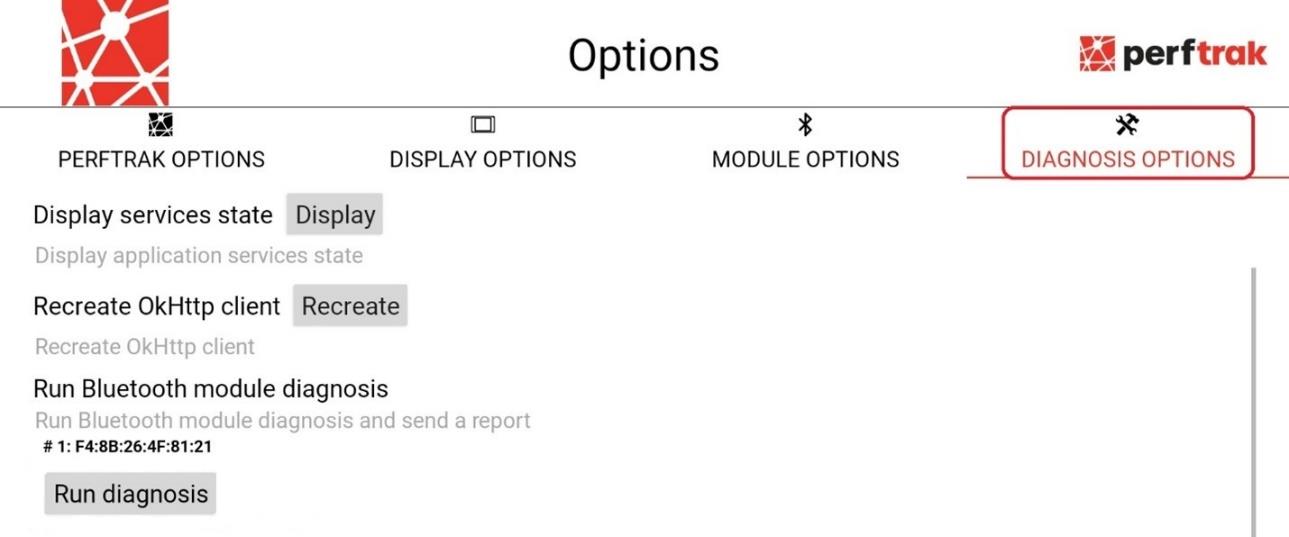
All that is left is to press Run diagnosis. Once the diagnosis has been sent, the TeepTrak support team will be able to confirm that the coefficient has been correctly applied.