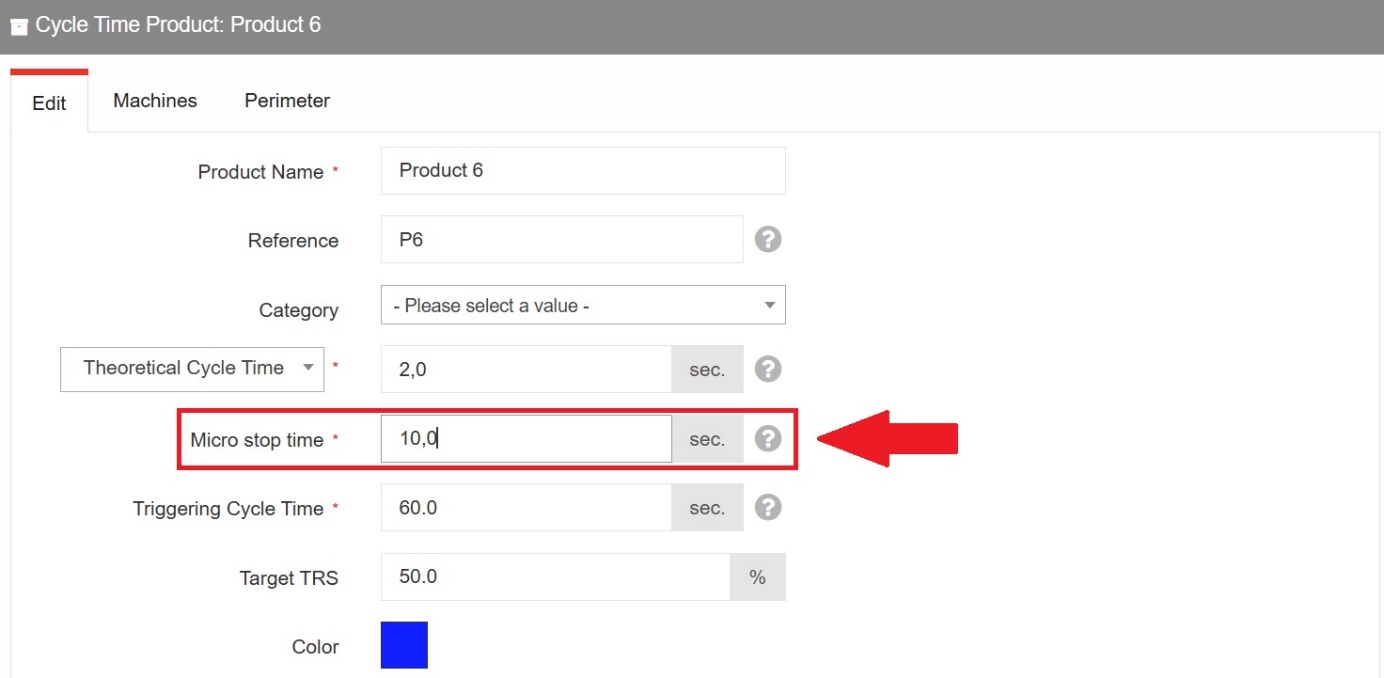
Path: PerfTrak > Product Configuration > Perf Cycletime Products > Edit > Micro stop time
Note: to access this option, please contact the TeepTrak support team.
I. How it works
Time sharing and identification
The purpose of micro-stops is to enable the analysis and categorisation of production times according to their efficiency. The production time is broken down into three periods.
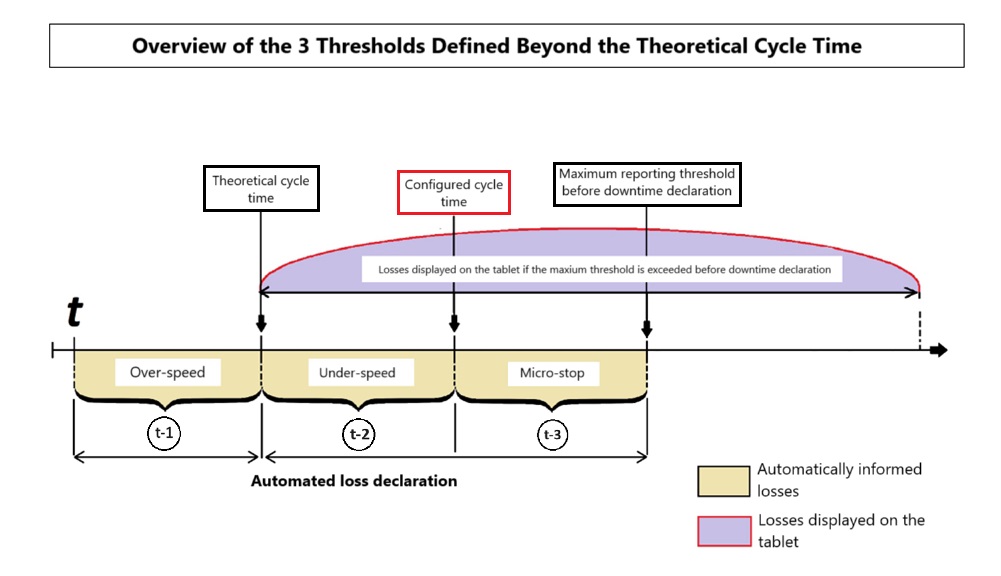
Time 1 (t-1) — Over-speed
The instant "t" is a marker for the early collection of the pulse. The duration between that pulse and the theoretical cycle time is identified as over-speeding.
Time 2 (t-2) — Under-speed
The duration between the theoretical cycle time and the micro-stops threshold — referred to as the configured cycle time in the diagram — is by default identified as under-speeding.
Time 3 (t-3) — Micro-stop
The duration between the configured cycle time and the maximum reporting threshold before downtime declaration is by default identified as a micro-stop.
Important: one and the same stop duration cannot be split between "under-speed" and "micro-stop" — the whole duration of the loss is qualified as one or the other.
The application qualifies the duration as under-speed when it is longer than the cycle time and, at the same time, shorter than the configured cycle time threshold. When the duration is longer than the cycle time and exceeds the configured cycle time threshold, without reaching the triggering threshold — the maximum time before a stop has to be reported — it is qualified as a micro-stop.
II. Configuration on the platform
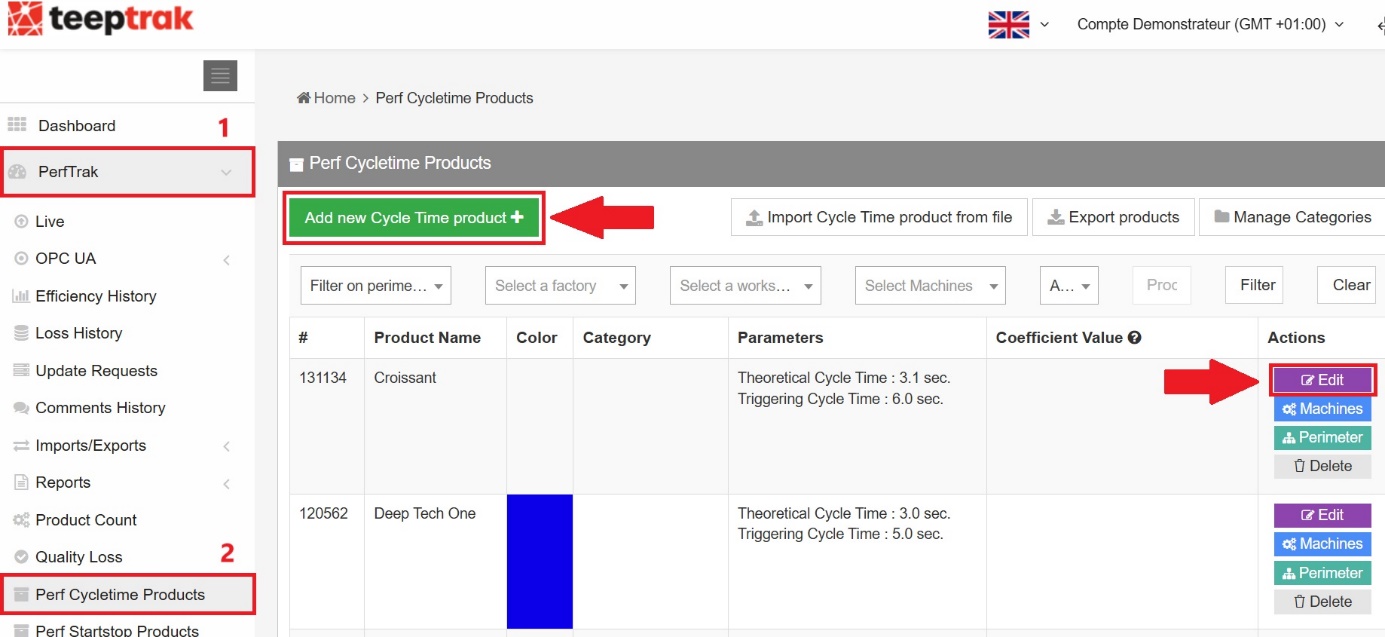
From your configuration platform, select PerfTrak > Product Configuration > Perf Cycletime Products.
Add a new product, or press Edit if you have already configured products without using the micro-stops threshold.
In the Edit tab, you will find the Micro stop time field. Enter there the duration that splits the time between the theoretical cycle time and the maximum time before a formal stop is recorded.