Path: Administration > Users > Operators
Once the factory, the workshops and the managers are set up, click Administration > Users > Operators and select Add. As for the managers, complete the identification and authentication form, then assign the operator to their designated workshop or workshops.
⚠️ Caution: personalised tracking of operators is not allowed in some countries. In that case, we recommend creating one operator account per team to avoid any issue — for example, usernames morning, afternoon, night.
Tablet authorisations
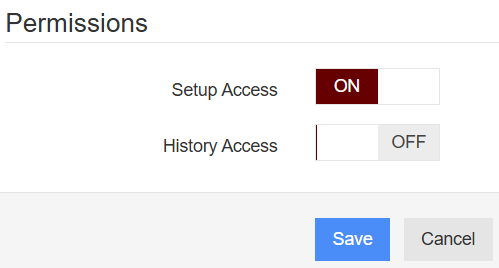
To grant an operator the right to configure the tablet, or to modify reported downtime causes retrospectively, enable the appropriate authorisation in the creation form.
Editing an existing operator
Once created, the operator appears in the summary table. You can change the configuration using the buttons on the right of the screen.
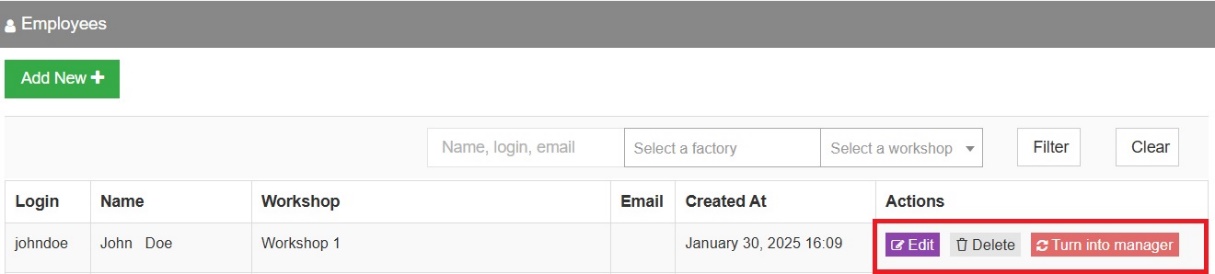
By clicking Turn into manager, the perimeter of the resulting manager account corresponds to the workshops of the operator.