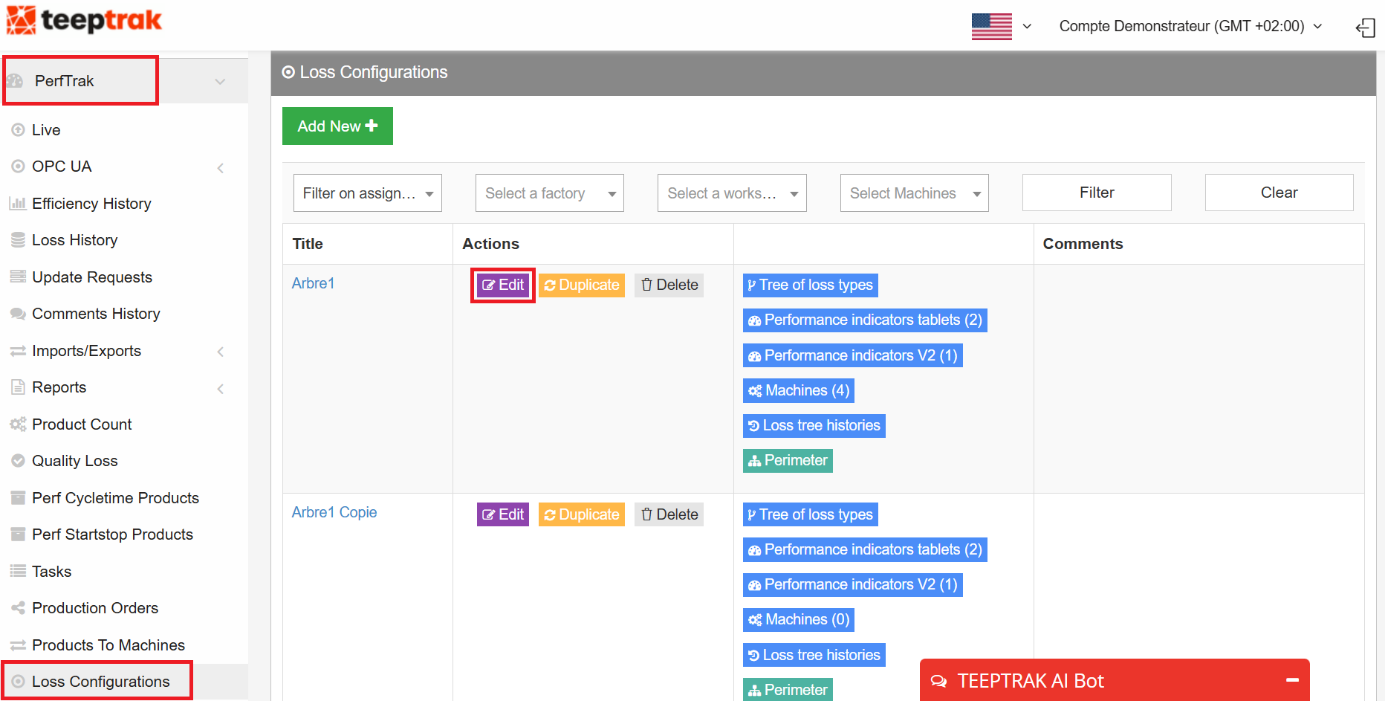
Path: PerfTrak > Loss Configuration > Loss Configurations > Edit > Product Count Management Configuration
Operational interest
This feature lets you filter the level 0 losses to be excluded from the expected product count on the tablet.
The objective is to define the target number of parts to produce precisely, taking into account planned or expected shutdowns, as well as shutdowns that are simply not supposed to impact the production planning.
Reaching the feature
On the TEEPTRAK platform, go to PerfTrak > Loss Configuration > Loss Configurations. Identify the loss tree — or trees — on which you want to exclude level 0 losses, and click the Edit button in the Actions column.
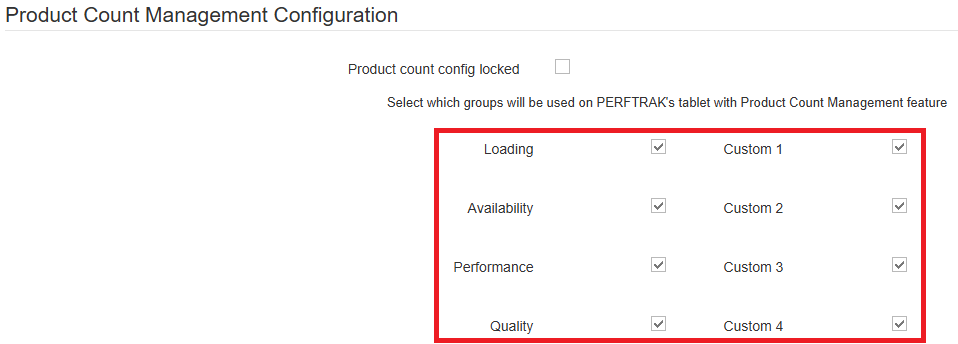
You land on the general configuration page of the tree. Scroll to the bottom of the page, past the category attributes, until you reach the Product Count Management Configuration section.
Configuration and exclusion logic
In this section, ticking a box includes the corresponding loss group — its duration is taken into account in the calculation of the expected count.
Conversely, unticking a box excludes that group from the calculation. All the boxes are ticked by default.
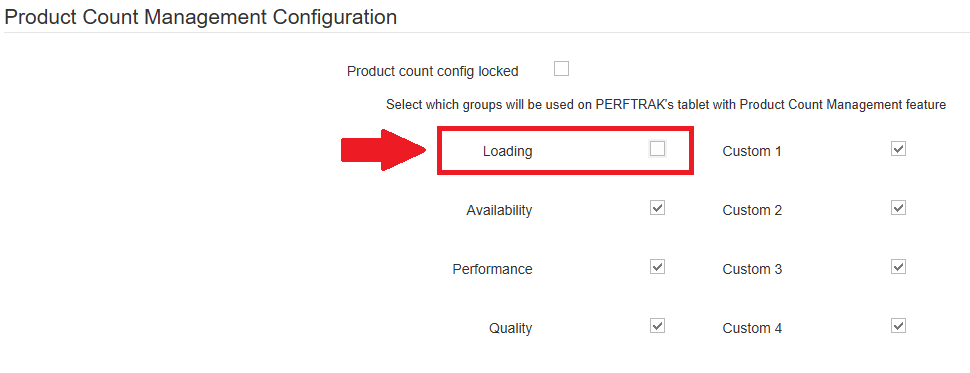
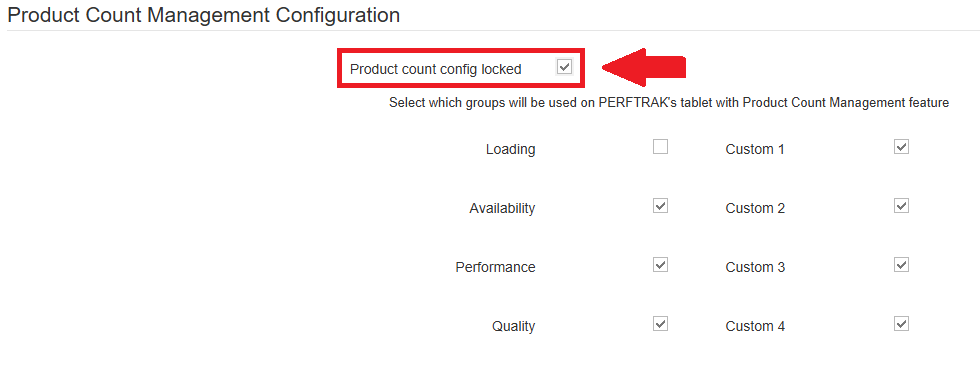
In the example below, the loss group Loading has been unticked: every duration informed under that heading is excluded from the calculation of the expected count over its reference interval.

Calculation logic
Standard mode
(3600 / theoretical cycle time in seconds) × grouping coefficient value (if used)
This is the standard calculation of the expected product count per hour — 3600 seconds being one hour. The 3600 / theoretical cycle time part gives the expected number of pulses.
Multiplying by the grouping coefficient is only needed when one pulse does not correspond to one product; it is optional otherwise.
With level 0 losses excluded
((3600 − duration in seconds of the excluded losses) / theoretical cycle time in seconds) × grouping coefficient value (if used)
Every loss informed under a level 0 heading unticked on the platform is a duration subtracted from the 3600 seconds. The sum of the excluded losses — their number and their duration — therefore reduces the total expected quantity accordingly.

Locking the configuration
Below the title of the Product Count Management Configuration section, an option lets you lock the configuration.
Ticking that box means the shared loss tree cannot be modified by managers or operators whose permissions are lower than those of the account that configured and shared the tree.
Saving
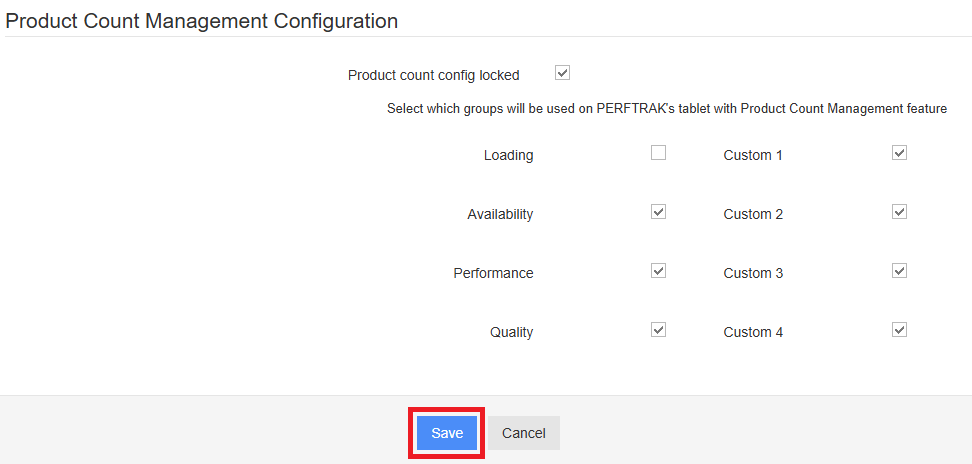
Click Save to store your configuration. Once saved, it applies to every machine sharing this loss tree.
On the tablet
There is no specific configuration to perform on the tablet once the loss tree has been saved on the platform. The tablet simply has to synchronise its data through a disconnection and reconnection. The exclusion of the level 0 losses is then automatic.
Impact on the expected count
The impact is applied immediately after a loss is informed under an excluded heading. Operationally, this means applying the formula given above:
[(3600 − total duration of the excluded losses) / theoretical cycle time] × grouping coefficient value
By subtracting all the losses of the excluded categories from the real-time count on the tablet, the expected value is reduced proportionally.
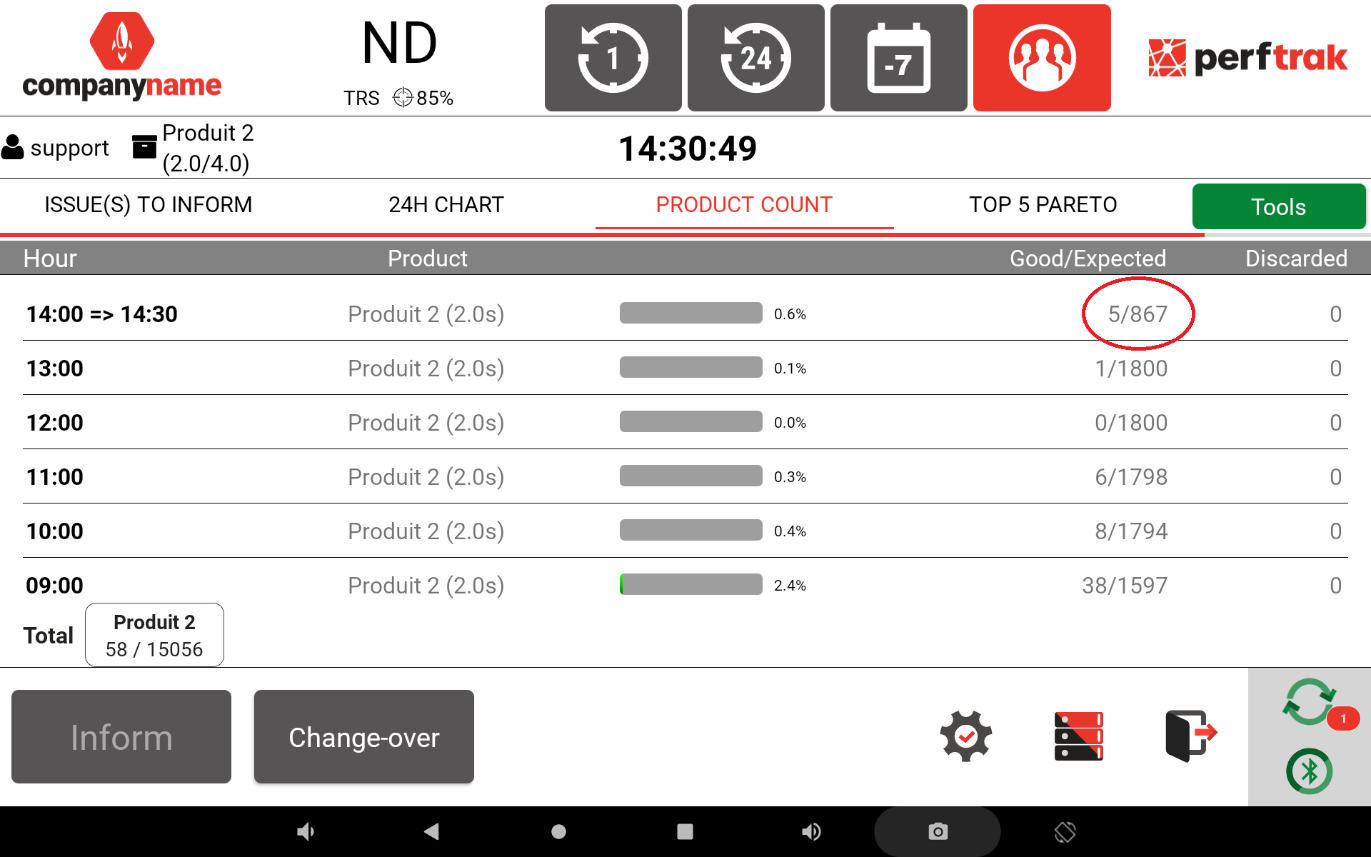
Step 1. Losses are displayed on the tablet. In the Product count tab, the expected count is set over the interval 14:00 → 14:30:31.
The interval in seconds is 30 × 60 = 1800, plus 31 = 1831 seconds. With an hourly target of 3600 / 2 = 1800 parts per hour, the proportional calculation gives (1800 × 1831) / 3600 ≈ 915 parts.
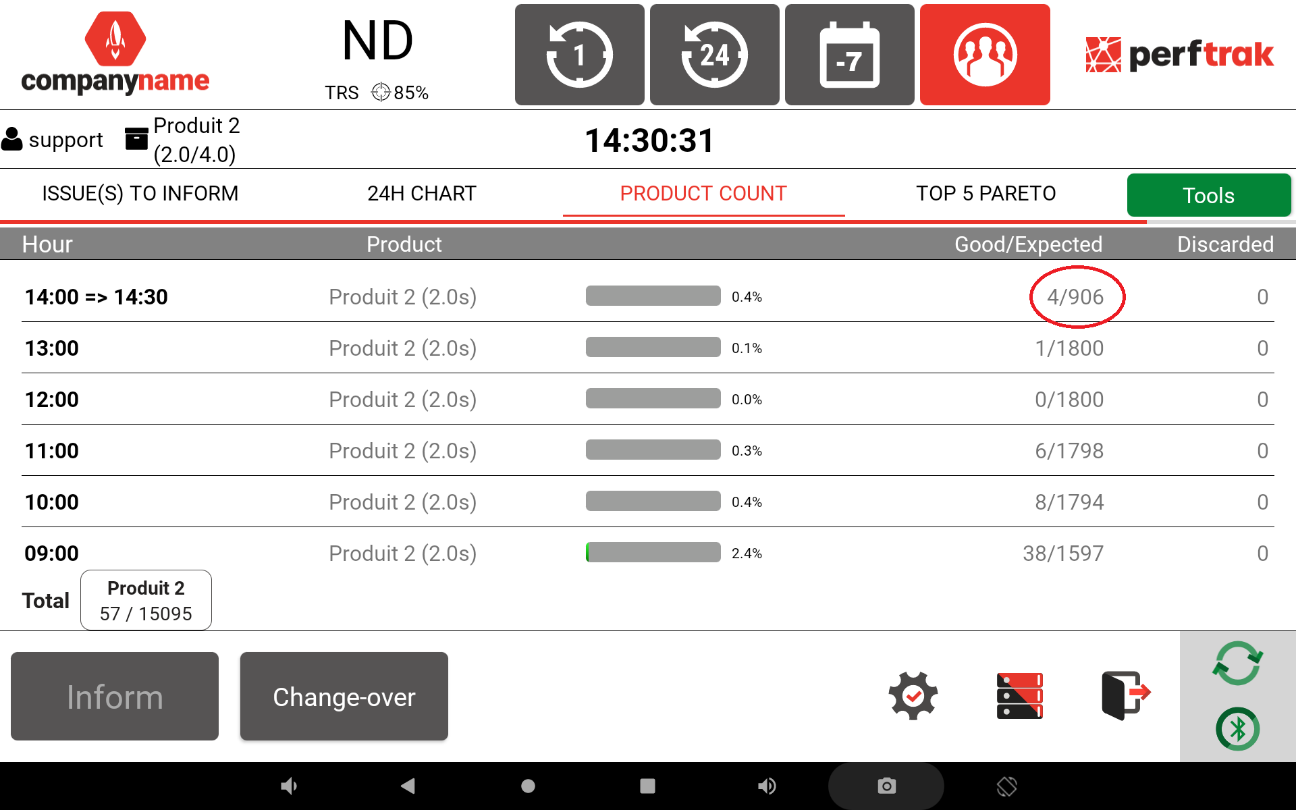
The count actually displayed is 906: the clock advances faster than the rolling calculation of the parts to produce.
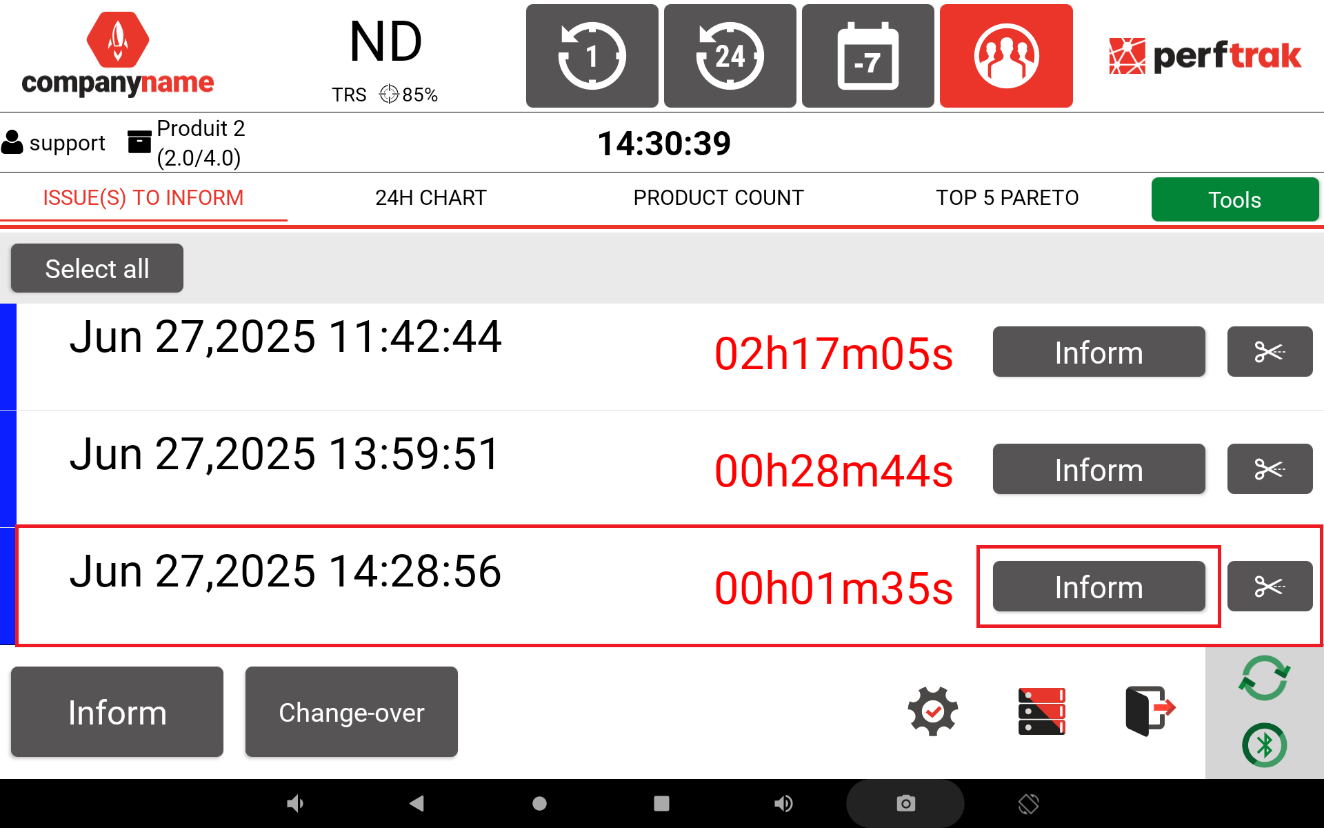
Step 2. The operator informs a loss under a heading excluded from the product count.
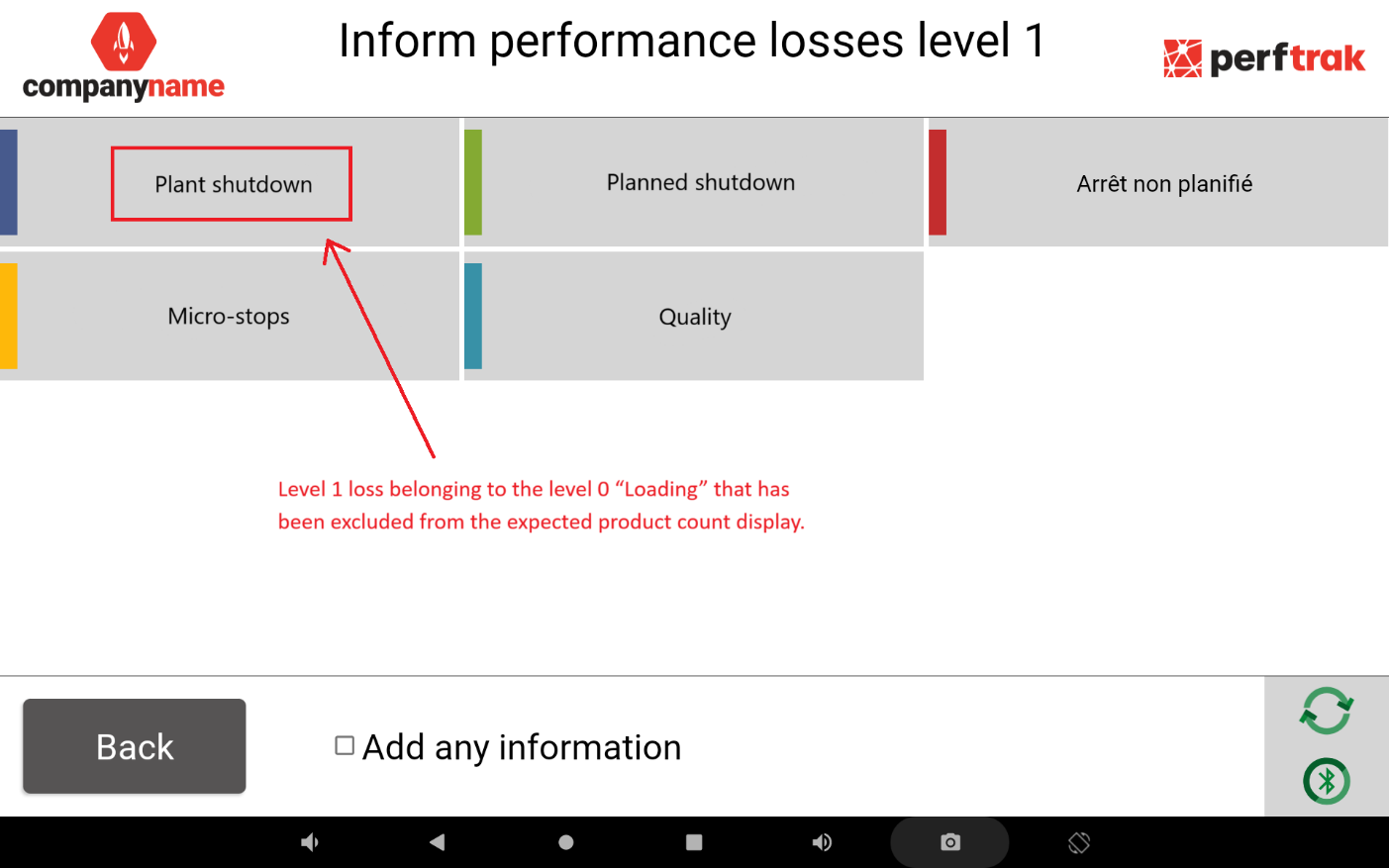
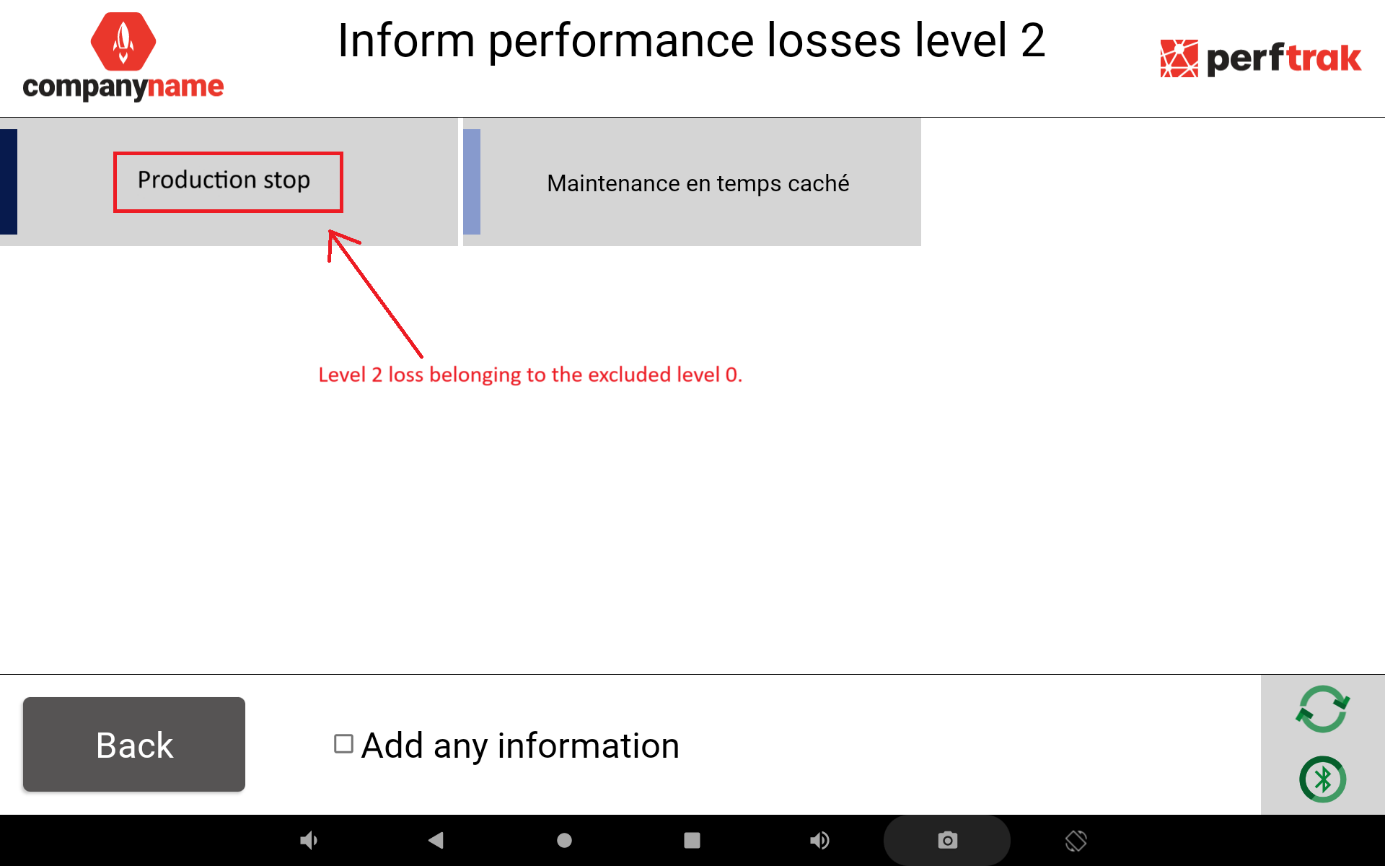
Step 3. The expected product count changes accordingly, going from 906 parts to produce over the interval to 867, because of the losses informed under the level 0 group Loading, excluded from the count. In this example, 1 min 37 s have been excluded from the interval.