The PerfTrak Live solution has a dedicated tab for reporting losses on teeptrak.net. From this tab, you can:
edit the loss types,
split losses.
Start by selecting the machines for which you want to report the losses. If needed, you can use the Usine (factory) or Ateliers (workshop) filters.
If you select several machines, they are displayed in separate tabs, to avoid any confusion between their losses.
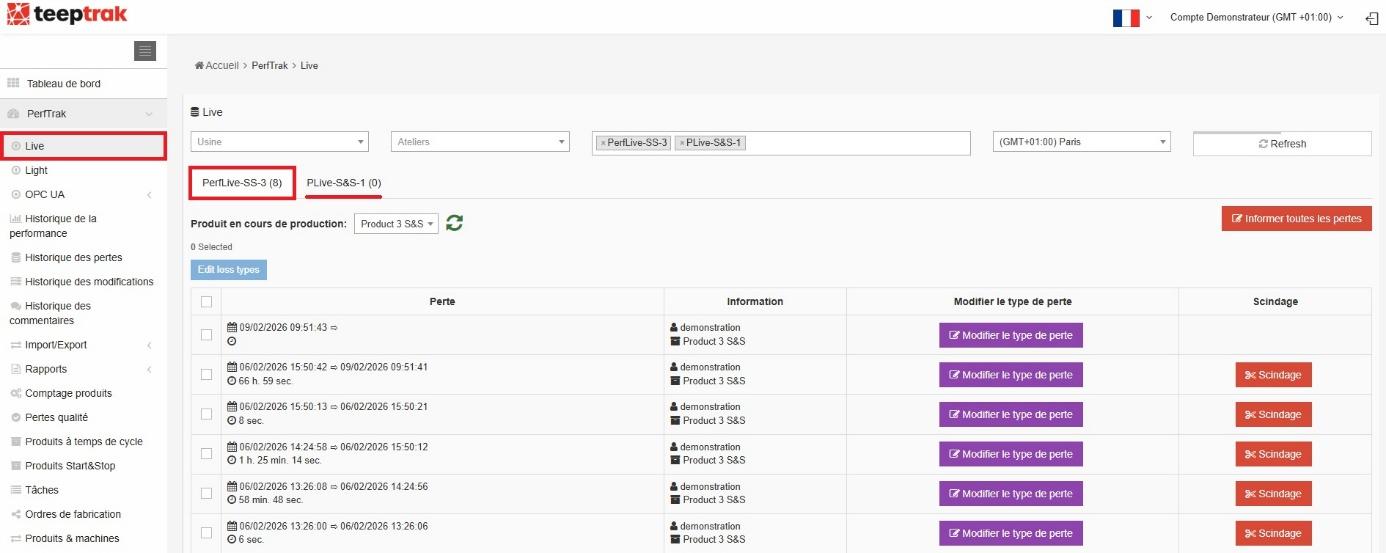
In the example above, two machines are selected and the view currently displayed is PerfLive-SS-3. Clicking PLive-S&S-1 switches to the view of the second machine — which, as can be seen, has no unreported loss.
Losses can be reported in several ways, described below.
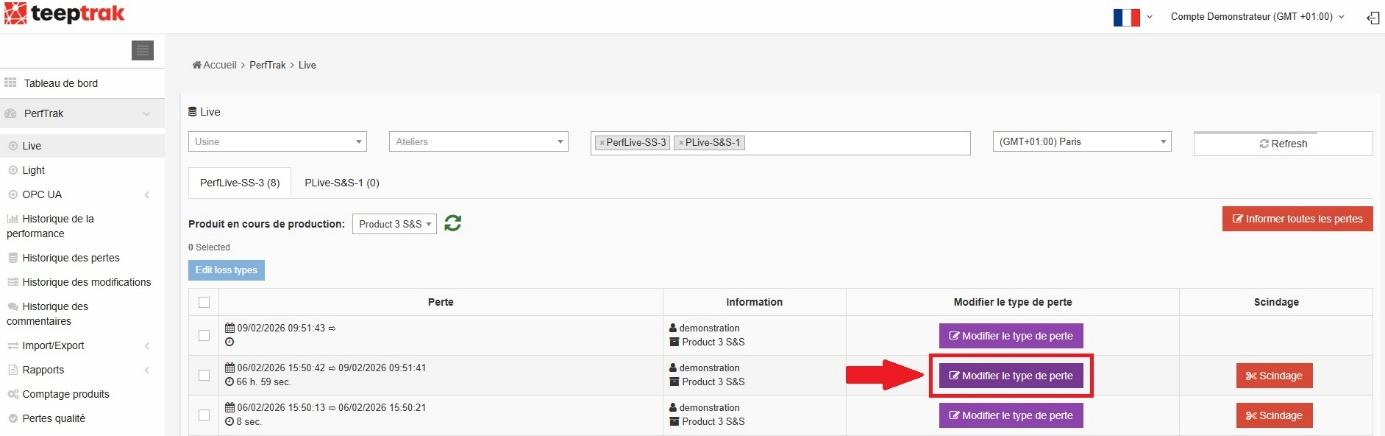
1. The "Modifier le type de perte" button
To edit one specific loss, click the purple Modifier le type de perte button on the corresponding row. Then select the level 1 and level 2 categories associated with that loss.
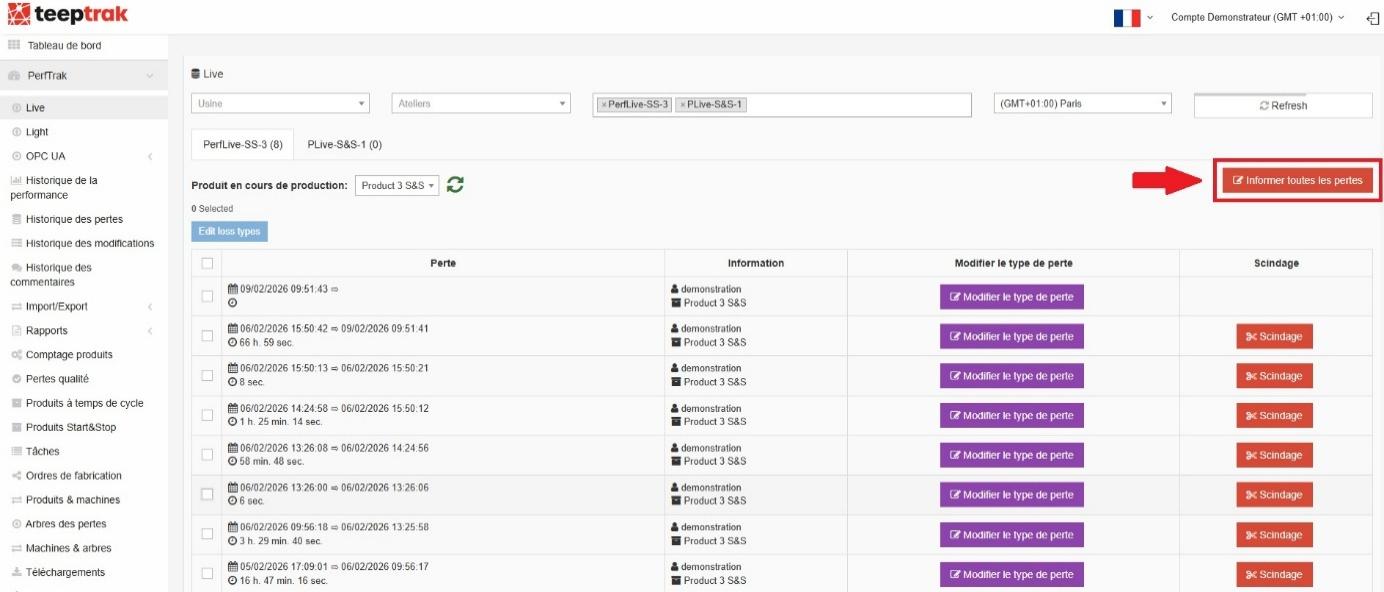
2. The "Informer toutes les pertes" button
To report every loss displayed on the page, click the red Informer toutes les pertes button.
Caution: this action modifies all the losses on the page.
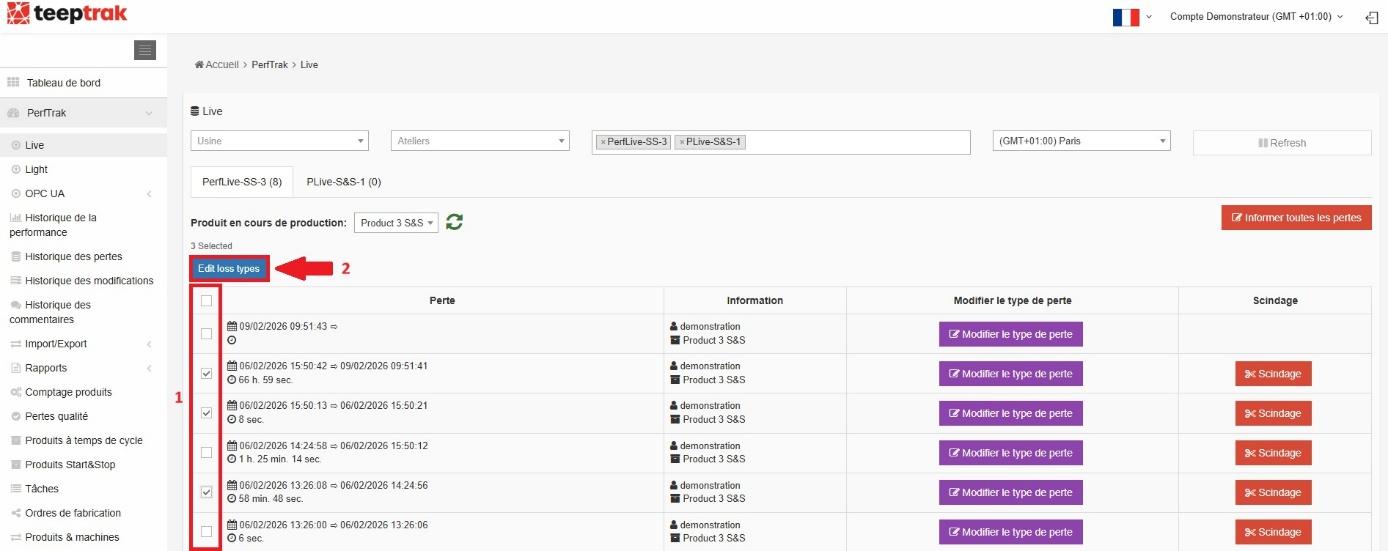
3. The "Edit loss types" button
To report several losses with the same type, tick the boxes on the left of the table for the losses concerned. Then click the blue Edit loss types button to report the selected losses.
Note: if you make a mistake, you can find the loss again in the Historique des pertes tab and correct it if needed.