The components related to the tablet are the charger, the Wi-Fi antenna, the mounting arm and the VESA screws. An Ethernet adapter can be supplied if your Wi-Fi connection is unstable, as well as an EMI filter if your workshop has electromagnetic interference.
1. The charger
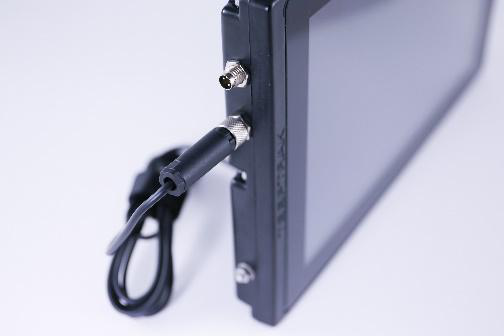
Use the power cable supplied with the tablet, inserting it into the power port (second from the top, on the left-hand side of the tablet), then plug it into an electrical outlet.
Warning: the charger must not be connected to any other port!
2. The Wi-Fi antenna
Simply screw the antenna clockwise into the single port on the right-hand side of the tablet.
3. The mounting arm
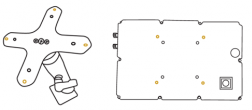
Use the screw bag included in the kit to attach the arm to the back of the shelf, then attach the arm to any flat surface.
Caution: do not overtighten the screws during installation.
4. Installing the PaceTrak app
This step is only necessary if the application is not already installed on the tablet.
Switch on the tablet with the grey button on the back, then, in Settings:
- Connect to Wi-Fi.
- Check the date, the time (including the time zone) and the language. Correct them if necessary and restart the tablet.
- Go to www.teeptrak.net and log in with the Manager codes provided by your administrator or by the TeepTrak team.
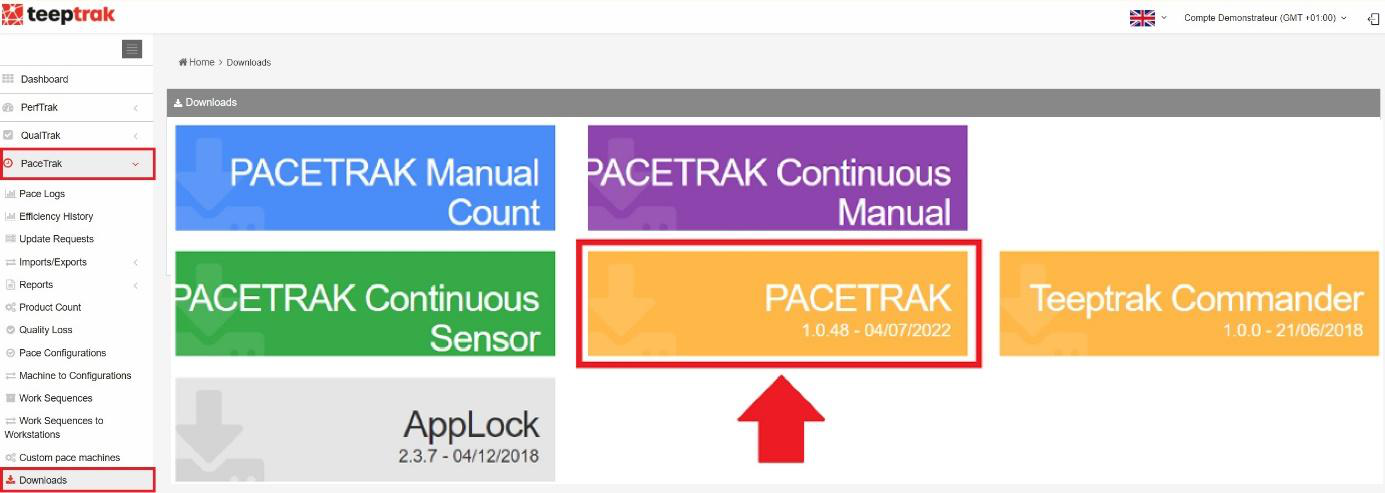
Once logged in, go to the Downloads tab in the left-hand menu and download the PACETRAK application. A warning message may appear: accept it, then open the file and install the application.
5. Declaring the tablet
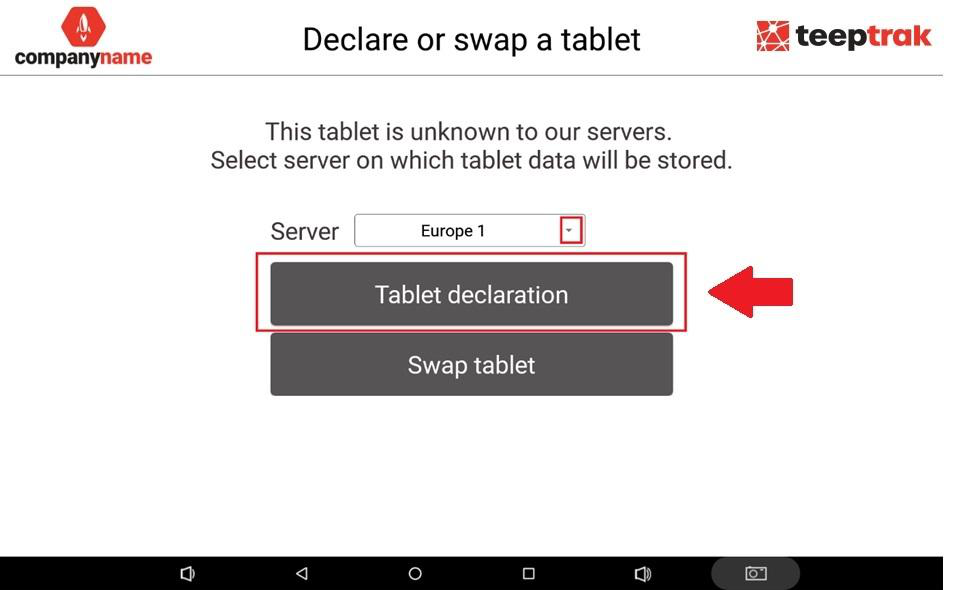
This step is essential to make the tablet and its machine appear on the monitoring website (www.teeptrak.net).
- Select the Europe 1 server (for all customers outside China).
- Click Declare a tablet.
- Enter your CLIENT / MANAGER username (not an operator's) and the corresponding password.
- Enter the name of the tablet, which corresponds to the name of your workstation.
- Press Declare.
Note: if your tablet is discharged, plug it in and wait a few minutes before switching it back on.