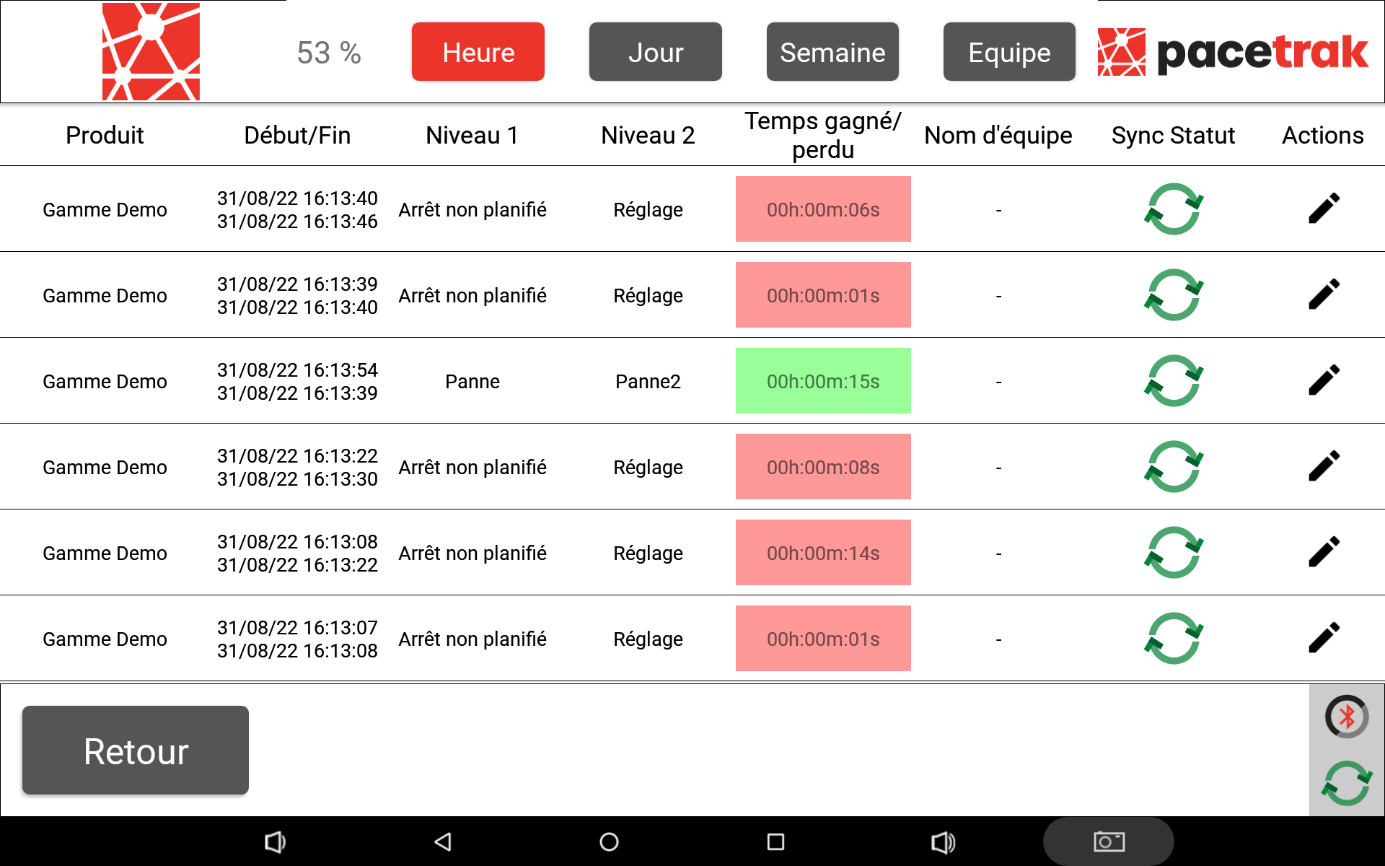
Accessible from the icon in the bottom right-hand corner of the main screen, the editable performance history allows authorised users (Admin, Managers, or Operators with the option enabled) to view all the stoppage causes that have been entered.
This screen can be used in particular to:
- edit retroactively the stoppage causes that were entered (edit button on the right of each row);
- split a loss into several causes;
- view the comments added by the operators;
- correct the quantity produced for a routing, as long as the data is available locally on the tablet.
The history can be viewed over the last hour, the last 7 days, by day, by week and by shift. Each row displays the product, the start and end timestamps, the level 1 and level 2 causes, the time gained or lost, the shift and the synchronisation status with the platform.
Reminder: the authorisation to modify stoppage causes retroactively for an operator account is defined in the profile creation form, on the platform ("History Access").