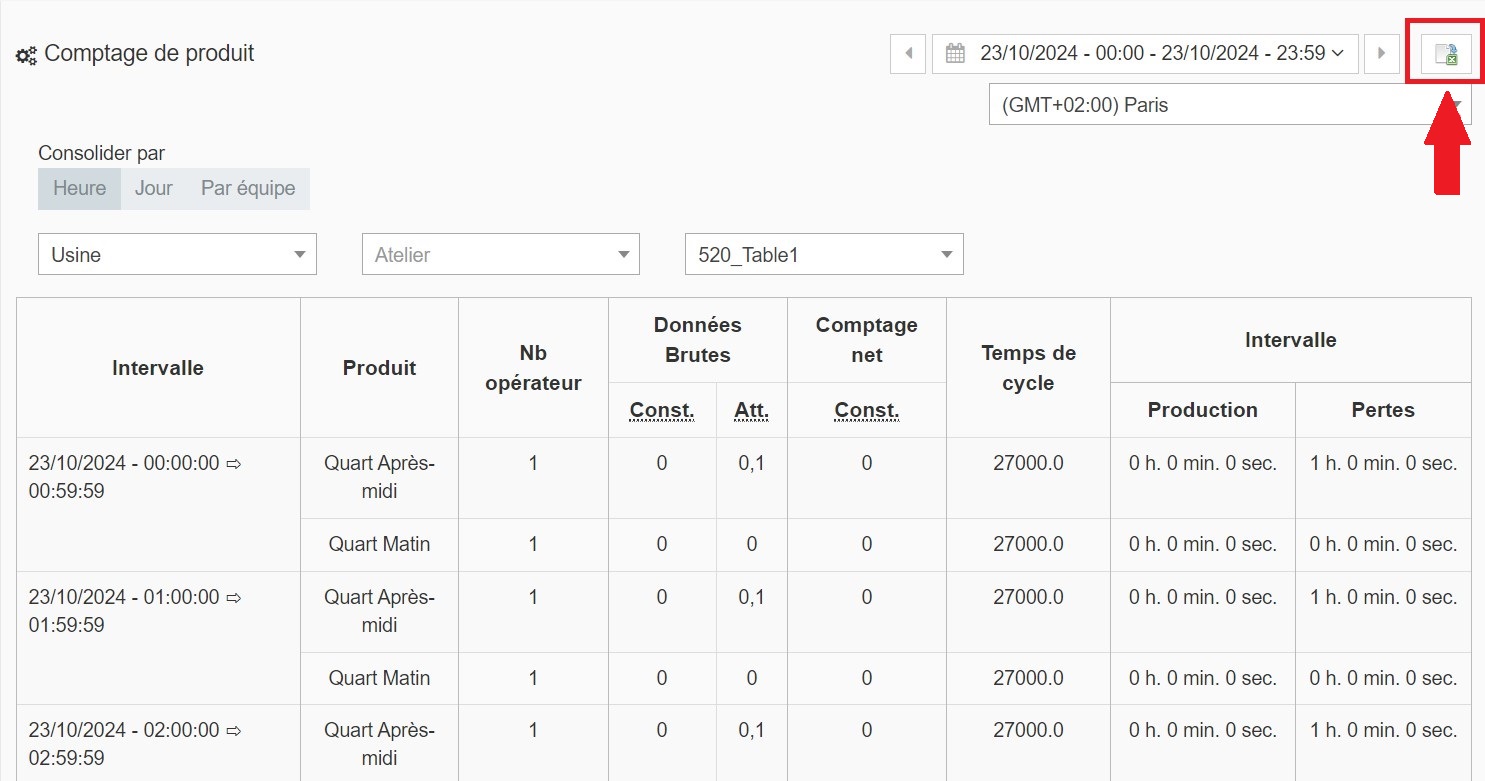
The PaceTrak > Product Count tab offers a visual representation of:
- the product that was in production;
- the number of pieces produced per hour compared with the theoretical target;
- the hourly target, calculated from the information entered when configuring the routings;
- the interval over the period, corresponding to the number of cycles.
1. Setting up the counting parameters
Start by selecting the time interval (today, yesterday or a custom range), making sure that the time zone is correctly configured.
Then refine the display: consolidation by hour, day or shift, then select in the drop-down menus the plant, the workshop and the machine to display.
2. Reading and exporting the data
Once the parameters are configured, the raw data is displayed in the table: time range, product, number of operators, actual and expected count, net count, cycle time, production and loss durations.
Export this data in Excel format via the export icon in the top-right corner of the screen.