Not to be confused with the tolerance deltas. The deltas described in "Planned shutdown principles and deltas" are the buffer zones around a planned shutdown in the calendar. The feature described here is different: it standardises the duration of a level 2 loss and automatically splits whatever exceeds that duration.
Feature description
"Planned Shutdown Delta" is a feature that allows you to configure a standard duration associated with a specific loss, and to automatically split the remaining duration. When a loss is recorded on the tablet, this feature automatically displays the corresponding downtime with the label of the selected loss. The duration of the downtime is determined by the loss configuration, and any remaining time is automatically split and assigned to a predefined downtime category.
The purpose of this feature is to define standard durations for certain types of planned downtime, and to automatically split and log any duration exceeding the threshold defined as standard for that downtime. Any duration exceeding this threshold is automatically assigned to the predefined downtime category.
This way, regardless of the total duration displayed, the time is logged in a single step, distributing it appropriately between the correct labels and durations.
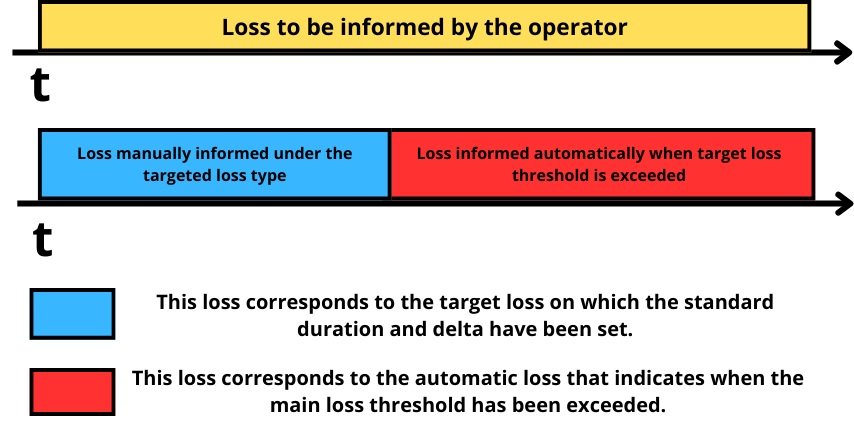
Time allocation after informing a loss configured with a "Planned Shutdown Delta":
Configuring the feature
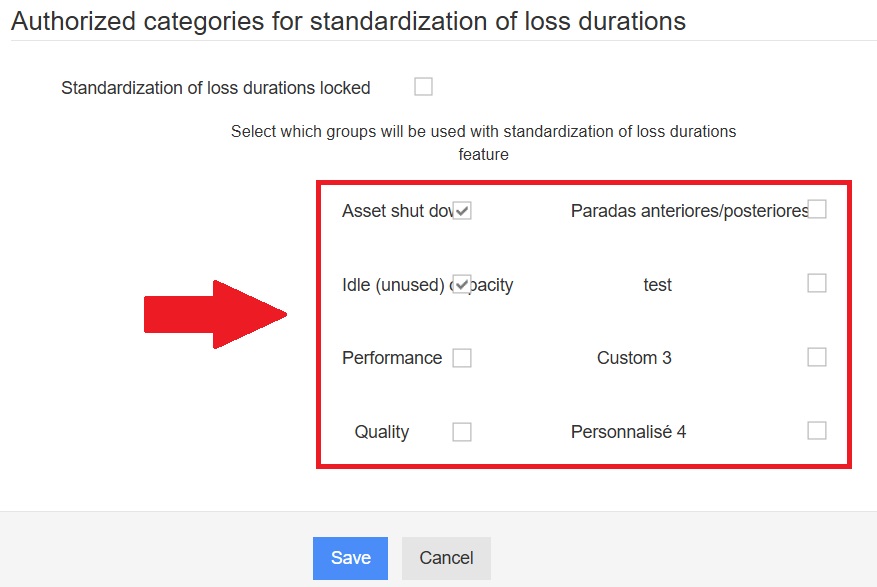
Step 1 — Authorise the loss categories
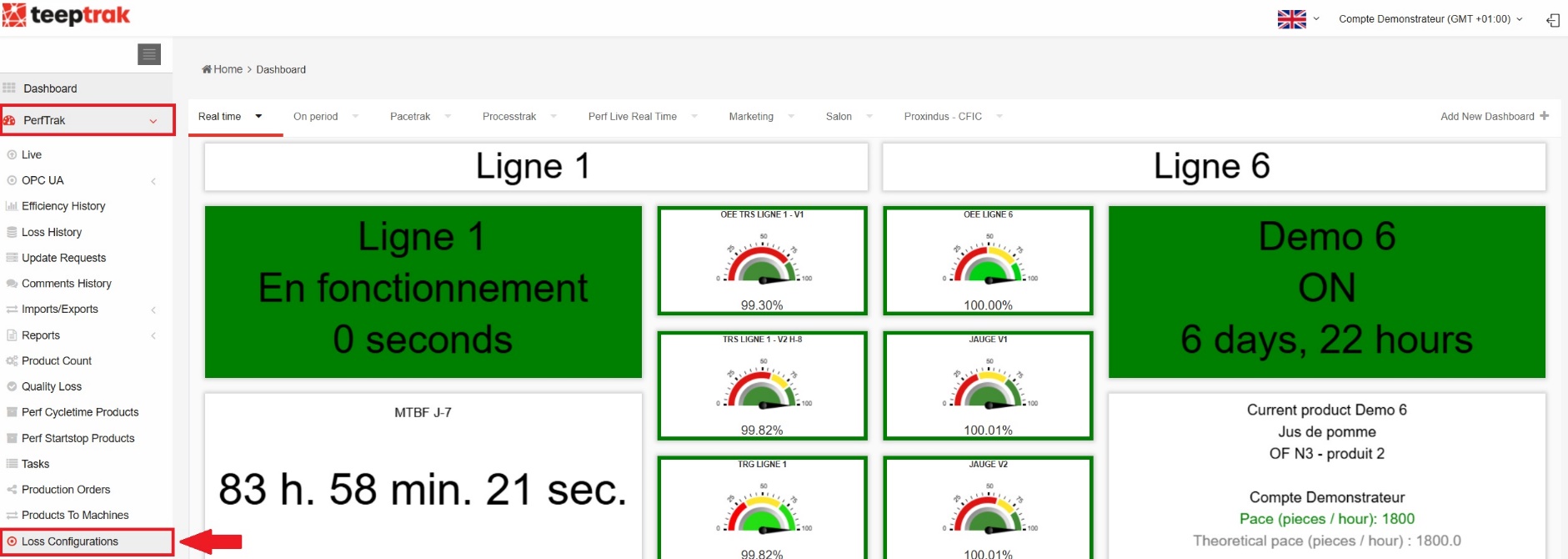
Click on the "PerfTrak" tab, then on "Loss Configurations".
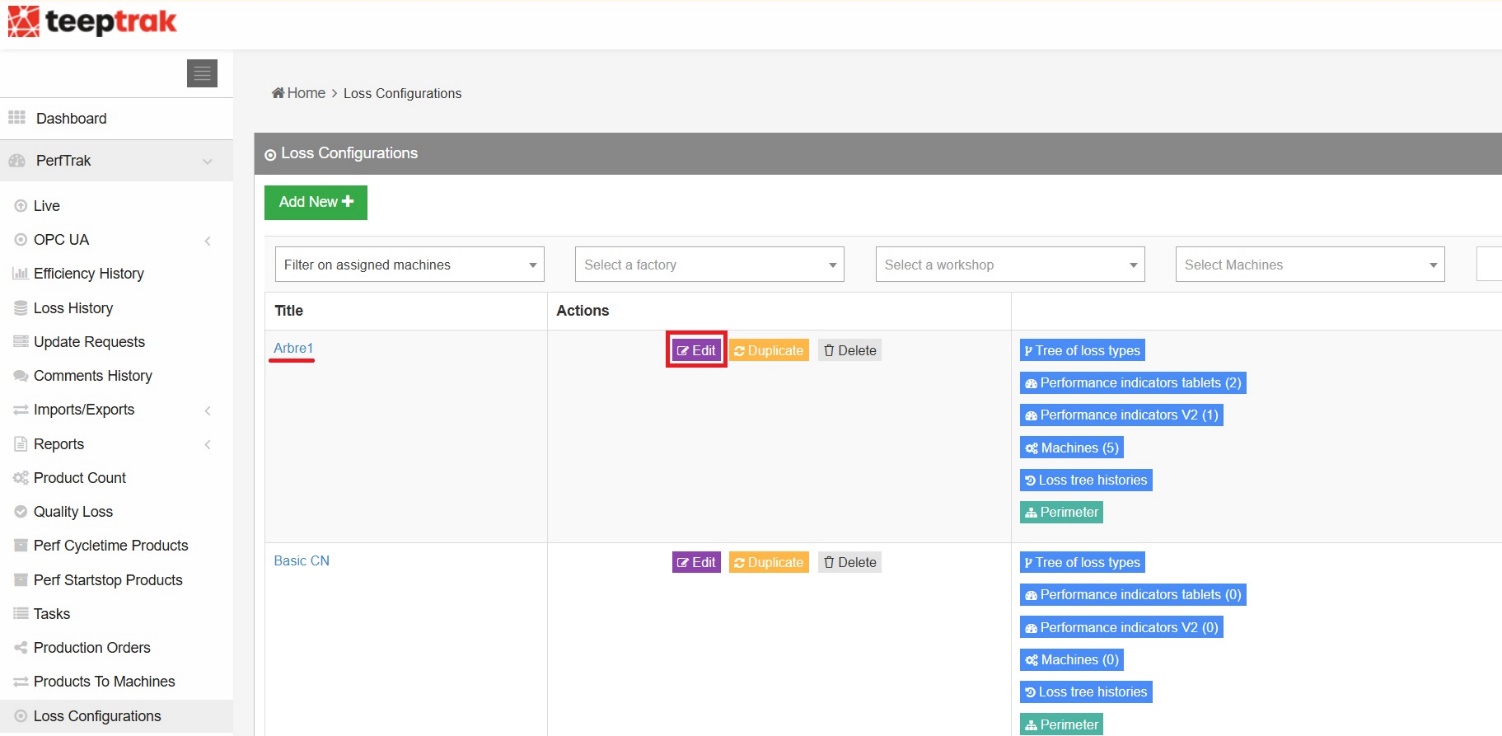
Choose the loss tree on which you want to configure the "Planned shutdown delta" and click "Edit".
Scroll through the features until you reach the "Authorized categories for standardization of loss durations" section, and tick the boxes of the relevant level 0 loss categories.
Step 2 — Set the standard duration on a level 2 loss
Go to the "Loss Configurations" tab. Select the level 2 loss you want to associate with the planned shutdown delta by clicking on:

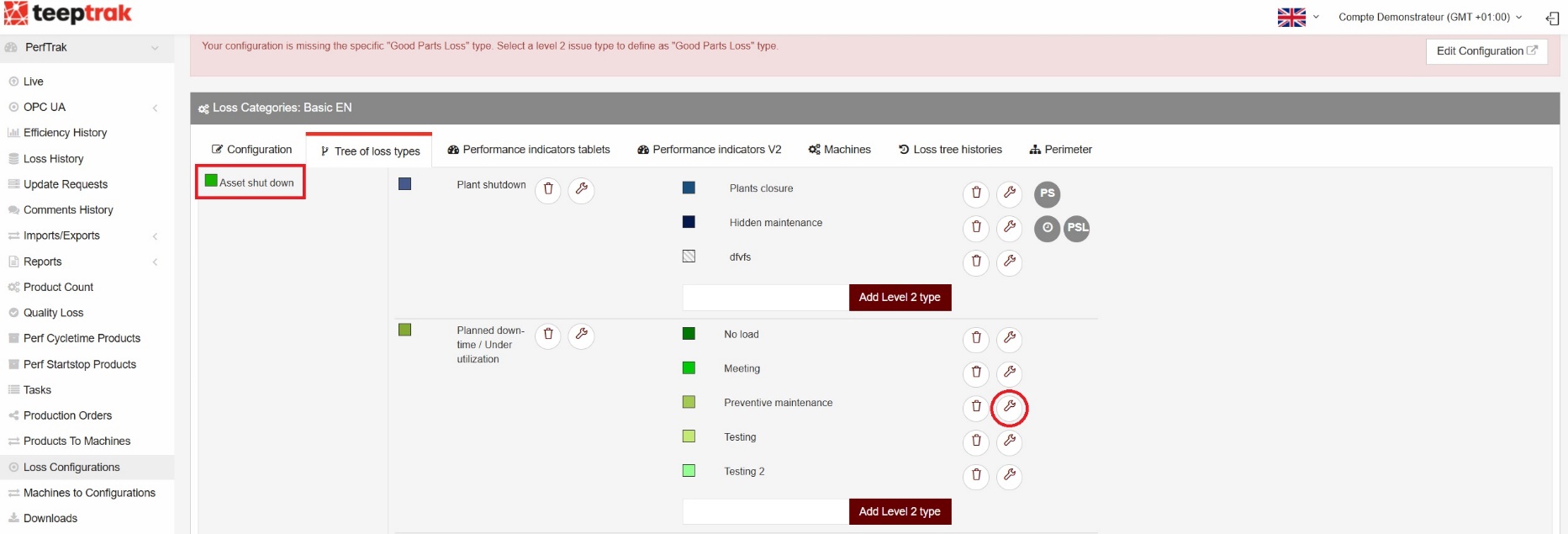
A new window opens, allowing you to enter the planned downtime duration, in minutes. In our example, we select "3600 min".
The "Delta planned shutdown category" field then appears, letting you specify the loss category that will automatically be recorded for the delta — that is, the time occurring after the configured 3600 minutes.
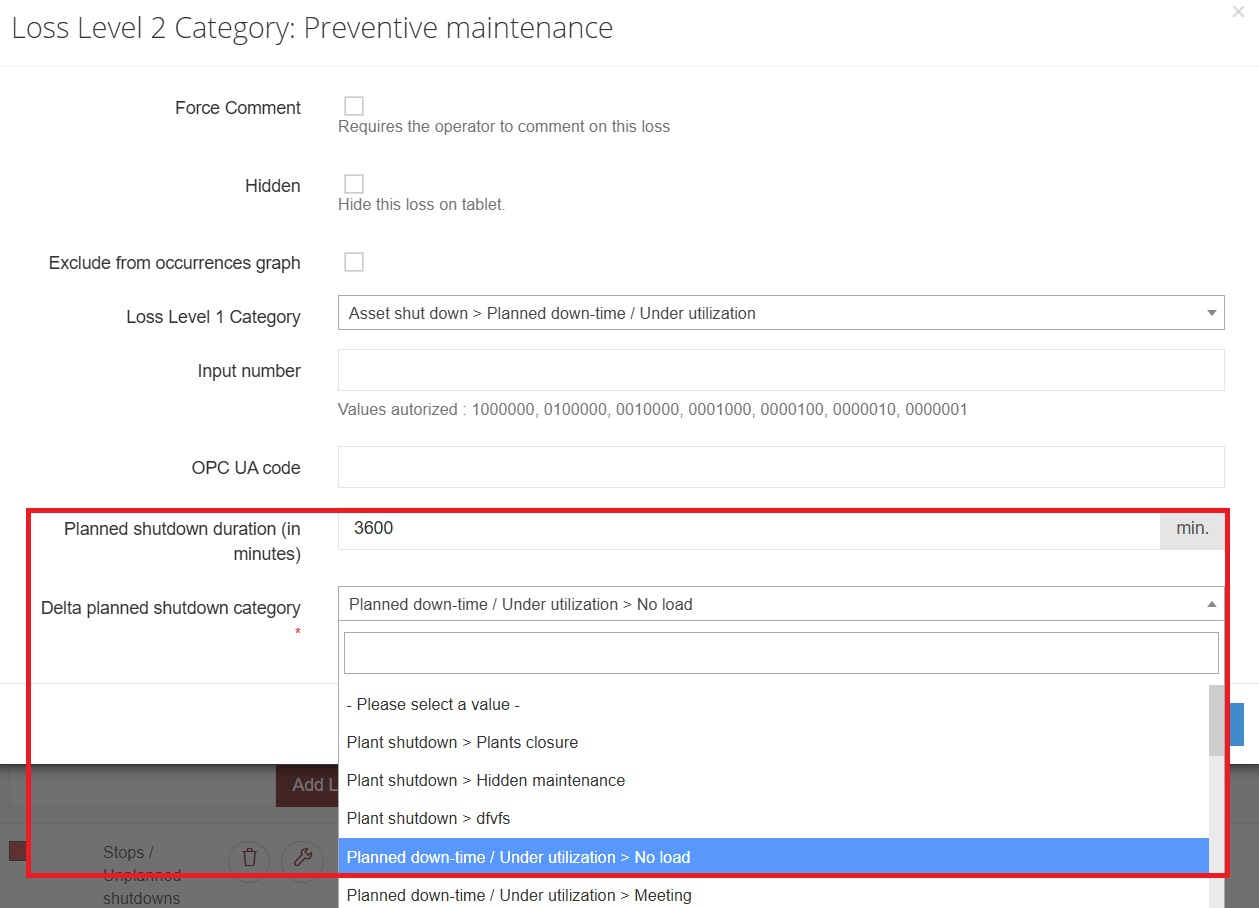
Going back to the initial diagram, our example corresponds to this type of configuration:
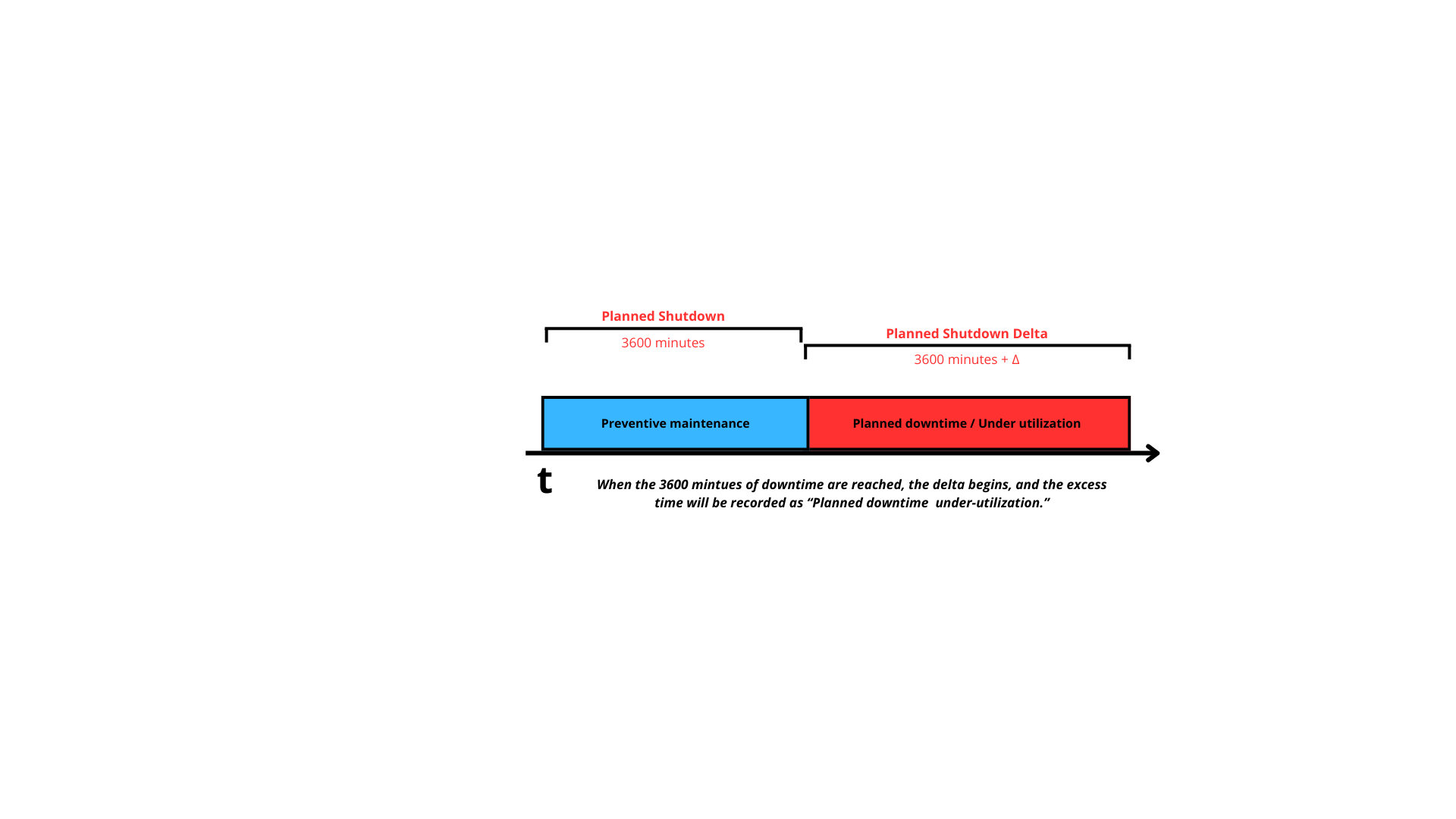
Once the 3600 minutes of downtime are reached, the delta starts and the loss is recorded under the category configured for the delta.
Step 3 — Check the configuration in the loss tree
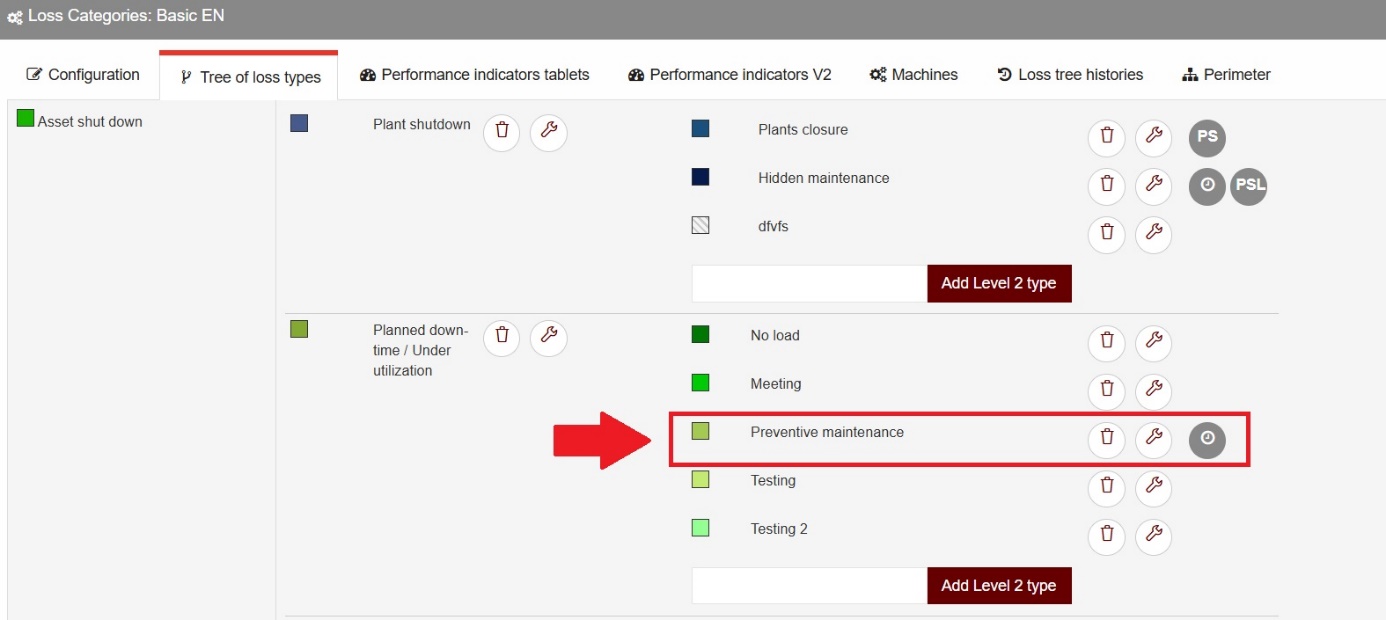
Back in the loss tree view, you can identify the loss categories that include a planned shutdown delta by the greyed-out icon: