Introduction
This article describes the complete procedure for configuring a planned shutdown: the settings on the platform — delta duration, associated loss, calendar, mode, assignment to the machine — and then the final activation on the tablet.
Before you start, make sure you have read the article "Planned shutdown principles and deltas".
Step 1 — Set the delta duration (administrator account)
Before creating your planned shutdown schedules, define the standard delta duration, shared by all the configurable planned shutdowns.
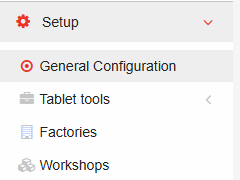
From an administrator account, in the administration interface, click the Setup tab, then the General Configuration sub-tab.
Among the categories in the Various section, find the PerfTrak label at the bottom of the screen. The "Planned shutdown tolerance delta (minutes)" line defines the delta duration applied before and after the planned shutdown, in minutes.
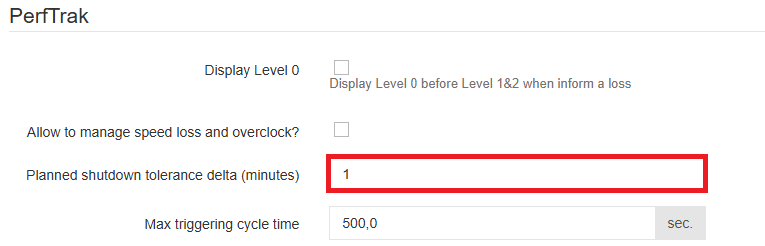
⚠️ Only an administrator account can access this setting.
Step 2 — Associate a loss with the deltas in the loss tree
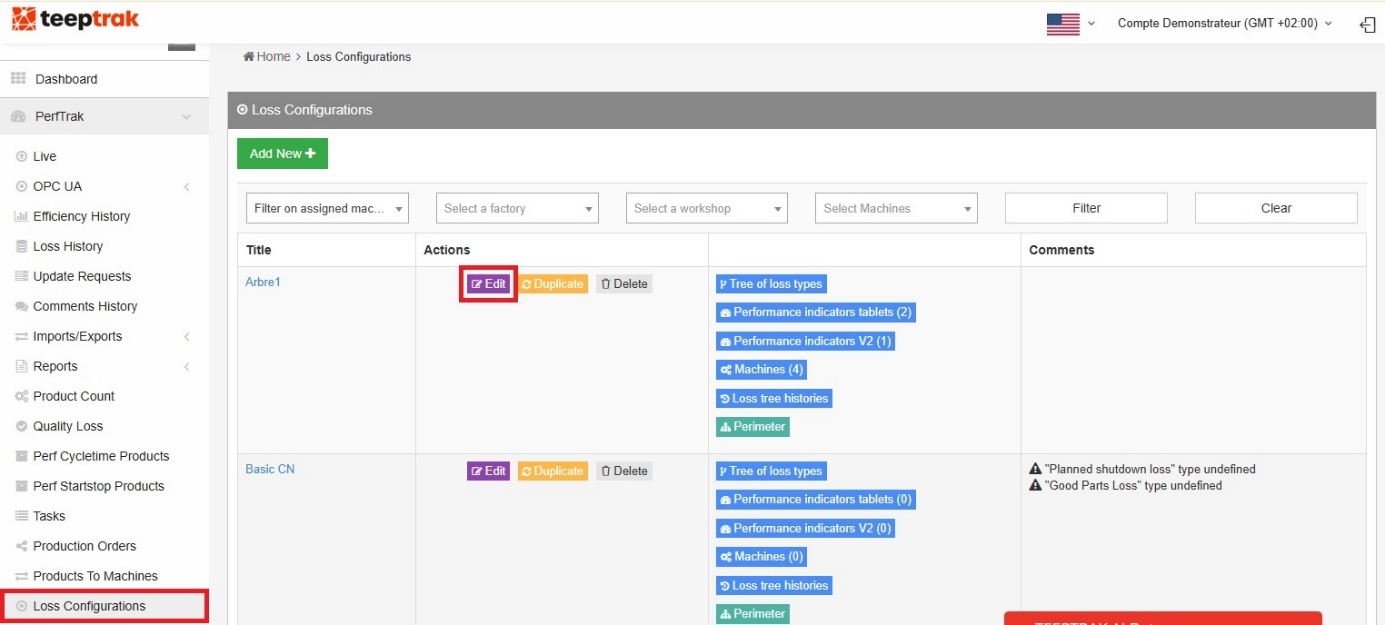
Go to the Loss Configurations tab — accessible from any account type that has access to the loss tree — and select the tree on which you want to configure the pre-informed loss cause for your deltas, covering the durations before and after the planned shutdown.
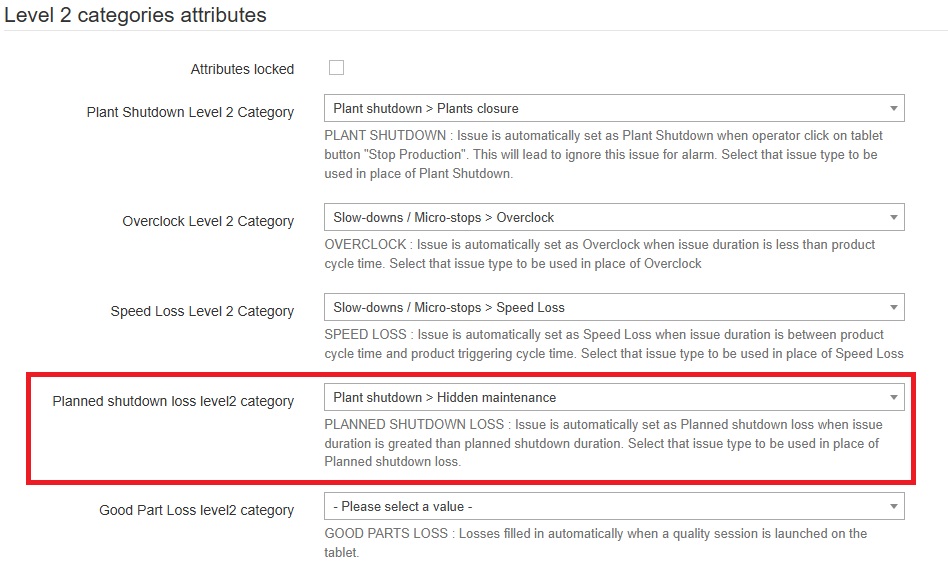
Within the "Level 2 categories attributes", go to the "Planned shutdown loss level 2 category" section and choose the pre-informed loss cause for the tolerance associated with your planned shutdown.
Step 3 — Create the planned shutdown in the calendar
Once the delta duration is set and its heading chosen in the loss tree, configure the planned shutdown on the platform with its own loss cause — the one that will automatically inform the duration of the shutdown.
The calendar displays the current week: select the time slot you want for the planned shutdown.
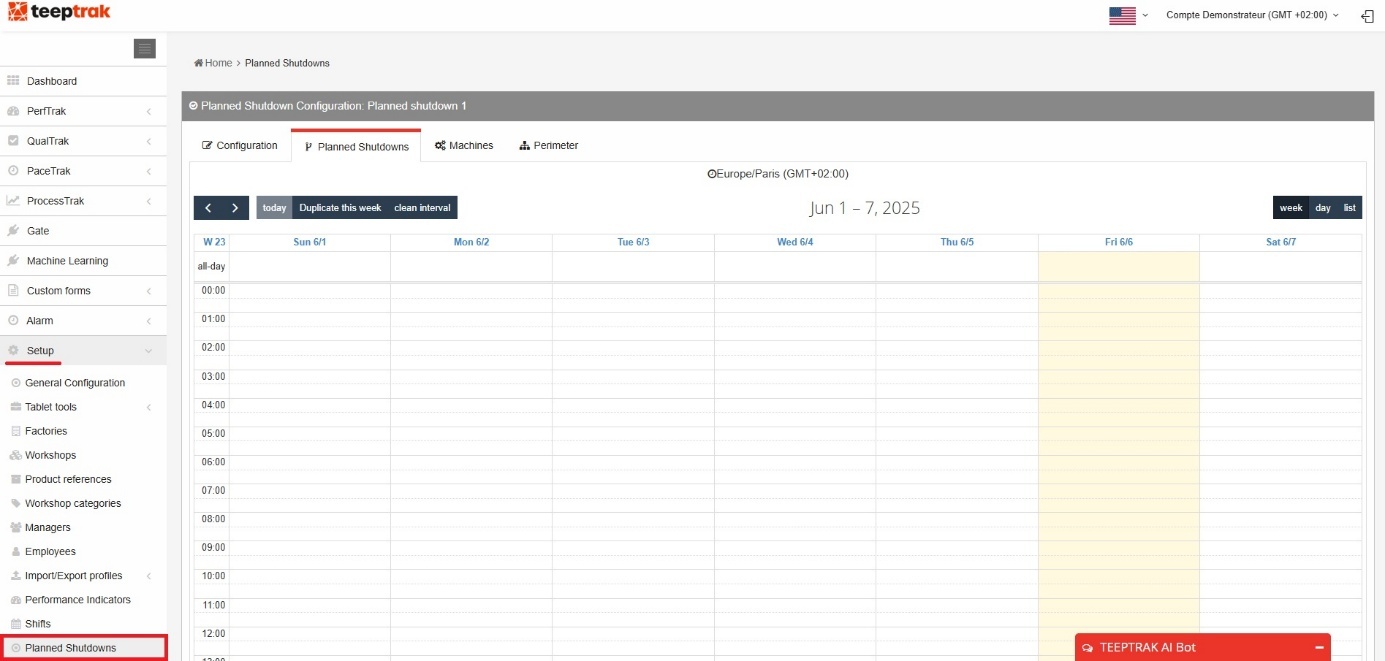
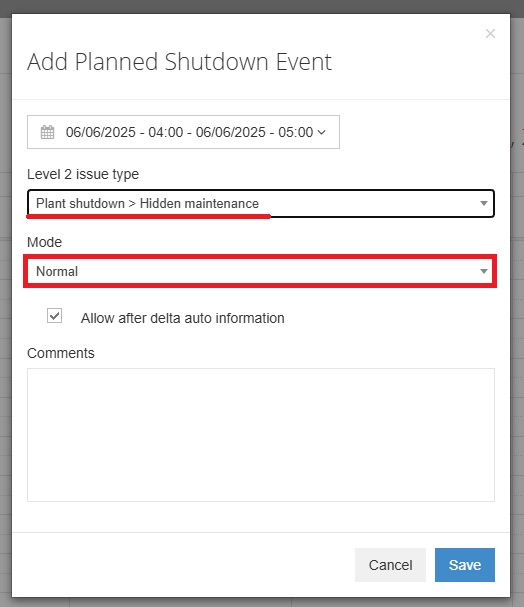
In the example above, a planned shutdown is configured with the loss cause "Plant shutdown" (level 1) then "Hidden maintenance" (level 2). Once you click save, the shutdown appears on the calendar as a blue block.
Remember to assign your configuration to a perimeter under which one or more machines are eligible to receive the planned shutdown — factories, workshops, machines — in the last tab at the top right.

Step 4 — Choose the event processing mode
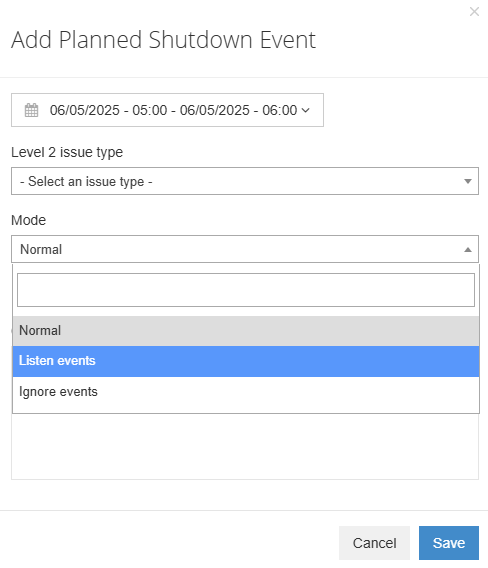
When you create the event, the Mode selector determines how time is processed when impulses occur:
- Standard
- Listen events
- Ignore events

Depending on whether you choose to ignore the impulses or not, the planned shutdown will or will not contain normal time, reflecting the actual state of production at the time of the shutdown. Each mode is detailed in its own article.
Step 5 — The "Allow after delta auto information" option
The "Allow after delta auto information" checkbox is ticked by default. If you untick it, the automatic information of the posterior delta is disabled: the system considers that the right-hand delta does not exist, and a loss to be informed by the operator appears at the end of the planned shutdown.

This option applies to the "Listen events" and "Ignore events" modes. It has no effect in standard mode.
Step 6 — Assign the configuration to the reference machine
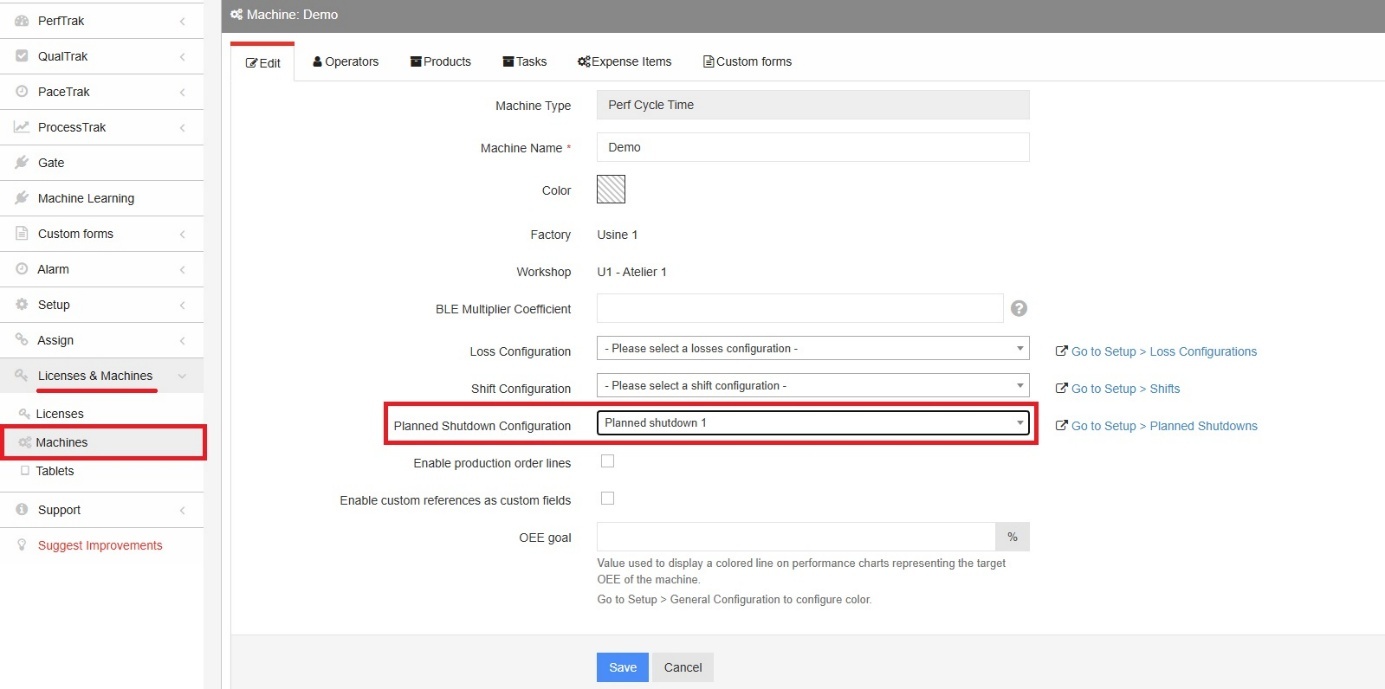
To finalise the configuration on the platform, assign the planned shutdown configuration to its reference machine.
Go to the Licenses & Machines tab, then the Machines sub-tab. Search for your reference machine in the search bar, click Edit, then Planned shutdowns configuration, and select the type of planned shutdown to assign to your machine.
Step 7 — Enable splitting on the tablet
On the main screen of the tablet, open the settings with the cogwheel at the bottom right of the screen. The Options tab gives access to the application options menu.
Find the "Split on Planned Shutdown" option and enable it.
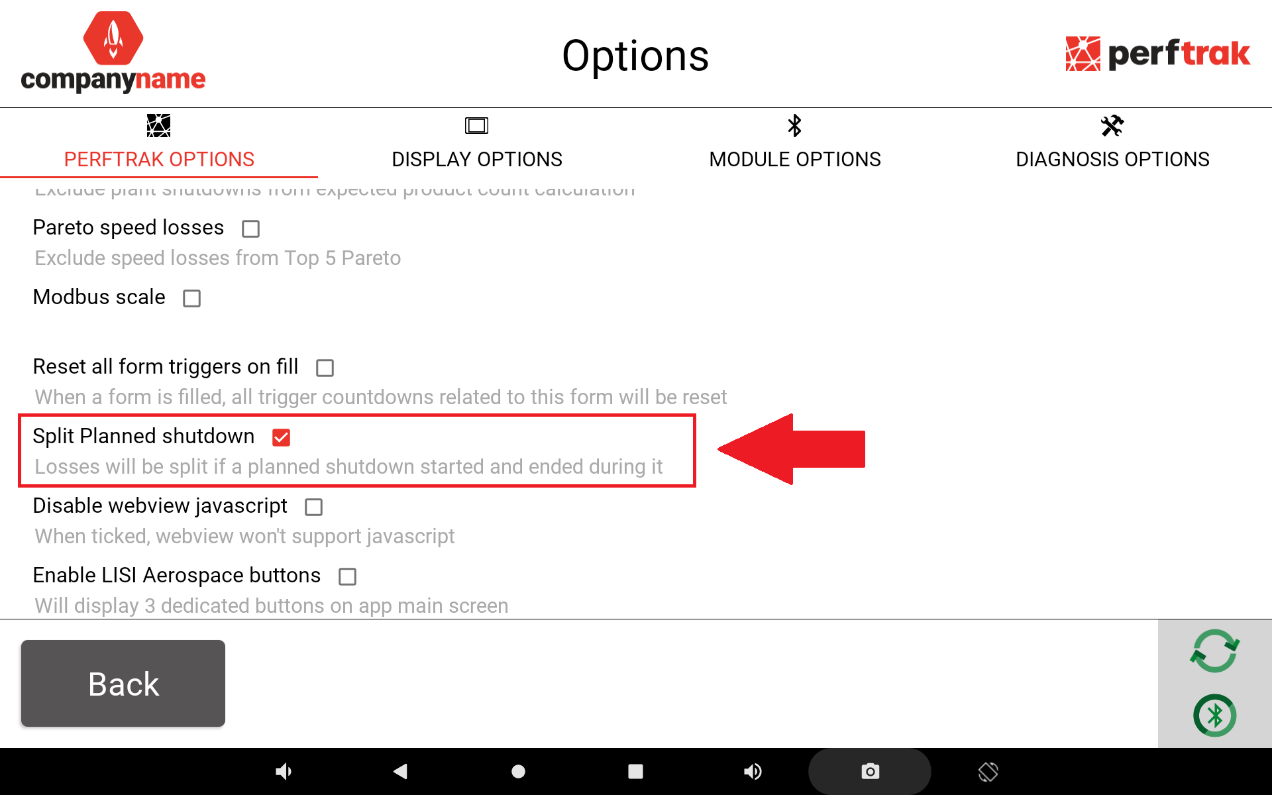
The tablet then displays the loss to be informed when it precedes the deltas and the planned shutdown.
Reading the result in the performance history
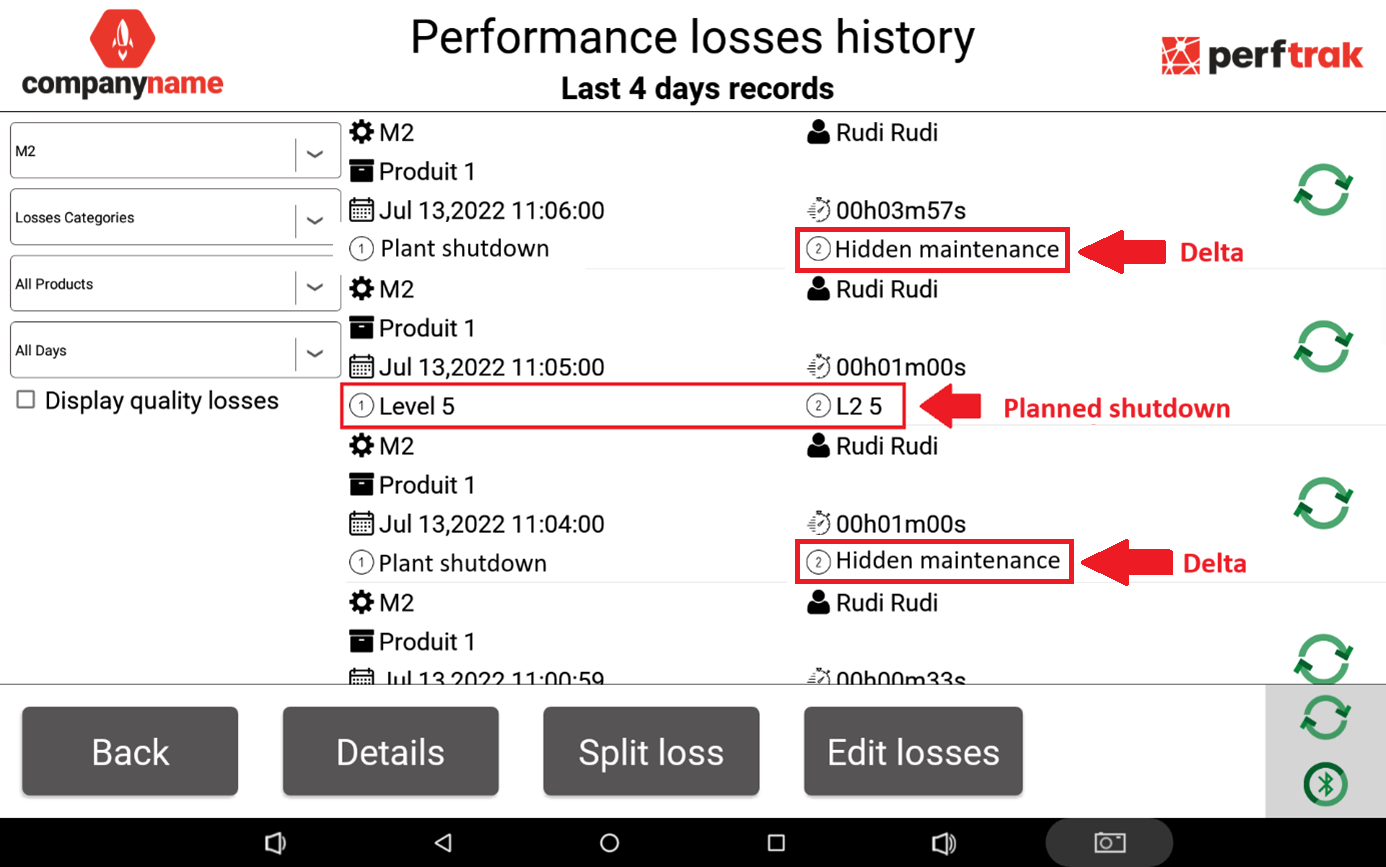
Example, with the deltas informed as "Plant shutdown" (level 1) then "Hidden maintenance" (level 2), and the planned shutdown informed as "Level 5" (level 1) then "L2 5" (level 2) — "Level 5" being a test type of planned shutdown here.
The automatically informed losses are split into three parts over time:
- The anterior delta: one minute, as configured, informed as "Plant shutdown" then "Hidden maintenance".
- The planned shutdown: one minute, as configured, informed as "Level 5" then "L2 5".
- The posterior delta: 3 minutes 57 seconds, informed as "Plant shutdown" then "Hidden maintenance".
FAQ
In which order should the configuration be done?
Delta duration (admin) → delta loss in the loss tree → creation in the calendar (mode + option) → perimeter and machine assignment → enabling splitting on the tablet.
Why is the actual duration of my deltas different from the configured duration?
The configured duration is a maximum: the effective duration of a delta depends on when impulses occur around the planned shutdown — see the articles on each mode.